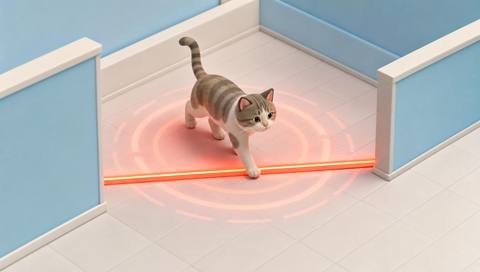
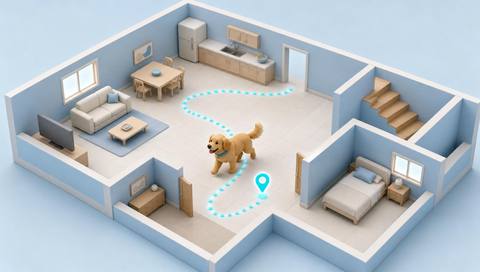
Download IVISION Catalog
 01
01Watch the access area
Position a camera where an approaching animal is large enough to distinguish.


An animal near a loading bay or service entrance can warrant a check. A supported detector can surface a candidate sighting for review without requiring staff to watch every minute of footage.
Confirm detector support, camera suitability and the proposed event workflow before deployment.
Discuss animal detection
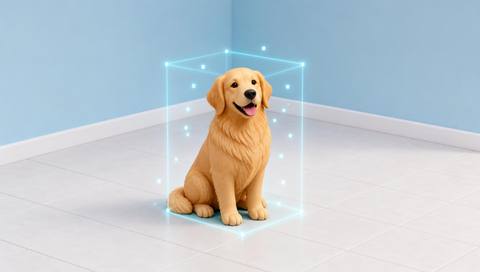
 Without IVISIONStandard CCTV feed
 With IVISIONIllustrative event overlay
The Process
Review visible animal appearances in context Give staff a visible starting point for checking unexpected animal access.
01Position a camera where an approaching animal is large enough to distinguish.
 02
02Test the supported detector against local animals, shadows and moving objects.
 03
03Where event integration is available, inspect the image, camera and observation time.
 04
04Ask trained staff to verify the situation using the site animal-handling procedure.
Explore Your Options
| Dimension |  Animal detection Animal detection |  Animal classification Animal classification |
|---|---|---|
| Observation |  An animal-like object visible in the image. An animal-like object visible in the image. | Visible features associated with a supported animal category. |
| Event criteria | A supported animal class appears within the monitored view. | A detected animal receives a candidate class from a validated model. |
| Monitoring setup | Validate supported classes, observation area and event criteria. | Agree the relevant classes and how uncertain results should be handled. |
| What it cannot establish | Appearance cannot establish ownership, health, aggression or an animal hidden from view. | A category is not proof of breed, sex, individual identity or health. |
| Practical outcome | Give staff a visible starting point for checking unexpected animal access. | Help reviewers distinguish the types of animal sightings relevant to their site. |
Illustrative demonstration
Example footage and simulated events explain the review workflow. They do not measure detector performance.
 Sites overview
No matching events.
EXPLORE WHAT’S POSSIBLE
01 / 04 · ANIMAL DETECTION
Animals may enter while doors are open.
Example event: A candidate animal appears beside a loading door.
Operator response: Check the entrance before closing or moving equipment.
Practical value: Focus a doorway inspection.
Discuss this capability02 / 04 · ANIMAL DETECTION
Staff receive reports without a clear location.
Example event: An animal appears in a courtyard camera.
Operator response: Verify the sighting and contact the appropriate caretaker.
Practical value: Provide location context for a response.
Discuss this capability03 / 04 · ANIMAL DETECTION
Animals can reach stored feed through service access.
Example event: An animal is visible near the store entrance.
Operator response: Inspect the access point and secure it if needed.
Practical value: Support practical access checks.
Discuss this capability04 / 04 · ANIMAL DETECTION
Cover the approach at an angle that shows the animal body.
Visibility: Darkness, vegetation and small image size can hide animals.
Configuration: Confirm supported classes and event connectivity on representative footage.
Privacy: Limit views of neighboring homes and restrict access to retained footage.
Human review: Verify that the object is an animal before acting.
Discuss this capabilityFrequently asked questions
Identify candidate animal appearances in a monitored camera view.
No. Coverage depends on the supported model and the animal examples tested at the site.
An animal detection does not establish ownership or identify a responsible person.
No. Staff must follow appropriate animal-handling procedures rather than infer aggression from a detection.
The camera needs a sufficiently visible view; animals behind objects or outside coverage may be missed.
Find your fit
Give staff a visible starting point for checking unexpected animal access. For Site security teams, Facilities managers.
Workflow to discuss
Animal detection + Find candidate sightings without continuous screen watching.
Discuss a camera view, a monitoring question and the review process your team needs.