Download IVISION Catalog
 01
01Camera input
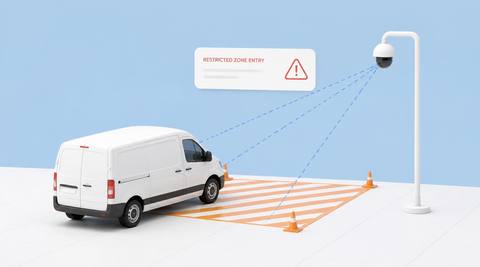
Show the approach and designated boundary.


A camera can help review a crossing into a defined region. The hazard assessment, authorization and required protection come from the site’s procedures, not from the person’s appearance.
Catalog workflow. Detector availability, scene suitability and event delivery must be verified for the proposed deployment. Camera observations supplement human review and established safety procedures.
Discuss this workflow
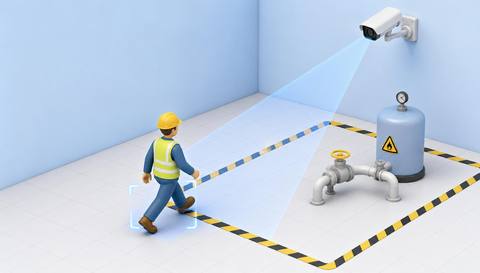
 Without IVISIONStandard CCTV feed
 With IVISIONIllustrative event overlay
The Process
The site defines the hazard and access conditions Connect a boundary crossing with the correct access check.
01Show the approach and designated boundary.
 02
02Validate crossing recognition and region geometry.
 03
03Review entry time and available work-permit context.
 04
04Area owner checks authorization and follows the access procedure.
Explore Your Options
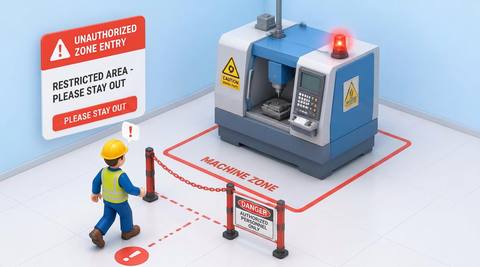
| Dimension |  Hazardous-Area Entry Monitoring Hazardous-Area Entry Monitoring |  Machine Zone Entry Machine Zone Entry |
|---|---|---|
| Observation |  A person crosses into the designated region. A person crosses into the designated region. | A person crosses into a defined machine-area region. |
| Event criteria | A validated entry criterion occurs in the relevant work period. | The validated track or presence changes from outside to inside. |
| Monitoring setup | Confirm boundary, schedule and authorized exceptions. | Confirm boundary, direction and applicable work windows. |
| What it cannot establish | Entry alone does not establish permission, exposure or actual injury. | Entry does not establish unauthorized access or hazardous machine motion. |
| Practical outcome | Give the responsible area owner a concrete entry event to verify. | Create a clear boundary-crossing context for machine-area access review. |
Illustrative demonstration
Example footage and simulated events explain the review workflow. They do not measure detector performance.
 Sites overview
No matching events.
EXPLORE WHAT’S POSSIBLE
01 / 04 · HAZARDOUS-AREA ENTRY MONITORING
Visitors may miss a temporary boundary.
Example event: A person crosses into the region.
Operator response: Supervisor verifies escort and task.
Practical value: Focused access review.
Discuss this capability02 / 04 · HAZARDOUS-AREA ENTRY MONITORING
The hazard boundary changes during work.
Example event: An entry occurs in the assessed region.
Operator response: Permit owner checks the active arrangement.
Practical value: Clearer temporary control.
Discuss this capability03 / 04 · HAZARDOUS-AREA ENTRY MONITORING
Workers pass near active operations.
Example event: A person enters the defined area.
Operator response: Marshal checks access conditions.
Practical value: Specific coordination cue.
Discuss this capability04 / 04 · HAZARDOUS-AREA ENTRY MONITORING
Show both sides of the boundary.
Visibility: Barriers and groups can hide crossings.
Configuration: Revalidate temporary zones and camera movement.
Privacy: Avoid inferring identity or intent from appearance.
Human review: Confirm permission, exposure and required precautions through site records.
Discuss this capabilityFrequently asked questions
Reviews people crossing into a defined area that the site has designated as hazardous.
No. The site’s assessment defines the area and requirements.
No. Permission must be checked separately.
Assess the new geometry and supported configuration first.
No. Keep required barriers, controls and supervision.
Find your fit
Give the responsible area owner a concrete entry event to verify. For Site safety controllers, Permit coordinators.
Workflow to discuss
Hazardous-Area Entry Monitoring + Make the hazard boundary explicit.
Discuss a camera view, a monitoring question and the review process your team needs.