Download IVISION Catalog
 01
01Camera input
Capture landmarks that help locate the affected surface or equipment.


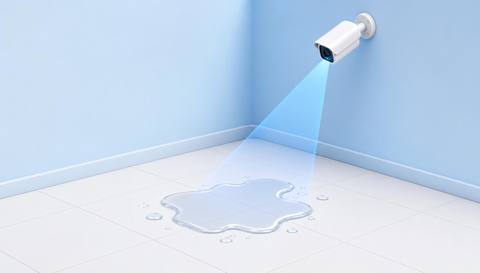
Connect a spill indication to a named camera, visible landmark and assessed region. Exact floor coordinates or mapped positions require separate calibration and integration; the apparent pool may differ from the original leak source.
Catalog workflow. Detector availability, scene suitability and event delivery must be verified for the proposed deployment. Camera observations supplement human review and established safety procedures.
Discuss this workflow
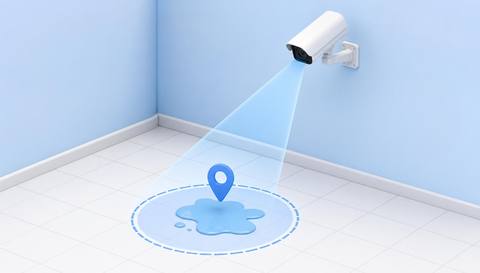
 Without IVISIONStandard CCTV feed
 With IVISIONIllustrative event overlay
The Process
Useful location starts with the camera and scene Reduce ambiguity in location handovers.
01Capture landmarks that help locate the affected surface or equipment.
 02
02Validate region geometry and the selected spill indication.
 03
03Review camera name, apparent position and source uncertainty.
 04
04Dispatcher gives the responsible team verified location context.
Explore Your Options
| Dimension |  Spill and Leak Location Identification Spill and Leak Location Identification |  Liquid-Spill Detection Liquid-Spill Detection |
|---|---|---|
| Observation |  A reviewed spill or release indication has a visible scene position. A reviewed spill or release indication has a visible scene position. | A visible pool or spill-like surface change. |
| Event criteria | A supported event includes region or location context. | A validated liquid-region criterion appears in the assessed area. |
| Monitoring setup | Confirm camera naming, region labels and any mapping method. | Confirm floor region, cleaning periods and normal reflections. |
| What it cannot establish | A visible pool does not necessarily identify the upstream source. | Video does not establish liquid type, depth or slip resistance. |
| Practical outcome | Help response teams find the affected area without assuming exact physical coordinates or substance identity. | Help facilities locate a possible spill and assign a physical check. |
Illustrative demonstration
Example footage and simulated events explain the review workflow. They do not measure detector performance.
 Sites overview
No matching events.
EXPLORE WHAT’S POSSIBLE
01 / 04 · SPILL AND LEAK LOCATION IDENTIFICATION
Similar bays make verbal reports ambiguous.
Example event: A pool is visible near a numbered bay.
Operator response: Dispatcher checks the camera and bay label.
Practical value: Clearer cleanup handover.
Discuss this capability02 / 04 · SPILL AND LEAK LOCATION IDENTIFICATION
Liquid can travel away from its origin.
Example event: A spill appears beside equipment.
Operator response: Team distinguishes observed pool from suspected source.
Practical value: More careful investigation.
Discuss this capability03 / 04 · SPILL AND LEAK LOCATION IDENTIFICATION
Floor identity is missing from an initial report.
Example event: An event links to a named level camera.
Operator response: Facilities confirms the exact area.
Practical value: Fewer location misunderstandings.
Discuss this capability04 / 04 · SPILL AND LEAK LOCATION IDENTIFICATION
Include recognizable fixed landmarks.
Visibility: Obstructions and camera movement invalidate location assumptions.
Configuration: Verify any coordinate or map calibration separately.
Privacy: Share only necessary incident location and imagery.
Human review: Confirm the physical location and source before intervention.
Discuss this capabilityFrequently asked questions
Adds camera and scene-location context to a reviewed spill or leak indication.
Only if a suitable mapping and calibration method is verified.
No. Liquid can travel across surfaces or from higher equipment.
Stable camera names, area labels and visible landmarks.
Revalidate region and mapping references before relying on them.
Find your fit
Help response teams find the affected area without assuming exact physical coordinates or substance identity. For Facilities dispatchers, Process incident coordinators.
Workflow to discuss
Spill and Leak Location Identification + Use consistent camera and region names.
Discuss a camera view, a monitoring question and the review process your team needs.