
 Download IVISION Catalog
 01
01Map visible transfers
Identify the stages and gaps the cameras can observe.


A transfer between stages can reveal waiting, uneven arrival or accumulation. A supported visual workflow can help locate these conditions, while production records are needed to explain whether the cause is supply, equipment, scheduling or normal process variation.
Confirm detector support, camera suitability and the proposed event workflow before deployment.
Review production flow
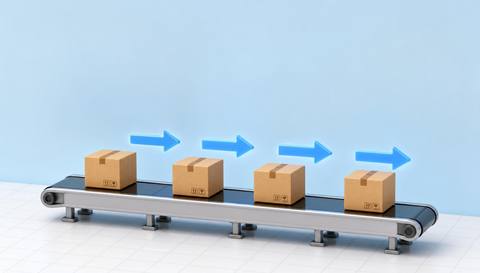
 Without IVISIONStandard CCTV feed
 With IVISIONIllustrative event overlay
The Process
Locate movement changes before investigating their cause Help teams locate where the observed flow changes or accumulates.
01Identify the stages and gaps the cameras can observe.
 02
02Test supported tracking or counting at each point.
 03
03Review arrival, waiting and departure alongside process records.
 04
04Check the relevant upstream or downstream operation.
Explore Your Options
| Dimension |  Production-flow analysis Production-flow analysis |  Bottleneck detection Bottleneck detection |
|---|---|---|
| Observation |  Visible unit or material movement between defined process points. Visible unit or material movement between defined process points. | Persistent visible accumulation, waiting or reduced transfer at a stage. |
| Event criteria | Supported observations indicate a change in movement or accumulation. | A validated condition differs from the expected buffer or movement pattern. |
| Monitoring setup | Define stages, normal transfers and comparable operating periods. | Define normal buffering, comparison periods and product context. |
| What it cannot establish | Video does not establish material genealogy or hidden movement outside coverage. | Accumulation alone does not prove a bottleneck or identify its root cause. |
| Practical outcome | Help teams locate where the observed flow changes or accumulates. | Help engineers choose where to investigate a possible flow restriction. |
Illustrative demonstration
Example footage and simulated events explain the review workflow. They do not measure detector performance.
 Sites overview
No matching events.
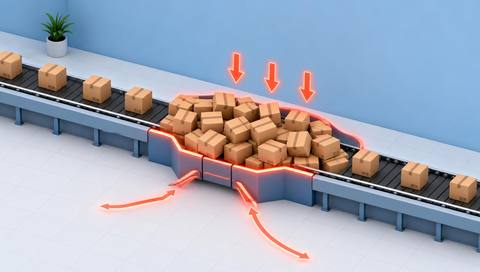 Production Monitoring
Review persistent accumulation as a candidate constraint symptom.
Read More
 Production Monitoring
Compare observed crossings at defined checkpoints.
Read More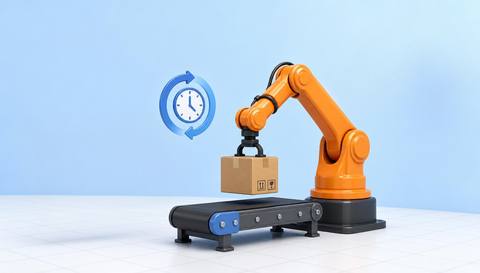 Production Monitoring
Review visible intervals at individual stages.
Read MoreEXPLORE WHAT’S POSSIBLE
01 / 04 · PRODUCTION-FLOW ANALYSIS
Items arrive unevenly at the next station.
Example event: Visible arrivals bunch near the transfer.
Operator response: Review upstream release and downstream operation.
Practical value: Focus investigation on the transfer.
Discuss this capability02 / 04 · PRODUCTION-FLOW ANALYSIS
Waiting work grows during part of a run.
Example event: Visible units accumulate in the buffer.
Operator response: Compare the pattern with task and supply records.
Practical value: Support a discussion of stage balance.
Discuss this capability03 / 04 · PRODUCTION-FLOW ANALYSIS
Movement varies by item mix.
Example event: Observed flow changes after a format switch.
Operator response: Check mix and routing before assigning a cause.
Practical value: Contextualize the visible change.
Discuss this capability04 / 04 · PRODUCTION-FLOW ANALYSIS
Show meaningful transfer points and buffer areas.
Visibility: Unseen paths and overlapping units break movement continuity.
Configuration: Validate tracking or counting and time alignment between views.
Privacy: Keep analysis focused on the process flow.
Human review: Confirm explanations with operating records rather than image patterns alone.
Discuss this capabilityFrequently asked questions
Review visible movement and waiting between defined production stages.
Accumulation may suggest a location to investigate, but a constraint needs contextual verification.
Full traceability is separate and is not established by visible flow review.
Only with aligned times and verified observation methods.
No automatic process optimization or control is implied.
Find your fit
Help teams locate where the observed flow changes or accumulates. For Process engineers, Production coordinators.
Workflow to discuss
Production-flow analysis + Locate visible transfer and waiting conditions.
Discuss a camera view, a monitoring question and the review process your team needs.





