Download IVISION Catalog
 01
01Camera input
Capture approaching vehicles at a useful size.


Assess whether supported vehicle classes are visible within a defined scene. A detection can support later review, but it does not by itself identify the driver, read a plate or establish access permission.
Catalog workflow. Detector availability, scene suitability and event delivery must be verified for the proposed deployment. Camera observations supplement human review and established safety procedures.
Discuss this workflow
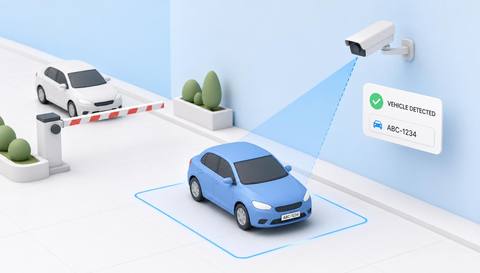
 Without IVISIONStandard CCTV feed
 With IVISIONIllustrative event overlay
The Process
Detection is the first observation, not an identity check Find vehicle activity without assuming who or what it is.
01Capture approaching vehicles at a useful size.
 02
02Validate local vehicle types against background objects.
 03
03Review the indication and scene context.
 04
04Operator follows the relevant gate or area procedure.
Explore Your Options
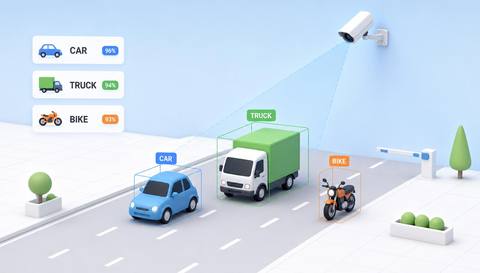
| Dimension |  Vehicle Detection Vehicle Detection |  Vehicle Classification Vehicle Classification |
|---|---|---|
| Observation |  A visible object resembles a supported vehicle class. A visible object resembles a supported vehicle class. | Visible vehicle features match a supported broad class. |
| Event criteria | A validated vehicle indication appears in the selected area. | A validated category indication is available for a detected vehicle. |
| Monitoring setup | Confirm classes, region and review thresholds. | Define category boundaries and ambiguous-case handling. |
| What it cannot establish | Presence does not establish identity, authorization or a complete movement history. | Appearance cannot establish payload, legal vehicle class or exact specification. |
| Practical outcome | Give operators a vehicle-presence indication for a defined site area. | Help teams review traffic mix without claiming exact make or model recognition. |
Illustrative demonstration
Example footage and simulated events explain the review workflow. They do not measure detector performance.
 Sites overview
No matching events.
EXPLORE WHAT’S POSSIBLE
01 / 04 · VEHICLE DETECTION
Operators need context on approaching traffic.
Example event: A vehicle enters the view.
Operator response: Gate team checks the arrival.
Practical value: Focused arrival awareness.
Discuss this capability02 / 04 · VEHICLE DETECTION
Deliveries share an access route.
Example event: A vehicle appears in the service region.
Operator response: Reception checks delivery context.
Practical value: Clearer coordination.
Discuss this capability03 / 04 · VEHICLE DETECTION
Vehicle activity occurs between rounds.
Example event: A vehicle is visible in the selected area.
Operator response: Supervisor checks the work context.
Practical value: Area-specific review.
Discuss this capability04 / 04 · VEHICLE DETECTION
Show the vehicle body without severe occlusion.
Visibility: Darkness, weather and partial views affect recognition.
Configuration: Validate supported classes and local scenes.
Privacy: Avoid unnecessary plate or occupant data collection.
Human review: Confirm the object and operational relevance.
Discuss this capabilityFrequently asked questions
Identifies candidate vehicle objects in an assessed camera view.
No. Plate recognition is a separate assessed workflow.
No. Vehicle presence does not establish a person’s identity.
Only supported and validated classes should be claimed.
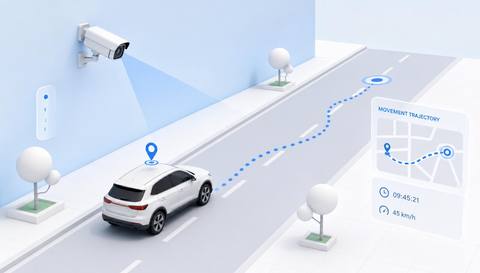
No. Tracking requires additional validated continuity.
Find your fit
Give operators a vehicle-presence indication for a defined site area. For Gate operators, Transport site supervisors.
Workflow to discuss
Vehicle Detection + Locate vehicle activity in a defined view.
Discuss a camera view, a monitoring question and the review process your team needs.