Download IVISION Catalog
 01
01Camera input
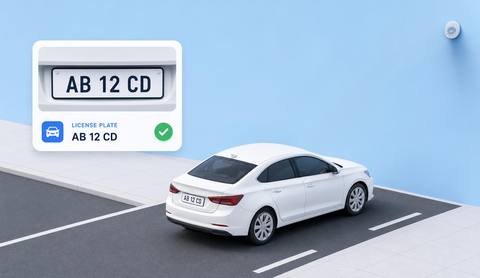
Capture an identifier with sufficient detail for review.


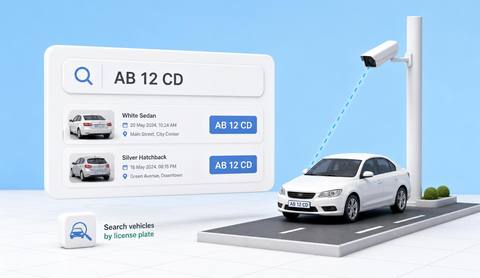
Where plate reading and list comparison are supported, review the source image, list purpose and current status together. Similar characters, stale entries and shared vehicles can produce misleading associations.
Catalog workflow. Detector availability, scene suitability and event delivery must be verified for the proposed deployment. Camera observations supplement human review and established safety procedures.
Discuss this workflow
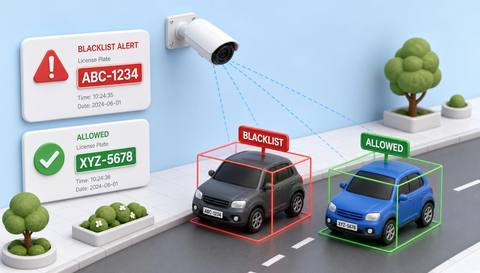
 Without IVISIONStandard CCTV feed
 With IVISIONIllustrative event overlay
The Process
A match needs current records and human verification Keep watchlist decisions accountable and evidence-based.
01Capture an identifier with sufficient detail for review.
 02
02Validate reading and comparison against similar identifiers.
 03
03Review the image and current authorized list entry.
 04
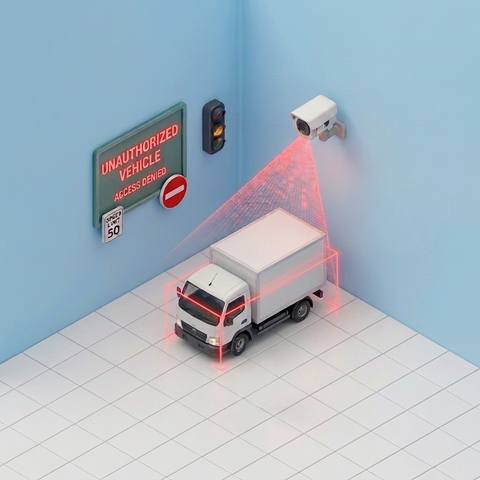
04Security staff follows the lawful site access procedure.
Explore Your Options
| Dimension |  Vehicle Blacklist and Watchlist Alerts Vehicle Blacklist and Watchlist Alerts |  License Plate Recognition License Plate Recognition |
|---|---|---|
| Observation |  A supported observed identifier resembles an entry on an authorized list. A supported observed identifier resembles an entry on an authorized list. | A visible plate region contains candidate registration characters. |
| Event criteria | A validated comparison produces a candidate match. | A supported reader produces a candidate text result. |
| Monitoring setup | Confirm list ownership, update rules, matching and delivery support. | Confirm plate formats, image detail and uncertainty handling. |
| What it cannot establish | A list match does not establish driver identity, intent or criminal conduct. | A reading does not establish ownership, driver identity or registration validity. |
| Practical outcome | Help security teams check a possible list match without treating it as proof of wrongdoing. | Help authorized reviewers identify a vehicle observation while checking the original plate image. |
Illustrative demonstration
Example footage and simulated events explain the review workflow. They do not measure detector performance.
 Sites overview
No matching events.
EXPLORE WHAT’S POSSIBLE
01 / 04 · VEHICLE BLACKLIST AND WATCHLIST ALERTS
A revoked vehicle permission must be checked.
Example event: A candidate identifier matches the site list.
Operator response: Operator verifies the current record.
Practical value: Focused access review.
Discuss this capability02 / 04 · VEHICLE BLACKLIST AND WATCHLIST ALERTS
A disputed registration may remain on an old list.
Example event: A match is indicated.
Operator response: Coordinator checks the latest authorization.
Practical value: Avoids stale-record action.
Discuss this capability03 / 04 · VEHICLE BLACKLIST AND WATCHLIST ALERTS
Similar plates create ambiguity.
Example event: A partial reading resembles a listed vehicle.
Operator response: Security checks full evidence.
Practical value: More careful decisions.
Discuss this capability04 / 04 · VEHICLE BLACKLIST AND WATCHLIST ALERTS
Use a plate-suitable approach view.
Visibility: Glare and similar characters cause mismatch risk.
Configuration: Verify recognition, list management and actual alert delivery.
Privacy: Maintain lawful list purpose, restricted access and retention.
Human review: Confirm identifier and current authorization before action.
Discuss this capabilityFrequently asked questions
Compares supported vehicle identifiers with an authorized site-maintained list for human review.
No. It is a candidate record association for review.
An authorized owner with a documented purpose and update process.
Verify the configured delivery integration.
No. It identifies a vehicle registration context, not the person driving.
Find your fit
Help security teams check a possible list match without treating it as proof of wrongdoing. For Authorized security operators, Site access administrators.
Workflow to discuss
Vehicle Blacklist and Watchlist Alerts + Require current authorized list context.
Discuss a camera view, a monitoring question and the review process your team needs.