Download IVISION Catalog
 01
01Camera input
Capture the permitted area and surrounding boundary.


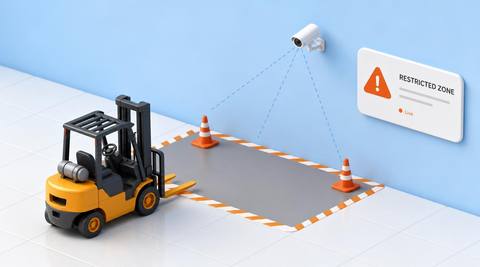
Assess the permitted working region and its boundary. Review departures with loading, turning and temporary layout changes in mind; a camera does not enforce physical containment or certify the zone design.
Catalog workflow. Detector availability, scene suitability and event delivery must be verified for the proposed deployment. Camera observations supplement human review and established safety procedures.
Discuss this workflow
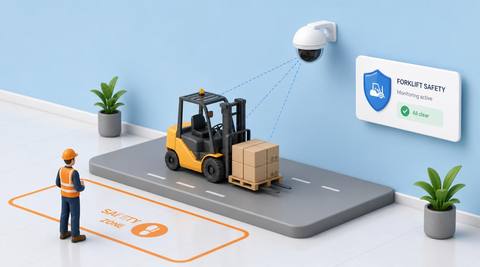
 Without IVISIONStandard CCTV feed
 With IVISIONIllustrative event overlay
The Process
Observation supports the operating plan Connect forklift activity with an agreed operating area.
01Capture the permitted area and surrounding boundary.
 02
02Validate truck position against the zone geometry.
 03
03Review departures with the current work plan.
 04
04Area owner checks layout, task needs and appropriate controls.
Explore Your Options
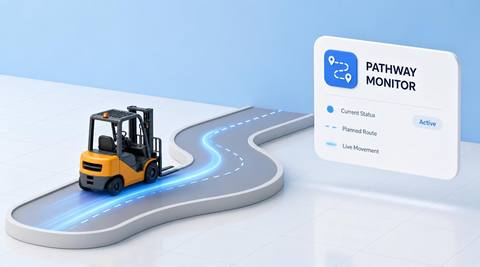
| Dimension |  Forklift Operation Zone Forklift Operation Zone |  Forklift Pathway Monitoring Forklift Pathway Monitoring |
|---|---|---|
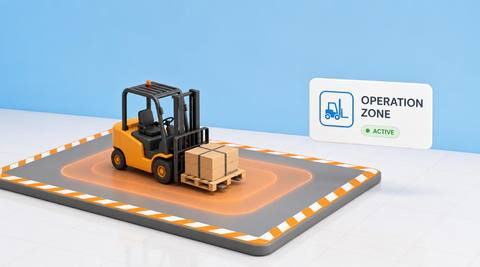
| Observation |  Forklift presence or movement relative to a permitted zone. Forklift presence or movement relative to a permitted zone. | A forklift moves within or outside an assessed pathway. |
| Event criteria | A validated zone condition identifies activity outside the assessed area. | A validated route criterion is met. |
| Monitoring setup | Confirm boundaries, task allowances and layout changes. | Confirm aisle boundaries, turning areas and authorized exceptions. |
| What it cannot establish | Zone presence does not establish safe capacity, clearance or operation. | Image overlap with a boundary does not always mean physical encroachment. |
| Practical outcome | Help teams assess use of the intended working area rather than claiming the camera keeps equipment inside it. | Help warehouse teams investigate route departures with aisle and task context. |
Illustrative demonstration
Example footage and simulated events explain the review workflow. They do not measure detector performance.
 Sites overview
No matching events.
EXPLORE WHAT’S POSSIBLE
01 / 04 · FORKLIFT OPERATION ZONE
Truck work spreads into adjacent circulation.
Example event: A forklift moves outside the assessed cell.
Operator response: Lead reviews the maneuvering area.
Practical value: Better layout discussion.
Discuss this capability02 / 04 · FORKLIFT OPERATION ZONE
Temporary equipment reduces working space.
Example event: A truck operates beyond the zone.
Operator response: Manager checks the revised arrangement.
Practical value: Context for layout correction.
Discuss this capability03 / 04 · FORKLIFT OPERATION ZONE
Different activities overlap.
Example event: A forklift enters adjacent work space.
Operator response: Coordinator reviews separation.
Practical value: Clearer area coordination.
Discuss this capability04 / 04 · FORKLIFT OPERATION ZONE
Show zone edges and neighboring activity.
Visibility: Perspective can misplace a vehicle relative to a boundary.
Configuration: Validate geometry and any physical-coordinate interpretation.
Privacy: Avoid unrelated movement surveillance beyond the work area.
Human review: Confirm actual space, task needs and required controls.
Discuss this capabilityFrequently asked questions
Reviews forklift presence and movement within an explicitly defined permitted operating area.
No. It observes; barriers and operating procedures provide control.
A zone covers a working area; a pathway defines a travel route.
Yes. Zone membership is not a safety certification.
Review and validate the operating plan rather than assuming a violation.
Find your fit
Help teams assess use of the intended working area rather than claiming the camera keeps equipment inside it. For Warehouse layout owners, Materials-handling managers.
Workflow to discuss
Forklift Operation Zone + Clarify the intended operating footprint.
Discuss a camera view, a monitoring question and the review process your team needs.