Download IVISION Catalog
 01
01Camera input
Capture the region and its entry or exit points.


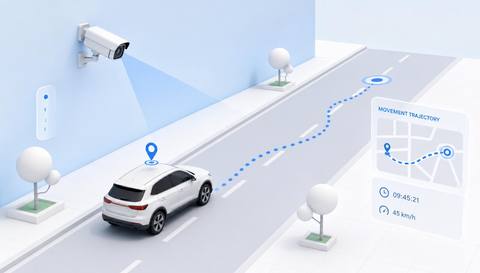
Define when timing starts, when it ends and how track gaps are handled. Review the result as time within assessed coverage, not automatically as service duration or a complete site visit.
Catalog workflow. Detector availability, scene suitability and event delivery must be verified for the proposed deployment. Camera observations supplement human review and established safety procedures.
Discuss this workflow
 Without IVISIONStandard CCTV feed
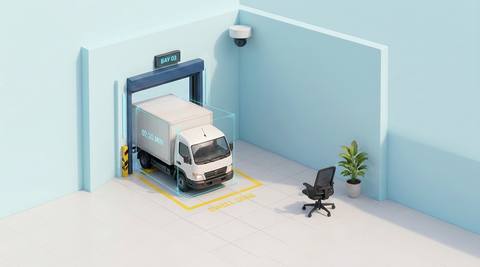
 With IVISIONIllustrative event overlay
The Process
Waiting, parking and a full visit are different durations Make waiting-time discussions more precise.
01Capture the region and its entry or exit points.
 02
02Validate association and timing through stops and occlusion.
 03
03Review intervals with missing or uncertain endpoints.
 04
04Coordinator interprets duration with the actual operating process.
Explore Your Options
| Dimension |  Vehicle Dwell Time Vehicle Dwell Time |  Vehicle Entry and Exit Logging Vehicle Entry and Exit Logging |
|---|---|---|
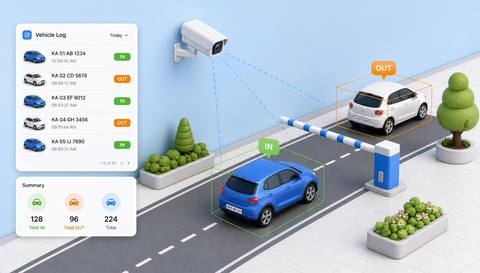
| Observation |  A vehicle remains associated with the assessed region over time. A vehicle remains associated with the assessed region over time. | A vehicle crosses a designated entry or exit boundary. |
| Event criteria | A validated presence interval produces a duration. | A validated directional crossing creates an available event record. |
| Monitoring setup | Confirm start/end criteria, gaps and timestamp handling. | Confirm point names, direction and timestamp handling. |
| What it cannot establish | Track loss or incomplete coverage can distort duration. | Missed crossings or uncertain identity can prevent complete visit matching. |
| Practical outcome | Help operations teams understand waiting or occupancy time with clear start and end rules. | Help operators review access activity without assuming every entry has a correctly matched exit. |
Illustrative demonstration
Example footage and simulated events explain the review workflow. They do not measure detector performance.
 Sites overview
No matching events.
EXPLORE WHAT’S POSSIBLE
01 / 04 · VEHICLE DWELL TIME
Waiting and loading occur in the same area.
Example event: A vehicle remains in the bay region.
Operator response: Dispatcher checks task timestamps.
Practical value: Better process context.
Discuss this capability02 / 04 · VEHICLE DWELL TIME
Congestion varies by shift.
Example event: A vehicle occupies the waiting region.
Operator response: Analyst reviews comparable periods.
Practical value: Queue-planning evidence.
Discuss this capability03 / 04 · VEHICLE DWELL TIME
Repeated entries complicate duration.
Example event: A presence interval ends and restarts.
Operator response: Operator checks visit association.
Practical value: Avoids false continuous stays.
Discuss this capability04 / 04 · VEHICLE DWELL TIME
Show the full timing region and boundaries.
Visibility: Occlusion and similar vehicles can break association.
Configuration: Verify timestamps, gap rules and visit matching.
Privacy: Limit movement-duration histories to an authorized purpose.
Human review: Confirm endpoints before using a duration consequentially.
Discuss this capabilityFrequently asked questions
Measures the duration of a supported vehicle presence or visit within a defined observation region.
Only if coverage and association support that definition.
The interval may be uncertain; verify gap handling.
Not by itself; task timestamps and context are needed.
Yes. Validate identity or association rules.
Find your fit
Help operations teams understand waiting or occupancy time with clear start and end rules. For Yard operations analysts, Loading-bay coordinators.
Workflow to discuss
Vehicle Dwell Time + Define the measured interval.
Discuss a camera view, a monitoring question and the review process your team needs.