
 Download IVISION Catalog
 01
01Define the time rule
Document the intended schedule or duration with the site owner.


A space may be available only during certain hours or for a limited stay. Confirm which time conditions the deployment supports, then compare visible activity with the approved schedule or dwell rule before acting.
Confirm detector support, camera suitability and the proposed event workflow before deployment.
Discuss timed-zone rules
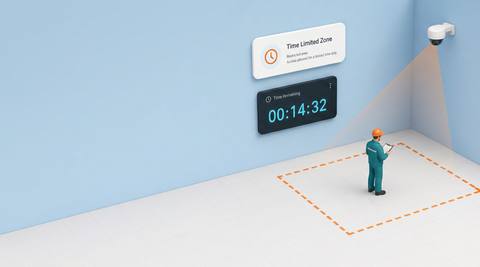
 Without IVISIONStandard CCTV feed
 With IVISIONIllustrative event overlay
The Process
Review when presence becomes an exception Help teams distinguish normal use from activity needing a time-based check.
01Document the intended schedule or duration with the site owner.
 02
02Test time alignment and how the system handles entry, exit and missing views.
 03
03Compare the observation with approved extensions or operational delays.
 04
04Contact the responsible team and update the operating process if appropriate.
Explore Your Options
| Dimension |  Time Limited Zone Time Limited Zone |  Restricted Zone Monitoring Restricted Zone Monitoring |
|---|---|---|
| Observation |  Supported presence in a zone with an associated time condition. Supported presence in a zone with an associated time condition. | Supported people or objects within a defined image area. |
| Event criteria | A validated schedule or dwell condition is exceeded or falls outside permitted use. | A validated presence condition occurs inside the selected zone. |
| Monitoring setup | Specify whether the rule concerns clock time, duration or both; verify actual support. | Confirm zone geometry, relevant classes and operating context. |
| What it cannot establish | Image presence does not establish a booking, permission or continuous dwell across unseen gaps. | Presence does not establish identity, access permission or malicious intent. |
| Practical outcome | Help teams distinguish normal use from activity needing a time-based check. | Help operators check activity where access requires extra scrutiny. |
Illustrative demonstration
Example footage and simulated events explain the review workflow. They do not measure detector performance.
 Sites overview
No matching events.
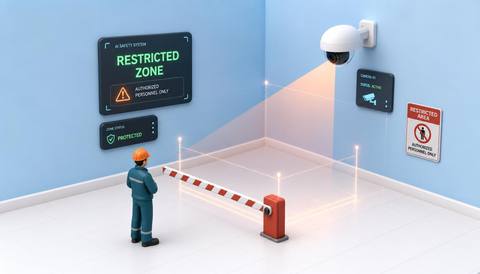 Area Monitoring
Provide the underlying zone-presence observation.
Read More
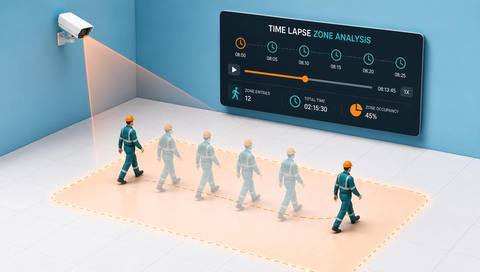 Area Monitoring
Review past zone use across selected periods.
Read More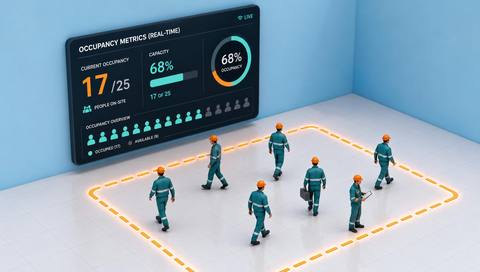 Area Monitoring
Consider current visible occupancy separately from duration.
Read MoreEXPLORE WHAT’S POSSIBLE
01 / 04 · TIME LIMITED ZONE
Loads should not wait indefinitely.
Example event: Visible occupancy exceeds a validated review interval.
Operator response: Check the shipment status and handling plan.
Practical value: Focus review on prolonged staging.
Discuss this capability02 / 04 · TIME LIMITED ZONE
Access is normally tied to scheduled work.
Example event: Presence occurs outside the agreed period.
Operator response: Verify maintenance authorization.
Practical value: Add schedule context to an access check.
Discuss this capability03 / 04 · TIME LIMITED ZONE
Temporary use must fit delivery arrangements.
Example event: A candidate timed-zone exception occurs.
Operator response: Check the delivery slot and any approved extension.
Practical value: Support coordination around shared space.
Discuss this capability04 / 04 · TIME LIMITED ZONE
Maintain a stable view of the full zone.
Visibility: Occlusion and re-entry can break continuity estimates.
Configuration: Verify timer semantics, clock synchronization and available schedule controls.
Privacy: Use time records for the stated operational purpose.
Human review: Check exceptions before interpreting presence as a rule breach.
Discuss this capabilityFrequently asked questions
Review zone observations against a validated time condition such as a schedule or permitted dwell interval.
The proposed rule must specify this; available controls need verification.
Not where visibility or tracking has gaps.
Test actual timer and state behavior rather than assuming continuity.
Use the supported configuration and operational exception process; do not assume automatic calendar integration.
Find your fit
Help teams distinguish normal use from activity needing a time-based check. For Operations coordinators, Access managers.
Workflow to discuss
Time Limited Zone + Combine visible location with a relevant time condition.
Discuss a camera view, a monitoring question and the review process your team needs.





