
 Download IVISION Catalog
 01
01Control the presentation
Arrange the view so components are individually visible.


A missing or extra visible part can disrupt a downstream task. A validated counting workflow can compare the observed quantity with the relevant kit specification, while staff resolve occluded items and uncertain matches.
Confirm detector support, camera suitability and the proposed event workflow before deployment.
Validate component counting
 Without IVISIONStandard CCTV feed
 With IVISIONIllustrative event overlay
The Process
Review the visible contents of a kit or tray Help teams check whether a visible kit contains the expected quantity.
01Arrange the view so components are individually visible.
 02
02Validate local finishes, sizes and touching parts.
 03
03Use the correct revision and expected quantities.
 04
04An operator checks and corrects the kit before release.
Explore Your Options
| Dimension |  Component and part counting Component and part counting |  Missing-component detection Missing-component detection |
|---|---|---|
| Observation |  Distinct supported parts visible in a tray, kit or work area. Distinct supported parts visible in a tray, kit or work area. | Presence or apparent absence of a specified component in a defined view. |
| Event criteria | A validated count is compared with the specified quantity. | The expected visible component is not found under validated criteria. |
| Monitoring setup | Define part types, presentation and the controlled kit reference. | Specify the component, assembly variant and inspection position. |
| What it cannot establish | Counting does not establish part identity, dimensions, material or hidden contents. | Not visible does not necessarily mean absent; hidden parts and electrical function remain unverified. |
| Practical outcome | Help teams check whether a visible kit contains the expected quantity. | Help operators investigate an apparently incomplete assembly before the next step. |
Illustrative demonstration
Example footage and simulated events explain the review workflow. They do not measure detector performance.
 Sites overview
No matching events.
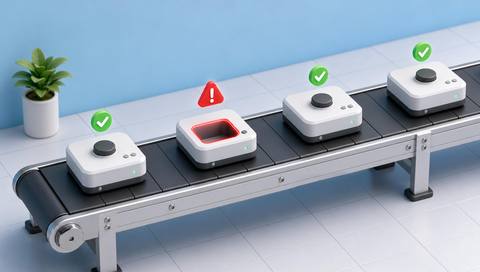 Production Monitoring
Check the presence of a particular required component.
Read More
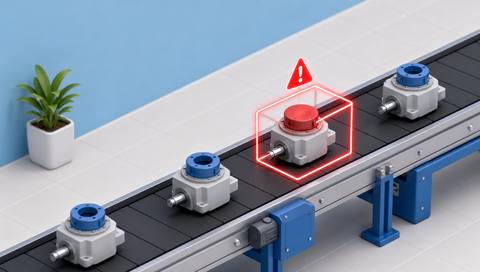 Production Monitoring
Review whether the visible component matches the expected type.
Read More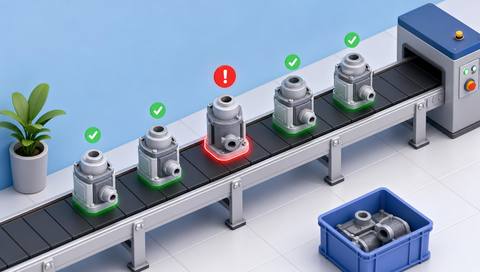 Production Monitoring
Inspect the assembled state after parts are used.
Read MoreEXPLORE WHAT’S POSSIBLE
01 / 04 · COMPONENT AND PART COUNTING
Small connectors may be omitted during kitting.
Example event: The visible quantity differs from the kit reference.
Operator response: Recount and verify the tray.
Practical value: Support preparation before assembly.
Discuss this capability02 / 04 · COMPONENT AND PART COUNTING
Similar small parts can overlap.
Example event: A supported count is available for separated fasteners.
Operator response: Check the quantity and part code separately.
Practical value: Distinguish counting from identity verification.
Discuss this capability03 / 04 · COMPONENT AND PART COUNTING
A pack needs a defined number of fittings.
Example event: Visible fittings are counted before sealing.
Operator response: Confirm the packing specification and correct discrepancies.
Practical value: Reduce uncertainty at the sealing checkpoint.
Discuss this capability04 / 04 · COMPONENT AND PART COUNTING
Use close, stable imaging suitable for the smallest relevant part.
Visibility: Touching, shiny or stacked components can be visually inseparable.
Configuration: Validate part classes, resolution and the reference-data connection.
Privacy: Limit capture to the kitting work surface where practical.
Human review: Operators verify the correct part revision as well as quantity.
Discuss this capabilityFrequently asked questions
Count supported visible components or parts before a defined assembly or packing step.
Not from quantity alone; identity needs a separately validated method.
The count may be unreliable; presentation may need adjustment.
No. Dimensional inspection requires a calibrated method.
Only through a separately verified data integration and revision process.
Find your fit
Help teams check whether a visible kit contains the expected quantity. For Assembly supervisors, Kitting teams.
Workflow to discuss
Component and part counting + Check visible kit quantities before assembly.
Discuss a camera view, a monitoring question and the review process your team needs.





