
 Download IVISION Catalog
 01
01Define the rate measure
Choose a checkpoint and a clear unit and time interval.


The interval between visible units can indicate production cadence. Validate the counting point and timestamps before comparing runs; a physical conveyor-speed measurement requires its own calibrated method.
Confirm detector support, camera suitability and the proposed event workflow before deployment.
Validate production cadence
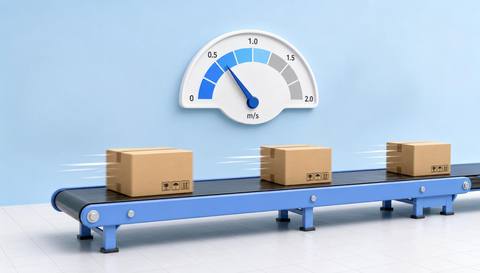
 Without IVISIONStandard CCTV feed
 With IVISIONIllustrative event overlay
The Process
Separate observed cadence from physical speed Help teams compare visible output pace at a defined checkpoint.
01Choose a checkpoint and a clear unit and time interval.
 02
02Test the method across actual product spacing and operating speeds.
 03
03Account for product changes, pauses and rework.
 04
04Use production records to investigate any observed change.
Explore Your Options
| Dimension |  Production-speed analysis Production-speed analysis |  Production-line counting Production-line counting |
|---|---|---|
| Observation |  Timed unit crossings or supported visible movement at a checkpoint. Timed unit crossings or supported visible movement at a checkpoint. | Supported units crossing a defined line in the image. |
| Event criteria | Validated observations support a rate over a defined interval. | A validated unit track crosses in the agreed direction. |
| Monitoring setup | Specify whether the metric is units per period or physical movement speed. | Define unit type, direction and treatment of reversals or rework. |
| What it cannot establish | Uncalibrated video does not establish exact distance, conveyor speed or maximum machine capacity. | A crossing count is not automatically a count of good output or unique finished products. |
| Practical outcome | Help teams compare visible output pace at a defined checkpoint. | Provide an observed checkpoint count for comparison with production records. |
Illustrative demonstration
Example footage and simulated events explain the review workflow. They do not measure detector performance.
 Sites overview
No matching events.
 Production Monitoring
Provide the validated crossings used for cadence.
Read More
 Production Monitoring
Compare visible cycle intervals at a stage.
Read More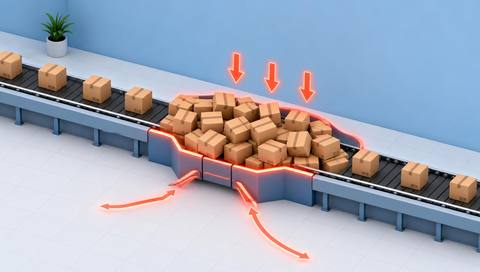 Production Monitoring
Investigate accumulation alongside observed pace changes.
Read MoreEXPLORE WHAT’S POSSIBLE
01 / 04 · PRODUCTION-SPEED ANALYSIS
Teams compare output pace between runs.
Example event: Validated crossings produce an observed cadence.
Operator response: Check format and pause differences.
Practical value: Support a fair checkpoint comparison.
Discuss this capability02 / 04 · PRODUCTION-SPEED ANALYSIS
Irregular release intervals affect downstream work.
Example event: Visible unit intervals vary.
Operator response: Review transfer and buffer conditions.
Practical value: Locate a cadence question.
Discuss this capability03 / 04 · PRODUCTION-SPEED ANALYSIS
A speed claim needs a clear measurement basis.
Example event: Crossing intervals are measured at one point.
Operator response: Report units per period unless physical calibration exists.
Practical value: Keep the reported metric accurate.
Discuss this capability04 / 04 · PRODUCTION-SPEED ANALYSIS
Choose a view that separates units at the fastest relevant rate.
Visibility: Frame rate, blur and overlap constrain timing accuracy.
Configuration: Validate count accuracy, clocks and any physical calibration.
Privacy: Keep the measure focused on process output.
Human review: Check operating conditions before interpreting a rate change.
Discuss this capabilityFrequently asked questions
Estimate observed production cadence from validated unit movement or crossing intervals.
Only with a separately validated physical calibration and timing method.
No. It describes observed checkpoint output.
Capacity requires engineering and operating evidence beyond one observed rate.
Repeated crossings can inflate the rate unless the process accounts for them.
Find your fit
Help teams compare visible output pace at a defined checkpoint. For Production engineers, Planning teams.
Workflow to discuss
Production-speed analysis + Describe pace with a defined observation method.
Discuss a camera view, a monitoring question and the review process your team needs.





