Download IVISION Catalog
 01
01Prepare the view
Map each desk without viewing screens.


Define each workstation and distinguish a person from bags, coats or equipment. Validate the view before using aggregate occupancy periods to review desk provision, cleaning or booking assumptions.
Catalog workflow. Confirm detector availability, permitted use and event delivery for the proposed deployment. Website examples are illustrative.
Assess desk occupancy
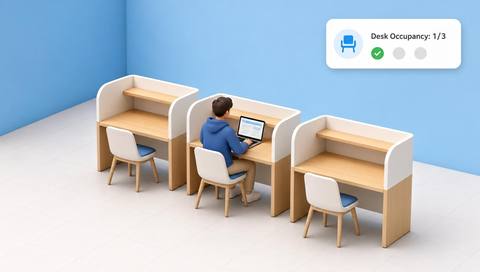
 Without IVISIONStandard CCTV feed
 With IVISIONIllustrative event overlay
The Process
Seat presence is not work performance Compare seat demand with available workspaces.
01Map each desk without viewing screens.
 02
02Validate person-versus-object occupancy.
 03
03Review aggregate occupied periods and visibility gaps.
 04
04Compare with booking and facilities needs.
Explore Your Options
| Dimension |  Desk Occupancy Desk Occupancy |  Workspace utilization analysis Workspace utilization analysis |
|---|---|---|
| Observation |  A person appears at a defined desk position. A person appears at a defined desk position. | Occupancy or usage duration within defined workspace regions. |
| Event criteria | A supported method identifies occupation of the configured desk region. | Supported aggregation summarizes the selected usage metric over time. |
| Monitoring setup | Confirm desk boundaries, temporary absence and object handling. | Confirm space type, measurement period and coverage. |
| What it cannot establish | Cannot determine productivity, booking ownership or hours worked. | Cannot measure employee productivity or explain preferences by itself. |
| Practical outcome | Help workplace teams understand seat demand without scoring employees. | Help planners test whether space provision matches observed demand. |
Illustrative demonstration
Example footage and simulated events explain the review workflow. They do not measure detector performance.
 Sites overview
No matching events.
EXPLORE WHAT’S POSSIBLE
01 / 04 · DESK OCCUPANCY
Bookings overstate actual seat use.
Example event: Some reserved desks appear unoccupied.
Operator response: Compare aggregate booking patterns.
Practical value: Supports desk planning.
Discuss this capability02 / 04 · DESK OCCUPANCY
Bags are left on empty seats.
Example event: An object resembles occupancy.
Operator response: Check classification samples.
Practical value: Improves metric reliability.
Discuss this capability03 / 04 · DESK OCCUPANCY
Staff move away for tasks.
Example event: A desk is briefly empty.
Operator response: Review task context before reallocating coverage.
Practical value: Avoids performance assumptions.
Discuss this capability04 / 04 · DESK OCCUPANCY
See seats while avoiding screen content.
Visibility: Partitions and chairs obscure occupants.
Configuration: Validate desk mapping and temporary-absence rules.
Privacy: Do not use seat time as individual productivity scoring.
Human review: Check bookings and work patterns.
Discuss this capabilityFrequently asked questions
Estimates whether a defined desk or workstation is visibly occupied.
No. Presence cannot establish output.
Yes. Validate object handling.
No. Work may occur elsewhere.
No. This task concerns occupancy, not screen content.
Find your fit
Help workplace teams understand seat demand without scoring employees. For Workplace planners, Facilities teams.
Workflow to discuss
Desk Occupancy + Compare seat demand with supply.
Discuss a camera view, a monitoring question and the review process your team needs.