Download IVISION Catalog
 01
01Camera input
Capture the pedestrian boundary and vehicle approach.


Define the pedestrian-only space and assess vehicle entry at its edges. Review delivery exceptions, emergency access and temporary route changes while keeping required physical segregation in place.
Catalog workflow. Detector availability, scene suitability and event delivery must be verified for the proposed deployment. Camera observations supplement human review and established safety procedures.
Discuss this workflow
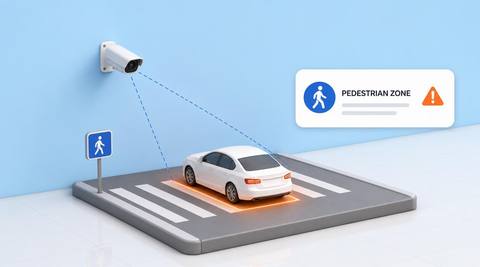
 Without IVISIONStandard CCTV feed
 With IVISIONIllustrative event overlay
The Process
A marked route needs a verified crossing event Identify where vehicle movement overlaps reserved pedestrian space.
01Capture the pedestrian boundary and vehicle approach.
 02
02Validate crossing geometry and supported vehicle types.
 03
03Review the sequence with the current separation plan.
 04
04Marshal verifies the situation and manages access safely.
Explore Your Options
| Dimension |  Entry into Pedestrian-Only Areas Entry into Pedestrian-Only Areas |  Forklift Restricted-Zone Monitoring Forklift Restricted-Zone Monitoring |
|---|---|---|
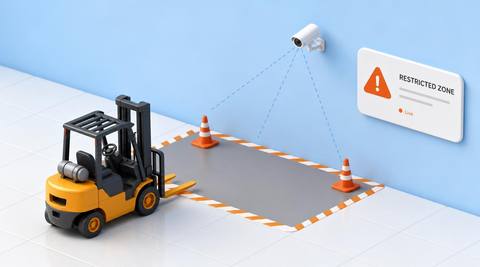
| Observation |  A supported vehicle enters the assessed pedestrian-only region. A supported vehicle enters the assessed pedestrian-only region. | A forklift enters the assessed restricted region. |
| Event criteria | A validated crossing or presence criterion is met. | A validated crossing meets the applicable condition. |
| Monitoring setup | Confirm region, vehicle classes and exceptional access rules. | Confirm geometry, schedule and authorized task exceptions. |
| What it cannot establish | Image overlap alone may not prove physical intrusion or a near miss. | Entry alone does not establish permission or operator intent. |
| Practical outcome | Help traffic teams investigate breaches of a defined pedestrian–vehicle separation plan. | Help area owners verify forklift access against a current restriction. |
Illustrative demonstration
Example footage and simulated events explain the review workflow. They do not measure detector performance.
 Sites overview
No matching events.
EXPLORE WHAT’S POSSIBLE
01 / 04 · ENTRY INTO PEDESTRIAN-ONLY AREAS
Pallet trucks and forklifts approach a walking route.
Example event: A vehicle crosses the boundary.
Operator response: Supervisor checks physical encroachment.
Practical value: Specific segregation follow-up.
Discuss this capability02 / 04 · ENTRY INTO PEDESTRIAN-ONLY AREAS
Changing works alter pedestrian protection.
Example event: Plant enters the assessed walking region.
Operator response: Marshal reviews the active plan.
Practical value: Context for route changes.
Discuss this capability03 / 04 · ENTRY INTO PEDESTRIAN-ONLY AREAS
Service access occasionally crosses public space.
Example event: A vehicle enters the region.
Operator response: Security checks authorized timing and controls.
Practical value: Proportionate access review.
Discuss this capability04 / 04 · ENTRY INTO PEDESTRIAN-ONLY AREAS
Show the floor boundary and approach clearly.
Visibility: Perspective and worn markings create ambiguity.
Configuration: Validate geometry after route or camera changes.
Privacy: Avoid identifying pedestrians unnecessarily.
Human review: Confirm actual encroachment and current access permissions.
Discuss this capabilityFrequently asked questions
Reviews vehicles crossing into a region explicitly reserved for pedestrians.
Not by itself; review presence, separation and context.
Apply the current authorized access arrangement.
No. Keep the required physical separation controls.
Assess all supported vehicle classes that matter to the site.
Find your fit
Help traffic teams investigate breaches of a defined pedestrian–vehicle separation plan. For Site traffic marshals, Pedestrian-route safety leads.
Workflow to discuss
Entry into Pedestrian-Only Areas + Tie findings to a reserved pedestrian region.
Discuss a camera view, a monitoring question and the review process your team needs.