
 Download IVISION Catalog
 01
01Prepare the view
Cover both pedestrian and vehicle approaches.


A crossing outside a marked point may indicate a shortcut, obstructed route or approved diversion. Define the observable criteria and inspect the footage before concluding that an individual acted unsafely.
Catalog workflow. Confirm detector availability, permitted use and event delivery for the proposed deployment. Website examples are illustrative.
Assess crossing monitoring
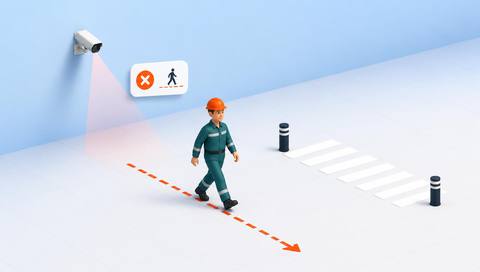
 Without IVISIONStandard CCTV feed
 With IVISIONIllustrative event overlay
The Process
Crossing location and traffic context both matter Identify crossing arrangements that need attention.
01Cover both pedestrian and vehicle approaches.
 02
02Validate tracks against current crossing geometry.
 03
03Review traffic movement and the reason for any exception.
 04
04Improve route guidance or follow up through the traffic-safety process.
Explore Your Options
| Dimension |  Unsafe crossing detection Unsafe crossing detection |  Pedestrian-pathway monitoring Pedestrian-pathway monitoring |
|---|---|---|
| Observation |  A person moves across a defined traffic route. A person moves across a defined traffic route. | People moving inside or outside a defined walkway. |
| Event criteria | A supported track crosses outside the approved boundary or timing criterion. | A supported track crosses the agreed route boundary. |
| Monitoring setup | Confirm crossing points, traffic direction and temporary rules. | Confirm walkway geometry, permitted crossings and temporary diversions. |
| What it cannot establish | Cannot determine safe stopping distance or driver awareness from a crossing alone. | Cannot establish why someone departed or whether a deviation was authorized. |
| Practical outcome | Help teams inspect how crossings are actually used. | Help teams review where route layout and actual movement diverge. |
Illustrative demonstration
Example footage and simulated events explain the review workflow. They do not measure detector performance.
 Sites overview
No matching events.
 People Events
Check how the walkway leads to the crossing.
Read More
 People Events
Review close conflicts around a crossing.
Read More People Events
Distinguish crossing routes from vehicle-exclusive areas.
Read MoreEXPLORE WHAT’S POSSIBLE
01 / 04 · UNSAFE CROSSING DETECTION
A shortcut avoids a long marked route.
Example event: A pedestrian crosses elsewhere.
Operator response: Review route practicality and signage.
Practical value: Supports layout improvement.
Discuss this capability02 / 04 · UNSAFE CROSSING DETECTION
Stored items obscure the crossing.
Example event: A person crosses beyond the marking.
Operator response: Remove obstructions and inspect sightlines.
Practical value: Addresses contributing conditions.
Discuss this capability03 / 04 · UNSAFE CROSSING DETECTION
Works alter normal crossing access.
Example event: A crossing violates the old map.
Operator response: Verify and update the diversion.
Practical value: Keeps criteria current.
Discuss this capability04 / 04 · UNSAFE CROSSING DETECTION
Include approach visibility.
Visibility: Vehicles and structures can obscure crossing start.
Configuration: Validate boundary and direction rules.
Privacy: Prefer event-level review without identity profiling.
Human review: Check diversion and traffic conditions.
Discuss this capabilityFrequently asked questions
Flags a pedestrian crossing outside defined points or against a validated traffic rule.
Not necessarily; site rules and temporary arrangements matter.
Not without a separately validated geometry and motion model.
Update and revalidate the monitored boundaries.
No. Inspect conditions and speak with the responsible team.
Find your fit
Help teams inspect how crossings are actually used. For Traffic managers, Site safety leads.
Workflow to discuss
Unsafe crossing detection + Review designated crossing use.
Discuss a camera view, a monitoring question and the review process your team needs.





