Download IVISION Catalog
 01
01Camera input
Capture a repeatable floor view and its normal appearance.


Rain tracking, cleaning and spills can change a floor’s appearance. Assess a suitable view against normal dry conditions, then verify the surface and manage access under the local cleaning and safety procedure.
Catalog workflow. Detector availability, scene suitability and event delivery must be verified for the proposed deployment. Camera observations supplement human review and established safety procedures.
Discuss this workflow
 Without IVISIONStandard CCTV feed
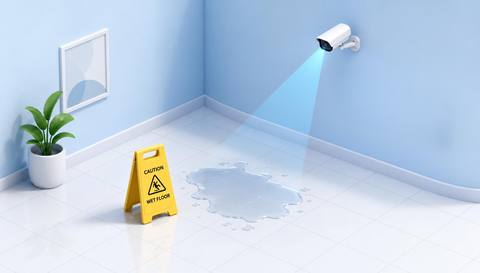
 With IVISIONIllustrative event overlay
The Process
Appearance is a cue for inspection Direct attention to the floor region needing a check.
01Capture a repeatable floor view and its normal appearance.
 02
02Validate wet-looking conditions against glare and shadows.
 03
03Review the region with weather or cleaning context.
 04
04Staff inspects the surface and applies the appropriate controls.
Explore Your Options
| Dimension |  Wet-Floor Detection Wet-Floor Detection |  Liquid-Spill Detection Liquid-Spill Detection |
|---|---|---|
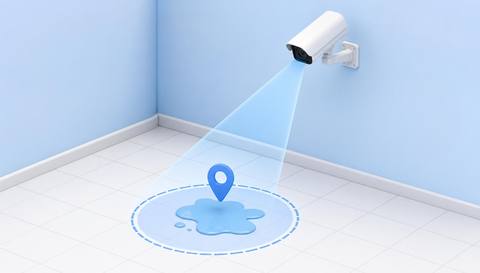
| Observation |  A wet-looking change in the assessed floor surface. A wet-looking change in the assessed floor surface. | A visible pool or spill-like surface change. |
| Event criteria | A validated surface criterion differs from the dry reference. | A validated liquid-region criterion appears in the assessed area. |
| Monitoring setup | Confirm surface type, lighting and cleaning context. | Confirm floor region, cleaning periods and normal reflections. |
| What it cannot establish | A camera cannot measure friction or determine that a floor is safe to walk on. | Video does not establish liquid type, depth or slip resistance. |
| Practical outcome | Help facilities prioritize a floor-condition check without claiming to measure slip risk. | Help facilities locate a possible spill and assign a physical check. |
Illustrative demonstration
Example footage and simulated events explain the review workflow. They do not measure detector performance.
 Sites overview
No matching events.
EXPLORE WHAT’S POSSIBLE
01 / 04 · WET-FLOOR DETECTION
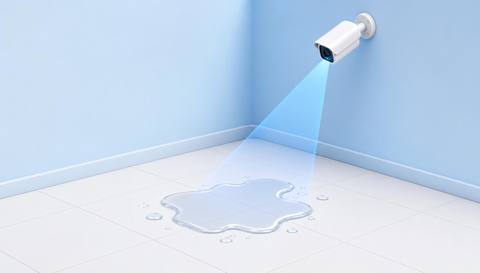
Water is tracked beyond the mat.
Example event: A wet-looking area expands.
Operator response: Facilities checks drainage and cleaning needs.
Practical value: Location-specific entrance care.
Discuss this capability02 / 04 · WET-FLOOR DETECTION
Condensation and glare can look alike.
Example event: A persistent surface change appears.
Operator response: Staff checks the actual condition.
Practical value: Focused inspection.
Discuss this capability03 / 04 · WET-FLOOR DETECTION
Cleaning may leave a wet surface.
Example event: The assessed floor remains wet-looking.
Operator response: Cleaning lead checks readiness for access.
Practical value: Better handover context.
Discuss this capability04 / 04 · WET-FLOOR DETECTION
Maintain a stable view of the floor.
Visibility: Polish, patterns and reflections create ambiguity.
Configuration: Validate each surface under relevant lighting.
Privacy: Keep people out of the assessment where practical.
Human review: Physical inspection determines condition and required controls.
Discuss this capabilityFrequently asked questions
Reviews floor appearance that may indicate a wet surface.
No. Actual surface condition requires assessment.
Do not assume this from appearance alone.
It focuses on floor condition, including rain and cleaning, rather than a distinct pool.
No. Follow the site’s surface-management procedure.
Find your fit
Help facilities prioritize a floor-condition check without claiming to measure slip risk. For Facilities coordinators, Cleaning supervisors.
Workflow to discuss
Wet-Floor Detection + Focus inspection on a defined surface.
Discuss a camera view, a monitoring question and the review process your team needs.