Download IVISION Catalog
 01
01Camera input
Confirm the stream and event-media capture path.


Where the detection pipeline and storage provide event media, authorized reviewers can examine it. Confirm capture coverage, retention and permissions before relying on footage for reconstruction.
Catalog workflow. Detector availability, scene suitability and event delivery must be verified for the proposed deployment. Camera observations supplement human review and established safety procedures.
Discuss this workflow
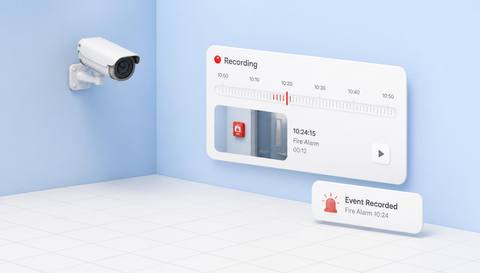
 Without IVISIONStandard CCTV feed
 With IVISIONIllustrative event overlay
The Process
Recording depends on the deployed video path Reduce the gap between an event record and its context.
01Confirm the stream and event-media capture path.
 02
02Validate how events link to snapshots or clips.
 03
03Authorized reviewers open available media beside event details.
 04
04Preserve required evidence under the incident and retention process.
Explore Your Options
| Dimension |  Emergency Event Recording Emergency Event Recording |  Fire Detection Fire Detection |
|---|---|---|
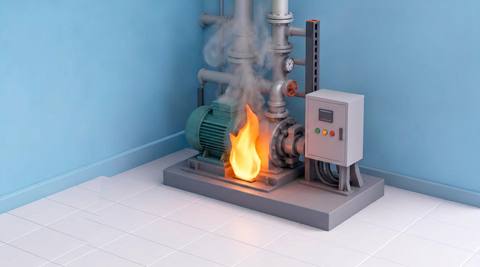
| Observation |  A recorded event has media supplied by the configured pipeline. A recorded event has media supplied by the configured pipeline. | Flame-like shapes and movement in the scene. |
| Event criteria | A supported event and capture path produce reviewable media. | A validated visual fire criterion is met. |
| Monitoring setup | Verify capture timing, storage, access and retention. | Validate scene exclusions and review thresholds. |
| What it cannot establish | Gaps, clock drift and limited views leave incomplete evidence. | Hidden combustion remains unseen; cameras do not replace certified alarms. |
| Practical outcome | Connect incident records with available visual context without promising complete recordings. | Help operators locate and verify a possible visible fire indication. |
Illustrative demonstration
Example footage and simulated events explain the review workflow. They do not measure detector performance.
 Sites overview
No matching events.
EXPLORE WHAT’S POSSIBLE
01 / 04 · EMERGENCY EVENT RECORDING
Investigators need surrounding context.
Example event: An event includes a clip.
Operator response: Team reviews timing and location.
Practical value: Better visual follow-up.
Discuss this capability02 / 04 · EMERGENCY EVENT RECORDING
Records may use different timestamps.
Example event: Media is linked to an event.
Operator response: Reviewer checks clock alignment.
Practical value: More careful reconstruction.
Discuss this capability03 / 04 · EMERGENCY EVENT RECORDING
The first report lacks detail.
Example event: An event has a relevant snapshot.
Operator response: Security shares it through authorized channels.
Practical value: Focused handover.
Discuss this capability04 / 04 · EMERGENCY EVENT RECORDING
Keep relevant activity within the view.
Visibility: Network and storage gaps affect capture.
Configuration: Verify pipeline, retention jobs, timestamps and permissions.
Privacy: Restrict incident media and justified sharing.
Human review: Check completeness and preserve originals under policy.
Discuss this capabilityFrequently asked questions
Supports review of available clips or snapshots associated with a recorded emergency-related event.
No. Media generation depends on the configured pipeline.
Do not assume this; retention depends on policy and storage configuration.
Not necessarily; check coverage and other evidence.
Access should follow deployed authorization controls.
Find your fit
Connect incident records with available visual context without promising complete recordings. For Incident investigators, Control-room managers.
Workflow to discuss
Emergency Event Recording + Link available media to event context.
Discuss a camera view, a monitoring question and the review process your team needs.