Download IVISION Catalog
 01
01Prepare the view
Map each monitored doorway and direction.


Define each access point and crossing direction before visualizing arrivals and departures. Multiple doors, re-entry and hidden passages can affect interpretation; the display should clarify source coverage rather than imply complete site accounting.
Catalog workflow. Confirm detector availability, permitted use and event delivery for the proposed deployment. Website examples are illustrative.
Assess access-point visualization
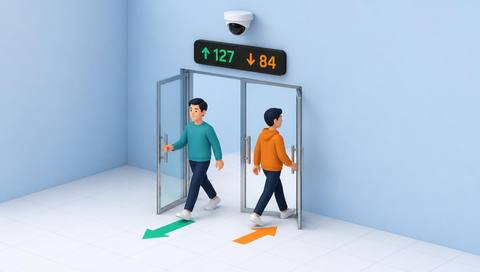
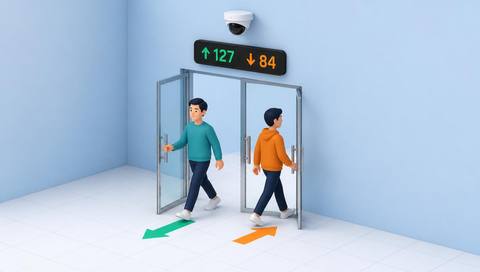
 Without IVISIONStandard CCTV feed
 With IVISIONIllustrative event overlay
The Process
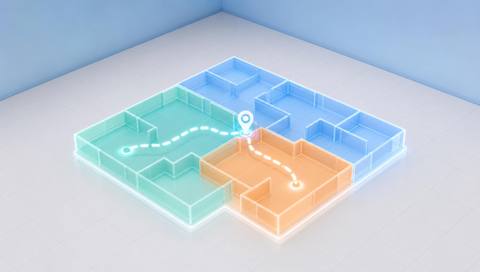
A point on a map needs a validated direction Connect directional events to their physical access points.
01Map each monitored doorway and direction.
 02
02Validate crossing events against representative passages.
 03
03Display point, time and source evidence.
 04
04Compare route demand or inspect a specific access event.
Explore Your Options
| Dimension |  Entry and exit point visualization Entry and exit point visualization |  People Counting (Entry / Exit) People Counting (Entry / Exit) |
|---|---|---|
| Observation |  A passage associated with a labeled entrance or exit. A passage associated with a labeled entrance or exit. | People crossing a virtual counting boundary. |
| Event criteria | Supported crossing analysis assigns a point and direction. | A supported track crosses the validated line in a defined direction. |
| Monitoring setup | Confirm point IDs, orientation, direction and alternate routes. | Confirm direction, line position, groups and repeat passages. |
| What it cannot establish | Cannot establish total occupancy or access permission from a passage marker. | Cannot identify unique visitors or total occupancy without additional accounting. |
| Practical outcome | Help teams compare access routes and locate passage evidence. | Understand directional flow at monitored access points. |
Illustrative demonstration
Example footage and simulated events explain the review workflow. They do not measure detector performance.
 Sites overview
No matching events.
EXPLORE WHAT’S POSSIBLE
01 / 04 · ENTRY AND EXIT POINT VISUALIZATION
Traffic shifts after one door closes.
Example event: Passages concentrate at another point.
Operator response: Check the building arrangement.
Practical value: Explains route redistribution.
Discuss this capability02 / 04 · ENTRY AND EXIT POINT VISUALIZATION
Different flows share a map.
Example event: Events appear at the delivery point.
Operator response: Verify source and passage type.
Practical value: Clarifies access context.
Discuss this capability03 / 04 · ENTRY AND EXIT POINT VISUALIZATION
Re-entry complicates totals.
Example event: Repeated passages occur at one entrance.
Operator response: Review counting assumptions.
Practical value: Avoids unique-visitor overstatement.
Discuss this capability04 / 04 · ENTRY AND EXIT POINT VISUALIZATION
Show both sides of the crossing boundary.
Visibility: Queues and door leaves obscure passages.
Configuration: Verify point mapping and direction logic.
Privacy: Use aggregate events when identity is unnecessary.
Human review: Do not equate passage with authorization.
Discuss this capabilityFrequently asked questions
Shows observed passages at identified entry and exit points within a facility layout.
Only if that point and surrounding coverage support the interpretation.
Yes. Define re-entry handling.
No. Permission is a separate process.
A reversed camera or line can invert entry and exit labels.
Find your fit
Help teams compare access routes and locate passage evidence. For Facility planners, Security operations teams.
Workflow to discuss
Entry and exit point visualization + Locate directional passages.
Discuss a camera view, a monitoring question and the review process your team needs.