
 Download IVISION Catalog
 01
01Set the correct reference
Select the component expected for the current build variant.


A component may be present but differ from the expected visible type. Validate the features that distinguish approved variants, and use part records or dedicated identification methods when appearance alone cannot resolve the difference.
Confirm detector support, camera suitability and the proposed event workflow before deployment.
Review component matching
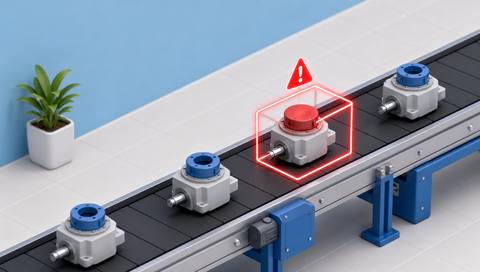
 Without IVISIONStandard CCTV feed
 With IVISIONIllustrative event overlay
The Process
Compare appearance with a controlled reference Help quality teams investigate visible part mismatches before further assembly.
01Select the component expected for the current build variant.
 02
02Test the model against approved and relevant incorrect examples.
 03
03Check presentation and the candidate part difference.
 04
04Use controlled records or a suitable identification method before disposition.
Explore Your Options
| Dimension |  Incorrect-component detection Incorrect-component detection |  Missing-component detection Missing-component detection |
|---|---|---|
| Observation |  Visible component features compared with an approved reference. Visible component features compared with an approved reference. | Presence or apparent absence of a specified component in a defined view. |
| Event criteria | A supported comparison indicates a candidate type mismatch. | The expected visible component is not found under validated criteria. |
| Monitoring setup | Define valid variants, distinguishing features and reference revisions. | Specify the component, assembly variant and inspection position. |
| What it cannot establish | Visually identical parts may differ internally; appearance does not establish material or electrical specification. | Not visible does not necessarily mean absent; hidden parts and electrical function remain unverified. |
| Practical outcome | Help quality teams investigate visible part mismatches before further assembly. | Help operators investigate an apparently incomplete assembly before the next step. |
Illustrative demonstration
Example footage and simulated events explain the review workflow. They do not measure detector performance.
 Sites overview
No matching events.
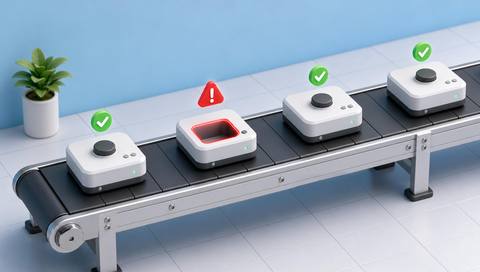 Production Monitoring
Check whether the required part is visible at all.
Read More
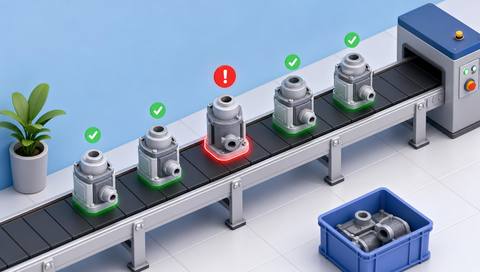 Production Monitoring
Review how the selected part is assembled.
Read More Production Monitoring
Use a separately validated code or label check where appropriate.
Read MoreEXPLORE WHAT’S POSSIBLE
01 / 04 · INCORRECT-COMPONENT DETECTION
Similar connectors may fit the same work area.
Example event: The visible connector differs from the approved example.
Operator response: Verify the part code and assembly instruction.
Practical value: Support a targeted identity check.
Discuss this capability02 / 04 · INCORRECT-COMPONENT DETECTION
Different variants use different bracket shapes.
Example event: A candidate shape mismatch appears.
Operator response: Check the build variant and component record.
Practical value: Focus variant verification.
Discuss this capability03 / 04 · INCORRECT-COMPONENT DETECTION
Appearance variants can be mixed at assembly.
Example event: The fitted visible part does not match the selected reference.
Operator response: Confirm the model specification before rework.
Practical value: Support final variant consistency.
Discuss this capability04 / 04 · INCORRECT-COMPONENT DETECTION
Capture the feature that actually distinguishes component variants.
Visibility: Lighting, rotation and partial views can mask differences.
Configuration: Validate the supported comparison and controlled reference process.
Privacy: Keep inspection imagery limited to the quality purpose.
Human review: Confirm part identity when visual evidence is insufficient.
Discuss this capabilityFrequently asked questions
Compare a visible component with a validated reference for the expected component type.
Not from appearance alone; use an appropriate identification or test method.
No. Material specification requires separate evidence.
The correct controlled reference must be selected and validated for each variant.
Only if it is a reliable validated distinguishing feature under actual lighting.
Find your fit
Help quality teams investigate visible part mismatches before further assembly. For Assembly inspectors, Quality engineers.
Workflow to discuss
Incorrect-component detection + Distinguish part presence from part matching.
Discuss a camera view, a monitoring question and the review process your team needs.





