Download IVISION Catalog
 01
01Camera input
Capture the bays or circulation area with useful separation.


Define the bays or area under review, then assess the supported occupancy or movement indications. Blind spots, temporary stopping and marked-space changes affect what the camera can establish.
Catalog workflow. Detector availability, scene suitability and event delivery must be verified for the proposed deployment. Camera observations supplement human review and established safety procedures.
Discuss this workflow
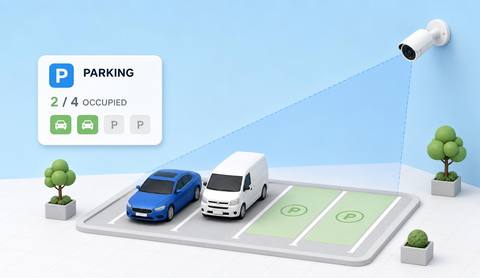
 Without IVISIONStandard CCTV feed
 With IVISIONIllustrative event overlay
The Process
Space occupancy and vehicle activity need separate rules Give parking decisions a clear coverage boundary.
01Capture the bays or circulation area with useful separation.
 02
02Validate occupancy or activity against partial and obscured vehicles.
 03
03Review the selected area and any uncertain spaces.
 04
04Parking staff checks the condition and applies the local procedure.
Explore Your Options
| Dimension |  Parking-Area Monitoring Parking-Area Monitoring |  Authorized-Parking Detection Authorized-Parking Detection |
|---|---|---|
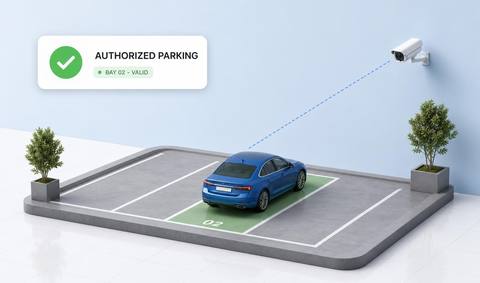
| Observation |  Vehicles occupy or move through assessed parking regions. Vehicles occupy or move through assessed parking regions. | A vehicle occupies an assessed permitted parking region. |
| Event criteria | A validated occupancy or activity criterion is met. | A validated position meets the defined location criterion. |
| Monitoring setup | Confirm bay geometry, temporary stopping and reporting scope. | Confirm zone geometry, schedules and any authorization integration. |
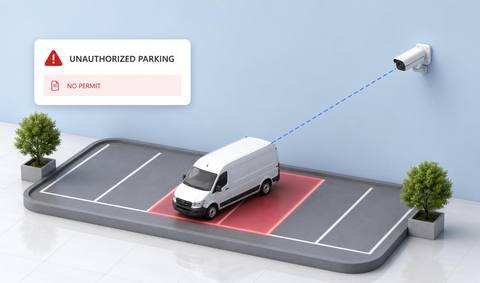
| What it cannot establish | Visible occupancy does not establish permit status or total site capacity. | Location alone cannot establish permit validity or driver entitlement. |
| Practical outcome | Help parking teams understand visible space use without assuming a complete occupancy count. | Help teams confirm parking-location use while keeping permit validity separate. |
Illustrative demonstration
Example footage and simulated events explain the review workflow. They do not measure detector performance.
 Sites overview
No matching events.
EXPLORE WHAT’S POSSIBLE
01 / 04 · PARKING-AREA MONITORING
Some bays are hidden behind larger vehicles.
Example event: An assessed space appears occupied.
Operator response: Team verifies uncertain bays.
Practical value: Qualified occupancy context.
Discuss this capability02 / 04 · PARKING-AREA MONITORING
Short stops differ from parking.
Example event: A vehicle remains within a bay region.
Operator response: Operator reviews the context.
Practical value: Clearer use interpretation.
Discuss this capability03 / 04 · PARKING-AREA MONITORING
Layout changes alter assessed spaces.
Example event: Vehicles occupy newly marked positions.
Operator response: Facilities rechecks the geometry.
Practical value: Better layout maintenance.
Discuss this capability04 / 04 · PARKING-AREA MONITORING
Use a view with clear bay boundaries.
Visibility: Trees, large vehicles and weather hide spaces.
Configuration: Validate occupancy logic and layout changes.
Privacy: Avoid unnecessary plate collection for aggregate occupancy.
Human review: Confirm uncertain spaces and local parking rules.
Discuss this capabilityFrequently asked questions
Reviews supported vehicle occupancy and activity indications within an assessed parking area.
Only assessed coverage with validated occupancy support.
No. Permission requires separate records or rules.
Revalidate bay geometry and criteria.
No. Review coverage and uncertain spaces.
Find your fit
Help parking teams understand visible space use without assuming a complete occupancy count. For Parking operations teams, Facility managers.
Workflow to discuss
Parking-Area Monitoring + Define monitored bays and blind spots.
Discuss a camera view, a monitoring question and the review process your team needs.