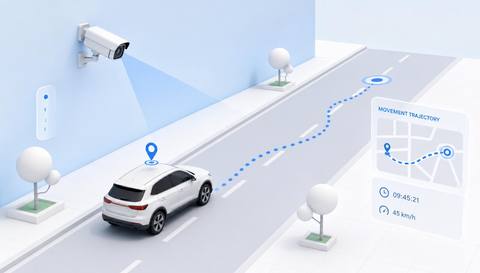
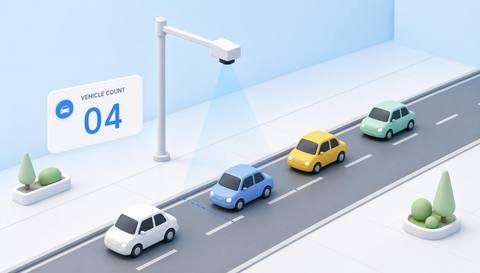
Download IVISION Catalog
 01
01Camera input
Establish the camera or verified mapped coverage.


Define the period, camera coverage and aggregation method before interpreting a heatmap. Busy areas, stationary queues and repeated observations can produce different patterns; compare like-for-like views.
Catalog workflow. Detector availability, scene suitability and event delivery must be verified for the proposed deployment. Camera observations supplement human review and established safety procedures.
Discuss this workflow
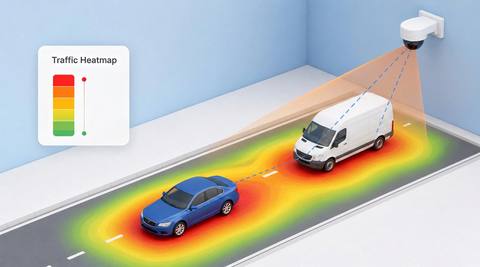
 Without IVISIONStandard CCTV feed
 With IVISIONIllustrative event overlay
The Process
A heatmap shows observation density, not automatic risk Give layout discussions a qualified spatial reference.
01Establish the camera or verified mapped coverage.
 02
02Validate source tracks and the aggregation method.
 03
03Review concentration with period and coverage labels.
 04
04Planner compares patterns with actual layout and operating conditions.
Explore Your Options
| Dimension |  Vehicle-Traffic Heatmaps Vehicle-Traffic Heatmaps |  Vehicle Tracking Vehicle Tracking |
|---|---|---|
| Observation |  Aggregated vehicle positions or paths within assessed coverage. Aggregated vehicle positions or paths within assessed coverage. | Linked positions of a vehicle across visible frames. |
| Event criteria | A verified aggregation process produces a spatial summary. | A validated association maintains a candidate track. |
| Monitoring setup | Confirm time window, normalization and treatment of stopped vehicles. | Confirm coverage, track handling and any camera transitions. |
| What it cannot establish | Density does not by itself measure danger, unique vehicles or physical coordinates. | A track does not automatically establish plate identity or continuity through blind spots. |
| Practical outcome | Help planners review where vehicle movement is concentrated within assessed coverage. | Help operators review a vehicle’s visible movement without assuming uninterrupted cross-site identity. |
Illustrative demonstration
Example footage and simulated events explain the review workflow. They do not measure detector performance.
 Sites overview
No matching events.
EXPLORE WHAT’S POSSIBLE
01 / 04 · VEHICLE-TRAFFIC HEATMAPS
Queues concentrate near one turning point.
Example event: A supported summary shows repeated activity.
Operator response: Planner checks queue and dispatch context.
Practical value: Focused layout discussion.
Discuss this capability02 / 04 · VEHICLE-TRAFFIC HEATMAPS
Traffic shifts between operating periods.
Example event: Concentration differs by period.
Operator response: Team compares equivalent shifts.
Practical value: More meaningful comparison.
Discuss this capability03 / 04 · VEHICLE-TRAFFIC HEATMAPS
Stationary vehicles dominate a density view.
Example event: A hotspot appears at waiting positions.
Operator response: Analyst checks aggregation rules.
Practical value: Avoids confusing dwell with flow.
Discuss this capability04 / 04 · VEHICLE-TRAFFIC HEATMAPS
Use stable coverage or verified mapping.
Visibility: Blind spots and track gaps distort spatial summaries.
Configuration: Verify heatmap generation, calibration and aggregation support.
Privacy: Prefer aggregate views without unnecessary identifiers.
Human review: Interpret patterns with operating context and data completeness.
Discuss this capabilityFrequently asked questions
Summarizes supported vehicle-position observations as a spatial concentration view over a defined period.
No. It indicates the chosen density measure, not a safety conclusion.
Not necessarily; check the aggregation method.
Only with compatible coverage and normalization.
Only if mapping and calibration are verified.
Find your fit
Help planners review where vehicle movement is concentrated within assessed coverage. For Yard planners, Operations analysts.
Workflow to discuss
Vehicle-Traffic Heatmaps + Label period and coverage clearly.
Discuss a camera view, a monitoring question and the review process your team needs.