
 Download IVISION Catalog
 01
01Mark the visible route
Survey the passage and its required physical clearance.


A stored item can narrow an aisle or cover a doorway. A validated image-area check can surface a possible obstruction so staff can assess the actual clearance and arrange an appropriate response.
Confirm detector support, camera suitability and the proposed event workflow before deployment.
Review clear-route monitoring
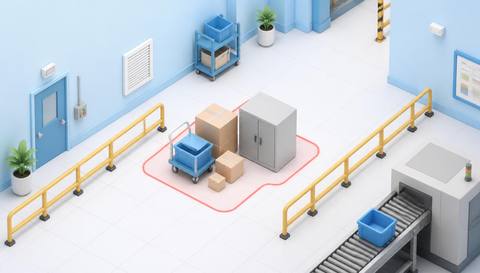
 Without IVISIONStandard CCTV feed
 With IVISIONIllustrative event overlay
The Process
Review visible blockage in a defined passage Direct staff to inspect routes that may be blocked.
01Survey the passage and its required physical clearance.
 02
02Test routine traffic and stationary items separately.
 03
03Review the image and arrange an on-site check when needed.
 04
04Authorized staff resolve the obstruction using safe handling procedures.
Explore Your Options
| Dimension |  Obstruction detection Obstruction detection |  Unattended pallet detection Unattended pallet detection |
|---|---|---|
| Observation |  An object overlaps a defined passage or clearance area in the image. An object overlaps a defined passage or clearance area in the image. | A visible pallet persisting at a monitored location. |
| Event criteria | A supported observation occupies the selected area under validated criteria. | A supported pallet observation remains beyond a validated review interval. |
| Monitoring setup | Define the passage, permitted temporary activity and review timing. | Agree staging zones, expected dwell and normal shift transitions. |
| What it cannot establish | Image overlap alone does not prove legal clearance, accessibility compliance or emergency-route safety. | Video does not establish inventory ownership, contents, load stability or dispatch status. |
| Practical outcome | Direct staff to inspect routes that may be blocked. | Help warehouse teams investigate pallets left outside expected handling flows. |
Illustrative demonstration
Example footage and simulated events explain the review workflow. They do not measure detector performance.
 Sites overview
No matching events.
 Facility Monitoring
Investigate pallets that remain in operational routes.
Read More
 Facility Monitoring
Compare objects with approved placement areas.
Read More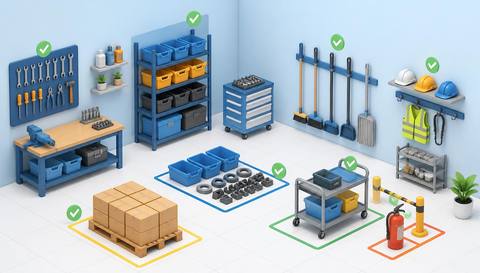 Facility Monitoring
Review route clearance as part of broader workplace organization.
Read MoreEXPLORE WHAT’S POSSIBLE
01 / 04 · OBSTRUCTION DETECTION
Stored loads can encroach on a travel route.
Example event: A pallet occupies part of the monitored aisle.
Operator response: Check clearance and move it to approved storage.
Practical value: Focus a route-clearance check.
Discuss this capability02 / 04 · OBSTRUCTION DETECTION
Temporary furniture can remain after maintenance.
Example event: An item persists in the corridor zone.
Operator response: Facilities verifies the passage and resolves placement.
Practical value: Support usable shared access.
Discuss this capability03 / 04 · OBSTRUCTION DETECTION
Supply cartons accumulate near a working door.
Example event: Boxes overlap the defined doorway approach.
Operator response: Inspect and restore the approved access space.
Practical value: Support reliable staff movement.
Discuss this capability04 / 04 · OBSTRUCTION DETECTION
Frame the whole clearance area with minimal perspective ambiguity.
Visibility: Crowds and open doors may temporarily obscure or occupy the zone.
Configuration: Validate supported object classes and any persistence settings.
Privacy: Avoid unnecessary identification of people using the passage.
Human review: Measure physical clearance where safety or accessibility decisions depend on it.
Discuss this capabilityFrequently asked questions
Identify visible objects occupying a defined passage or clearance area.
No. Required inspections and physical clearance checks still apply.
They may occupy the image zone; validate how normal traffic is handled.
Accurate dimensions require a separately calibrated method, not simple image overlap.
It provides a candidate observation; authorized staff must resolve it.
Find your fit
Direct staff to inspect routes that may be blocked. For Facilities managers, Warehouse safety coordinators.
Workflow to discuss
Obstruction detection + Locate possible passage encroachment.
Discuss a camera view, a monitoring question and the review process your team needs.





