Download IVISION Catalog
 01
01Prepare the view
Define the zone and its operational schedule.


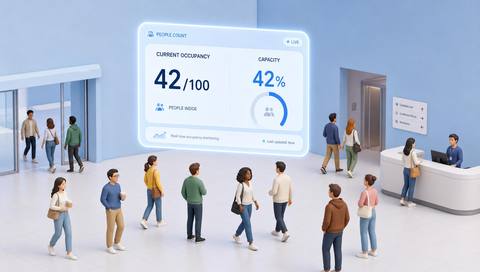
A lower bound can signal an empty staffed area, while an upper bound can indicate demand pressure. Set criteria around the space’s purpose and schedule, and confirm event delivery before relying on notifications.
Catalog workflow. Confirm detector availability, permitted use and event delivery for the proposed deployment. Website examples are illustrative.
Define occupancy ranges
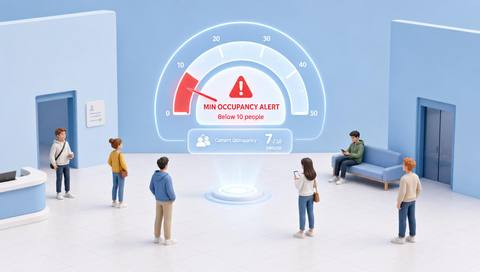
 Without IVISIONStandard CCTV feed
 With IVISIONIllustrative event overlay
The Process
Define what too few or too many means for the space Separate low-use and high-demand exceptions.
01Define the zone and its operational schedule.
 02
02Validate occupancy estimates and range logic.
 03
03Review whether the low or high condition is genuine.
 04
04Check the cause and apply the agreed service response.
Explore Your Options
| Dimension |  Min and max occupancy alerts Min and max occupancy alerts |  Occupancy Metrics (Real-Time) Occupancy Metrics (Real-Time) |
|---|---|---|
| Observation |  Estimated occupancy below or above configured bounds. Estimated occupancy below or above configured bounds. | People visible or accounted for within a defined space. |
| Event criteria | A supported range comparison persists for an agreed period. | A supported occupancy method produces an updated estimate. |
| Monitoring setup | Confirm schedule, lower/upper bounds and persistence requirements. | Confirm area boundaries, count method and reset/reconciliation rules. |
| What it cannot establish | Cannot establish staffing adequacy or safety solely from total count. | Cannot guarantee a complete headcount or locate everyone in an emergency. |
| Practical outcome | Help operators review spaces that are unexpectedly empty or busy. | Give operators a qualified view of current space use. |
Illustrative demonstration
Example footage and simulated events explain the review workflow. They do not measure detector performance.
 Sites overview
No matching events.
EXPLORE WHAT’S POSSIBLE
01 / 04 · MIN AND MAX OCCUPANCY ALERTS
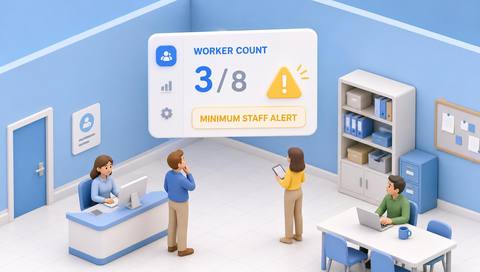
A post should be occupied during opening hours.
Example event: The zone appears empty.
Operator response: Check staffing and camera coverage.
Practical value: Supports coverage review.
Discuss this capability02 / 04 · MIN AND MAX OCCUPANCY ALERTS
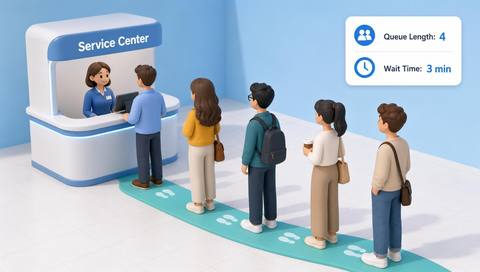
Demand exceeds the expected range.
Example event: Occupancy rises above the upper bound.
Operator response: Assess the queue and available staff.
Practical value: Informs service coordination.
Discuss this capability03 / 04 · MIN AND MAX OCCUPANCY ALERTS
Normal demand differs by time.
Example event: The range is exceeded during a busy interval.
Operator response: Compare with the schedule before adjusting resources.
Practical value: Keeps thresholds contextual.
Discuss this capability04 / 04 · MIN AND MAX OCCUPANCY ALERTS
Cover the defined zone consistently.
Visibility: Occlusion may resemble low occupancy.
Configuration: Verify bounds, duration and notification connection.
Privacy: Use anonymous totals where possible.
Human review: Confirm cause before reallocating staff.
Discuss this capabilityFrequently asked questions
Flags occupancy estimates outside an agreed lower or upper operational range.
Often not; expected use varies by schedule.
Not necessarily. Blind spots and temporary tasks matter.
Delivery must be verified for the deployment.
Brief fluctuations may not justify intervention.
Find your fit
Help operators review spaces that are unexpectedly empty or busy. For Facility operators, Service managers.
Workflow to discuss
Min and max occupancy alerts + Distinguish low and high conditions.
Discuss a camera view, a monitoring question and the review process your team needs.