Download IVISION Catalog
 01
01Prepare the view
Define the full space and its access points.


An occupancy value depends on visible area or reconciled entry/exit counts. Validate coverage and update timing, and distinguish the latest estimate from a verified headcount or emergency roll call.
Catalog workflow. Confirm detector availability, permitted use and event delivery for the proposed deployment. Website examples are illustrative.
Assess occupancy measurement
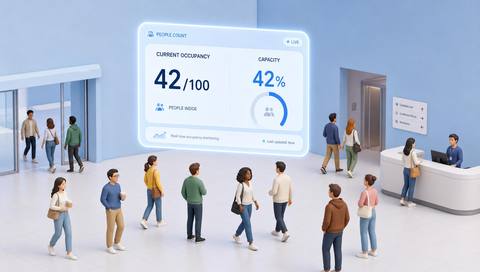
 Without IVISIONStandard CCTV feed
 With IVISIONIllustrative event overlay
The Process
Show the space, time and coverage behind the number Review space demand with explicit measurement limits.
01Define the full space and its access points.
 02
02Validate the selected occupancy method against sample counts.
 03
03Review the estimate with timestamp and coverage caveats.
 04
04Use it for operational planning; follow separate emergency accounting.
Explore Your Options
| Dimension |  Occupancy Metrics (Real-Time) Occupancy Metrics (Real-Time) |  People Counting (Entry / Exit) People Counting (Entry / Exit) |
|---|---|---|
| Observation |  People visible or accounted for within a defined space. People visible or accounted for within a defined space. | People crossing a virtual counting boundary. |
| Event criteria | A supported occupancy method produces an updated estimate. | A supported track crosses the validated line in a defined direction. |
| Monitoring setup | Confirm area boundaries, count method and reset/reconciliation rules. | Confirm direction, line position, groups and repeat passages. |
| What it cannot establish | Cannot guarantee a complete headcount or locate everyone in an emergency. | Cannot identify unique visitors or total occupancy without additional accounting. |
| Practical outcome | Give operators a qualified view of current space use. | Understand directional flow at monitored access points. |
Illustrative demonstration
Example footage and simulated events explain the review workflow. They do not measure detector performance.
 Sites overview
No matching events.
EXPLORE WHAT’S POSSIBLE
01 / 04 · OCCUPANCY METRICS (REAL-TIME)
Demand varies during the day.
Example event: Estimated occupancy rises.
Operator response: Review cleaning and space provision.
Practical value: Supports practical resource planning.
Discuss this capability02 / 04 · OCCUPANCY METRICS (REAL-TIME)
Blind aisles affect visible counts.
Example event: The estimate differs from a manual check.
Operator response: Review camera coverage.
Practical value: Reveals measurement gaps.
Discuss this capability03 / 04 · OCCUPANCY METRICS (REAL-TIME)
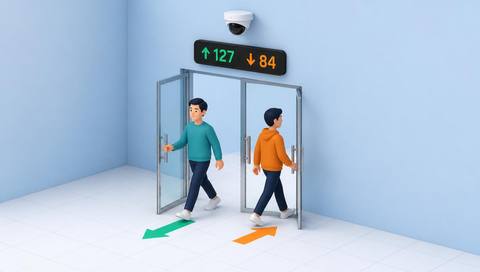
Visitors enter through multiple doors.
Example event: Occupancy accounting drifts.
Operator response: Reconcile the baseline and entrances.
Practical value: Improves trend interpretation.
Discuss this capability04 / 04 · OCCUPANCY METRICS (REAL-TIME)
Cover the defined area or all relevant entrances.
Visibility: Blind spots and dense groups reduce completeness.
Configuration: Confirm method and update behavior; no latency guarantee.
Privacy: Prefer aggregate data over named histories.
Human review: Do not use as the sole emergency headcount.
Discuss this capabilityFrequently asked questions
Estimates how many people are present in a defined monitored space at the latest observation.
No. It is an estimate whose completeness must be validated.
The latest available update; no specific update speed is verified.
Yes, for entry/exit-based methods.
Not as the sole source; use established emergency procedures.
Find your fit
Give operators a qualified view of current space use. For Facility managers, Operations planners.
Workflow to discuss
Occupancy Metrics (Real-Time) + Review current space demand.
Discuss a camera view, a monitoring question and the review process your team needs.