Download IVISION Catalog
 01
01Prepare the view
Verify the track source and coordinate system.


A path can summarize a sequence, but its line must not imply movement through unseen areas. Validate track associations and coordinate mapping, then use source footage to understand turns, stops and interruptions.
Catalog workflow. Confirm detector availability, permitted use and event delivery for the proposed deployment. Website examples are illustrative.
Assess path visualization
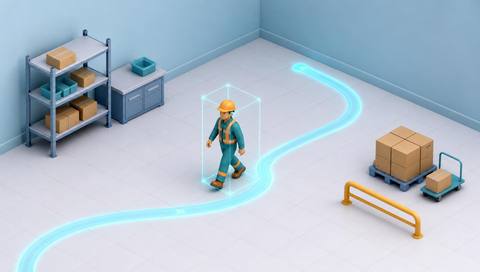
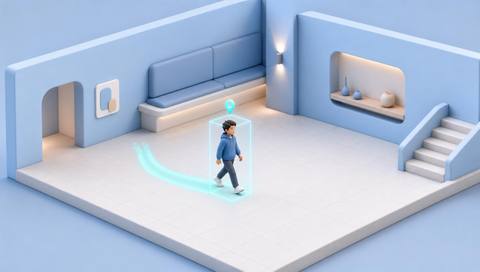
 Without IVISIONStandard CCTV feed
 With IVISIONIllustrative event overlay
The Process
Show gaps instead of drawing certainty between them Make a movement sequence easier to inspect.
01Verify the track source and coordinate system.
 02
02Validate ordering and association continuity.
 03
03Display observed segments with interruptions explicit.
 04
04Review source frames before interpreting a turn or stop.
Explore Your Options
| Dimension |  Movement-path visualization Movement-path visualization |  Real-time person tracking Real-time person tracking |
|---|---|---|
| Observation |  Ordered positions linked to a track. Ordered positions linked to a track. | A sequence of person detections linked within a view. |
| Event criteria | Supported observations are plotted in time order. | A supported tracker associates observations across successive frames. |
| Monitoring setup | Confirm coordinate frame, timestamps and gap display. | Confirm camera, track persistence and loss/re-entry handling. |
| What it cannot establish | Cannot establish unseen paths or the reason for movement. | Cannot identify a person or track through blind spots by itself. |
| Practical outcome | Help reviewers inspect how an observed entity moved. | Help operators follow an observation through a scene. |
Illustrative demonstration
Example footage and simulated events explain the review workflow. They do not measure detector performance.
 Sites overview
No matching events.
EXPLORE WHAT’S POSSIBLE
01 / 04 · MOVEMENT-PATH VISUALIZATION
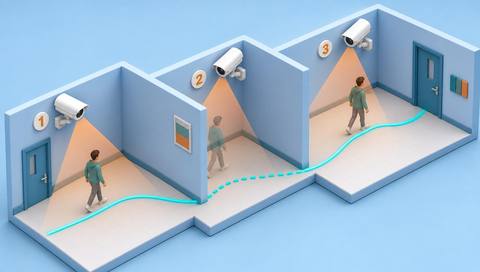
A track crosses an occluded section.
Example event: The displayed path has a gap.
Operator response: Check the source interval rather than interpolating certainty.
Practical value: Preserves evidence limits.
Discuss this capability02 / 04 · MOVEMENT-PATH VISUALIZATION
A route doubles back.
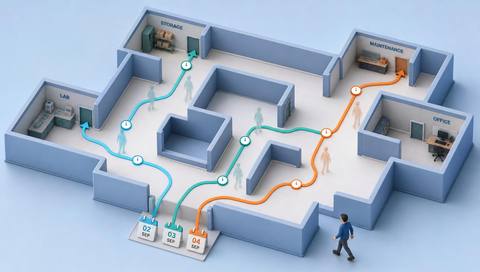
Example event: Observed positions form a return path.
Operator response: Inspect layout and activity context.
Practical value: Supports navigation review.
Discuss this capability03 / 04 · MOVEMENT-PATH VISUALIZATION
A path suggests a sharp turn.
Example event: Track positions change direction.
Operator response: Check for association errors.
Practical value: Improves interaction analysis.
Discuss this capability04 / 04 · MOVEMENT-PATH VISUALIZATION
Use a stable camera or calibrated plan.
Visibility: Occlusion and track switches distort lines.
Configuration: Verify coordinates and timestamp ordering.
Privacy: Avoid named paths when anonymous review is sufficient.
Human review: Check source frames before attributing behavior.
Discuss this capabilityFrequently asked questions
Displays a sequence of observed positions as a path within the supported view or coordinate system.
No. It summarizes supported observations and may contain uncertainty.
Not as confirmed movement; indicate uncertainty.
No. It shows movement, not reasons.
Yes. Validate tracks before interpreting the path.
Find your fit
Help reviewers inspect how an observed entity moved. For Operations reviewers, Safety investigators.
Workflow to discuss
Movement-path visualization + Summarize observed movement.
Discuss a camera view, a monitoring question and the review process your team needs.