Download IVISION Catalog
 01
01Camera input
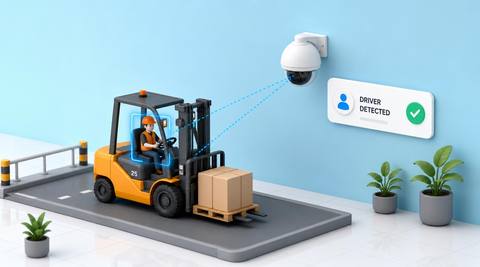
Capture the truck and surrounding people together.


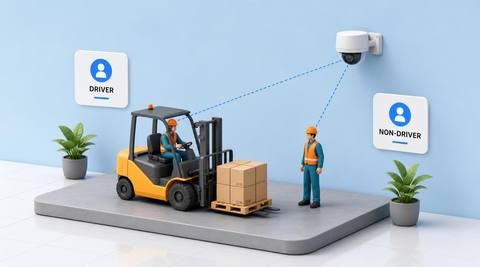
Assess whether a person appears in the operating position or outside it. People can enter, leave or work beside a truck, so review transitions before assigning a role to an event.
Catalog workflow. Detector availability, scene suitability and event delivery must be verified for the proposed deployment. Camera observations supplement human review and established safety procedures.
Discuss this workflow
 Without IVISIONStandard CCTV feed
 With IVISIONIllustrative event overlay
The Process
A visual role is a provisional relationship Give interaction review a clearer person–truck relationship.
01Capture the truck and surrounding people together.
 02
02Validate operator-position and pedestrian associations.
 03
03Review transitions and ambiguous positions.
 04
04Supervisor confirms the role relevant to the specific event.
Explore Your Options
| Dimension |  Driver and Non-Driver Classification Driver and Non-Driver Classification |  Forklift Driver Detection Forklift Driver Detection |
|---|---|---|
| Observation |  A person appears in or outside a defined operating-position region. A person appears in or outside a defined operating-position region. | A person is visible in the assessed forklift operating position. |
| Event criteria | A validated spatial association supports a tentative role label. | A validated person-position relationship is observed. |
| Monitoring setup | Confirm truck geometry, transitions and unknown handling. | Confirm truck design, operating region and visibility criteria. |
| What it cannot establish | A visual role does not establish employment, permission or who drove earlier. | Presence cannot establish identity, training or actual control state. |
| Practical outcome | Help reviewers distinguish an apparent operator from nearby pedestrians while preserving uncertainty. | Help teams check operator-presence context without inferring identity, qualification or control of the truck. |
Illustrative demonstration
Example footage and simulated events explain the review workflow. They do not measure detector performance.
 Sites overview
No matching events.
EXPLORE WHAT’S POSSIBLE
01 / 04 · DRIVER AND NON-DRIVER CLASSIFICATION
People swap operating positions.
Example event: One person leaves while another approaches.
Operator response: Reviewer checks the sequence.
Practical value: Better transition context.
Discuss this capability02 / 04 · DRIVER AND NON-DRIVER CLASSIFICATION
A worker assists beside the truck.
Example event: A person remains outside the operating position.
Operator response: Team treats the role as provisional.
Practical value: Clearer interaction analysis.
Discuss this capability03 / 04 · DRIVER AND NON-DRIVER CLASSIFICATION
Cabin occlusion hides the operator.
Example event: A nearby person is visible but the operator is not.
Operator response: Supervisor avoids assigning the wrong role.
Practical value: Fewer mistaken associations.
Discuss this capability04 / 04 · DRIVER AND NON-DRIVER CLASSIFICATION
Show the operating position and nearby floor area.
Visibility: Occlusion can place people in misleading image positions.
Configuration: Validate associations and role transitions for local truck types.
Privacy: Do not infer protected traits, job status or personal identity.
Human review: Confirm the role at the event time before conclusions.
Discuss this capabilityFrequently asked questions
Assigns tentative operational roles from a person’s visible spatial relationship to a forklift.
No. It is a temporary spatial role in a specific scene.
Yes. Entering or leaving the operating position changes context.
Keep the role uncertain rather than assigning it to a nearby person.
No. Investigation needs broader evidence.
Find your fit
Help reviewers distinguish an apparent operator from nearby pedestrians while preserving uncertainty. For Warehouse safety analysts, Materials-handling supervisors.
Workflow to discuss
Driver and Non-Driver Classification + Use spatial relationships instead of assumed identity.
Discuss a camera view, a monitoring question and the review process your team needs.