Download IVISION Catalog
 01
01Map the segments
Document the boundary and the cameras that can actually see it.


A site boundary may span several camera views. An electronic boundary workflow should identify which segments are observed, which rules are supported and how events reach an operator, while making uncovered sections explicit.
Confirm detector support, camera suitability and the proposed event workflow before deployment.
Review boundary coverage
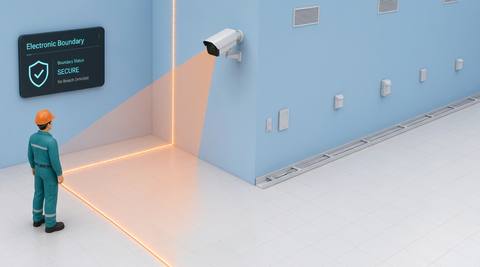
 Without IVISIONStandard CCTV feed
 With IVISIONIllustrative event overlay
The Process
Review monitored segments with clear coverage limits Help operators relate perimeter observations to the correct site segment.
01Document the boundary and the cameras that can actually see it.
 02
02Test the relevant crossing or presence rule per segment.
 03
03Confirm that any event record identifies the correct camera and segment.
 04
04Direct staff using the verified location and local access procedure.
Explore Your Options
| Dimension |  electronic boundary monitoring electronic boundary monitoring |  Virtual fence monitoring Virtual fence monitoring |
|---|---|---|
| Observation |  Supported presence or crossing observations at named boundary segments. Supported presence or crossing observations at named boundary segments. | A supported object crossing an image-defined line or perimeter. |
| Event criteria | A validated condition occurs in one of the configured segment views. | A validated crossing condition is met at the selected boundary. |
| Monitoring setup | Map segment names, camera coverage and event routing capabilities. | Confirm line geometry, direction and relevant object classes. |
| What it cannot establish | This workflow does not imply a physical sensor fence, complete coverage or cross-camera identity. | An image line is not a surveyed physical fence or guaranteed perimeter protection. |
| Practical outcome | Help operators relate perimeter observations to the correct site segment. | Focus monitoring on a chosen visible boundary without changing the physical site layout. |
Illustrative demonstration
Example footage and simulated events explain the review workflow. They do not measure detector performance.
 Sites overview
No matching events.
EXPLORE WHAT’S POSSIBLE
01 / 04 · ELECTRONIC BOUNDARY MONITORING
Different cameras cover different stretches of boundary.
Example event: A supported event occurs on a named segment.
Operator response: Verify the view and direct the appropriate site team.
Practical value: Reduce ambiguity about location.
Discuss this capability02 / 04 · ELECTRONIC BOUNDARY MONITORING
Perimeter review spans several operating areas.
Example event: A candidate crossing appears near a service boundary.
Operator response: Check work schedules for that segment.
Practical value: Connect boundary context with site operations.
Discuss this capability03 / 04 · ELECTRONIC BOUNDARY MONITORING
Some boundary sections have limited visibility.
Example event: An observation arises in a covered section.
Operator response: Respond to that location and separately inspect coverage gaps.
Practical value: Avoid treating partial coverage as complete protection.
Discuss this capability04 / 04 · ELECTRONIC BOUNDARY MONITORING
Survey overlap and blind spots across boundary views.
Visibility: Vegetation, weather and changing site structures affect coverage.
Configuration: Verify multi-camera event presentation; do not assume a unified fence integration.
Privacy: Limit perimeter views to a proportionate security purpose.
Human review: Confirm the segment and conditions before directing a response.
Discuss this capabilityFrequently asked questions
Review supported camera observations associated with designated boundary segments.
No. The described workflow concerns camera observations and event review.
Physical sensor integrations must be separately specified and verified.
Cross-camera identity is not established by boundary monitoring.
Document them explicitly and use appropriate physical, procedural or additional sensing measures.
Find your fit
Help operators relate perimeter observations to the correct site segment. For Perimeter operations teams, Multi-area security supervisors.
Workflow to discuss
electronic boundary monitoring + Associate observations with named boundary segments.
Discuss a camera view, a monitoring question and the review process your team needs.