Download IVISION Catalog
 01
01Prepare the view
Frame the relevant workstation and item scale.


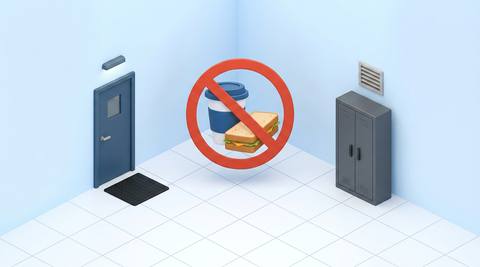
Containers and eating gestures can suggest a policy exception. Validate the relevant items and permitted break locations, then review context before concluding that a hygiene or contamination rule was breached.
Catalog workflow. Confirm detector availability, permitted use and event delivery for the proposed deployment. Website examples are illustrative.
Assess food and drink checks
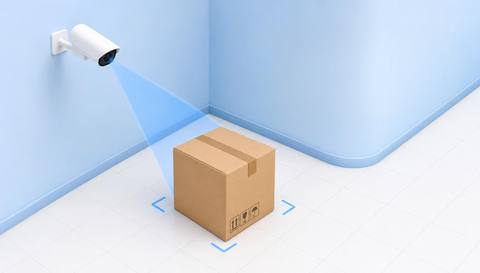
 Without IVISIONStandard CCTV feed
 With IVISIONIllustrative event overlay
The Process
Connect visible items to the local process rule Keep zone-specific hygiene checks consistent.
01Frame the relevant workstation and item scale.
 02
02Validate supported item/gesture classes with real site examples.
 03
03Review the candidate against the zone restriction.
 04
04Ask staff to move the item or verify the approved exception.
Explore Your Options
| Dimension |  No Food / Drink Zone Compliance No Food / Drink Zone Compliance |  Housekeeping and Workplace Organization Monitoring Housekeeping and Workplace Organization Monitoring |
|---|---|---|
| Observation |  Visible food, beverage container or consumption gesture. Visible food, beverage container or consumption gesture. | Visible clutter, placement and access conditions in a defined workspace. |
| Event criteria | A supported detector finds the agreed item/activity inside the restricted area. | A supported observation differs from an agreed housekeeping example or zone rule. |
| Monitoring setup | Confirm item classes, zones and authorized exceptions. | Choose observable criteria, review frequency and authorized exceptions. |
| What it cannot establish | Cannot establish substance content, contamination or actual ingestion. | Video does not certify 5S compliance, employee performance or overall workplace safety. |
| Practical outcome | Help teams review a process-specific hygiene rule. | Give supervisors location-specific evidence for workplace organization checks. |
Illustrative demonstration
Example footage and simulated events explain the review workflow. They do not measure detector performance.
 Sites overview
No matching events.
EXPLORE WHAT’S POSSIBLE
01 / 04 · NO FOOD / DRINK ZONE COMPLIANCE
Personal drinks enter a controlled work area.
Example event: A cup appears at the bench.
Operator response: Verify contents/context and remove it if prohibited.
Practical value: Supports process discipline.
Discuss this capability02 / 04 · NO FOOD / DRINK ZONE COMPLIANCE
Permitted containers resemble drink bottles.
Example event: A bottle-like object is flagged.
Operator response: Check the container label and task.
Practical value: Avoids mistaken hygiene allegations.
Discuss this capability03 / 04 · NO FOOD / DRINK ZONE COMPLIANCE
Liquids are restricted near hardware.
Example event: A beverage container is visible.
Operator response: Relocate it under the local policy.
Practical value: Supports equipment-area housekeeping.
Discuss this capability04 / 04 · NO FOOD / DRINK ZONE COMPLIANCE
Resolve small items on work surfaces.
Visibility: Hands and packaging can hide objects.
Configuration: Confirm relevant detector classes and exclusions.
Privacy: Monitor work areas, not private break behavior.
Human review: Check the object and applicable rule.
Discuss this capabilityFrequently asked questions
Flags visible food, drink or consumption-related objects in an area with a defined restriction.
No. Appearance does not establish contents.
No. Presence and actual use are different observations.
Yes. Test those examples and retain human review.
Only include areas covered by a justified explicit restriction.
Find your fit
Help teams review a process-specific hygiene rule. For Quality supervisors, Facility managers.
Workflow to discuss
No Food / Drink Zone Compliance + Target specific restricted areas.
Discuss a camera view, a monitoring question and the review process your team needs.