
 Download IVISION Catalog
 01
01Capture the placement area
Keep the expected item location and surrounding movement in view.


An object remaining after surrounding activity has moved on may need attention. Review its visible history and the site procedure before describing it as abandoned or deciding how it should be handled.
Confirm detector support, camera suitability and the proposed event workflow before deployment.
Review persistent-object monitoring

 Without IVISIONStandard CCTV feed
 With IVISIONIllustrative event overlay
The Process
Use persistence as a review cue, not a conclusion Provide a starting point for investigating long-standing left objects.
01Keep the expected item location and surrounding movement in view.
 02
02Test the supported rule against deliveries, cleaners and routine storage.
 03
03Review available footage for placement and nearby activity.
 04
04Apply the site’s trained object-assessment or property-recovery procedure.
Explore Your Options
| Dimension |  Abandoned-object detection Abandoned-object detection |  Unattended-object detection Unattended-object detection |
|---|---|---|
| Observation |  An object remains in a scene while nearby activity changes. An object remains in a scene while nearby activity changes. | A stationary object and the visible activity around it. |
| Event criteria | A validated persistence condition is met after an apparent separation. | An item persists for a validated period with no observable attendant nearby. |
| Monitoring setup | Confirm observation duration, relevant objects and how missing footage is handled. | Validate object classes, persistence and the meaning of nearby in the camera perspective. |
| What it cannot establish | Video does not establish ownership, deliberate abandonment or hazardous contents. | Absence of a visible attendant does not prove abandonment or a security threat. |
| Practical outcome | Provide a starting point for investigating long-standing left objects. | Help operators check items left in active shared spaces. |
Illustrative demonstration
Example footage and simulated events explain the review workflow. They do not measure detector performance.
 Sites overview
No matching events.
 Facility Monitoring
Review shorter-term unattended presence as a separate condition.
Read More
 Facility Monitoring
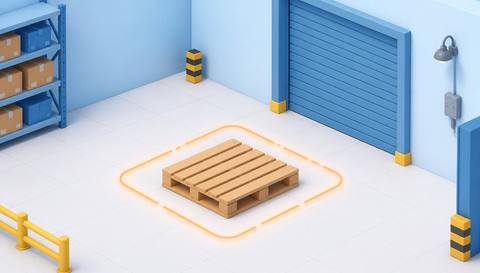
Investigate persistent pallets in operational areas.
Read More Facility Monitoring
Compare the item’s position with approved storage areas.
Read MoreEXPLORE WHAT’S POSSIBLE
01 / 04 · ABANDONED-OBJECT DETECTION
An item remains after an area clears.
Example event: A visible object persists through the reviewed interval.
Operator response: Security inspects contextual footage and follows its protocol.
Practical value: Give the investigation a time and place.
Discuss this capability02 / 04 · ABANDONED-OBJECT DETECTION
Long-standing items can be confused with temporary deliveries.
Example event: A package remains beyond the expected delivery activity.
Operator response: Management confirms the delivery context before handling.
Practical value: Avoid assumptions about why the item remains.
Discuss this capability03 / 04 · ABANDONED-OBJECT DETECTION
Unclaimed belongings accumulate over time.
Example event: An object persists in the monitored common area.
Operator response: Staff investigate under the building’s property policy.
Practical value: Support documented common-area follow-up.
Discuss this capability04 / 04 · ABANDONED-OBJECT DETECTION
Use a fixed view that supports comparison over time.
Visibility: Lighting changes and camera movement can resemble object changes.
Configuration: Verify background-change, persistence and history access in the proposed setup.
Privacy: Apply appropriate retention limits for contextual footage.
Human review: Confirm legitimate storage or delivery explanations before escalation.
Discuss this capabilityFrequently asked questions
Surface an object that persists after an apparent separation from nearby activity for further review.
No. Abandonment involves ownership and intent that a camera cannot establish.
Choose and validate a site-specific review interval where supported; there is no universal threshold.
No. Trained personnel must use the relevant security procedure.
The event has incomplete context and should be treated accordingly.
Find your fit
Provide a starting point for investigating long-standing left objects. For Transport security teams, Property operations teams.
Workflow to discuss
Abandoned-object detection + Identify prolonged visible object presence.
Discuss a camera view, a monitoring question and the review process your team needs.





