
 Download IVISION Catalog
 01
01Choose the process question
Identify what the camera can and cannot observe.


Visual analysis is most useful when the question is specific: where do items accumulate, which step is visible, or when does movement change? Validate the relevant observations and compare them with records before drawing a process conclusion.
Confirm detector support, camera suitability and the proposed event workflow before deployment.
Define a visual analysis question
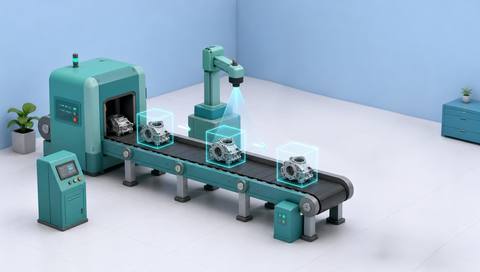
 Without IVISIONStandard CCTV feed
 With IVISIONIllustrative event overlay
The Process
Start with an observable process condition Help engineers investigate a specific process question using camera evidence.
01Identify what the camera can and cannot observe.
 02
02Check supported detections and representative footage.
 03
03Use production logs, schedules and relevant measurements.
 04
04Engineers investigate the proposed cause through the approved improvement process.
Explore Your Options
| Dimension |  Visual production analysis Visual production analysis |  Production-flow analysis Production-flow analysis |
|---|---|---|
| Observation |  Selected supported observations from visible production activity. Selected supported observations from visible production activity. | Visible unit or material movement between defined process points. |
| Event criteria | A reviewer examines a defined event or pattern in the available record. | Supported observations indicate a change in movement or accumulation. |
| Monitoring setup | Specify the question, observation criteria and comparison period. | Define stages, normal transfers and comparable operating periods. |
| What it cannot establish | Images do not establish hidden process variables, causal relationships or complete performance metrics. | Video does not establish material genealogy or hidden movement outside coverage. |
| Practical outcome | Help engineers investigate a specific process question using camera evidence. | Help teams locate where the observed flow changes or accumulates. |
Illustrative demonstration
Example footage and simulated events explain the review workflow. They do not measure detector performance.
 Sites overview
No matching events.
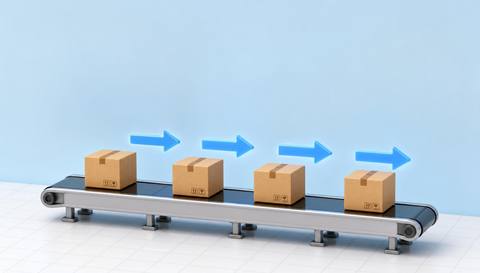 Production Monitoring
Focus the investigation on movement between stages.
Read More
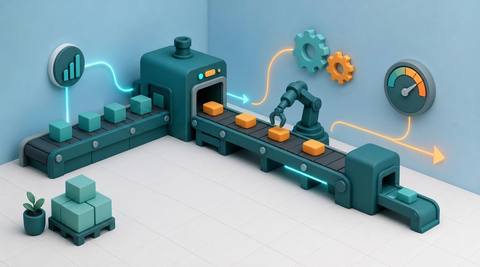 Production Monitoring
Interpret observed time and activity alongside production records.
Read More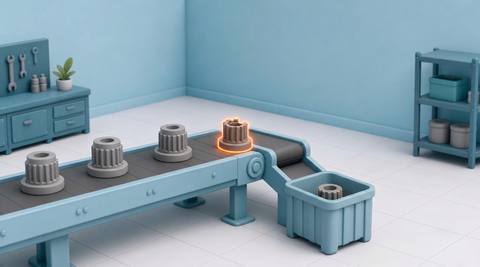 Production Monitoring
Investigate reviewed reject examples and reasons.
Read MoreEXPLORE WHAT’S POSSIBLE
01 / 04 · VISUAL PRODUCTION ANALYSIS
Teams disagree about where waiting begins.
Example event: Footage shows visible pauses at a transfer.
Operator response: Compare timing with process records.
Practical value: Give the investigation a concrete observation.
Discuss this capability02 / 04 · VISUAL PRODUCTION ANALYSIS
Flow varies across product formats.
Example event: Visible handling differs between selected runs.
Operator response: Check format and machine settings before interpreting the change.
Practical value: Support a focused comparison.
Discuss this capability03 / 04 · VISUAL PRODUCTION ANALYSIS
Intermittent accumulation needs investigation.
Example event: Retained observations show changing material movement.
Operator response: Compare with upstream operating data.
Practical value: Help narrow the process question.
Discuss this capability04 / 04 · VISUAL PRODUCTION ANALYSIS
Select a view that captures the specific condition being studied.
Visibility: Incomplete stages and missing footage limit interpretation.
Configuration: Verify each underlying observation and access to comparable records.
Privacy: Analyze the process rather than infer personal worker performance.
Human review: Engineers validate causal explanations independently.
Discuss this capabilityFrequently asked questions
Interpret selected visible production observations alongside operational context.
No. Camera observations can inform an investigation but do not establish root cause.
Only metrics supported by validated inputs should be used.
Yes. A defined question helps determine useful camera placement and evidence.
Only with attention to product format, operating conditions and record completeness.
Find your fit
Help engineers investigate a specific process question using camera evidence. For Process engineers, Continuous-improvement teams.
Workflow to discuss
Visual production analysis + Ground a process question in visible evidence.
Discuss a camera view, a monitoring question and the review process your team needs.





