
 Download IVISION Catalog
 01
01Define the assembly state
Use the controlled work instruction for the current step.


An assembly can contain the right parts yet show a visible configuration error. Validate the state expected at a particular step and product revision, then use operator inspection for connections, seating and other details the image cannot establish.
Confirm detector support, camera suitability and the proposed event workflow before deployment.
Review assembly-state inspection
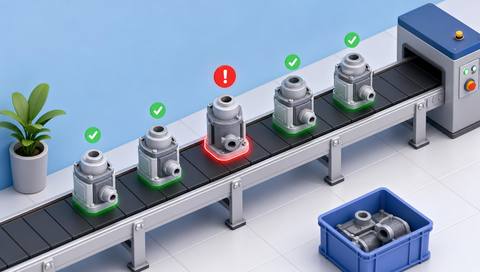
 Without IVISIONStandard CCTV feed
 With IVISIONIllustrative event overlay
The Process
Review presence, order and placement in context Help teams investigate visible assembly mismatches before they become concealed.
01Use the controlled work instruction for the current step.
 02
02Test correct assemblies and relevant known errors.
 03
03Check whether the item is ready for inspection and correctly presented.
 04
04An authorized operator follows the rework and inspection procedure.
Explore Your Options
| Dimension |  Assembly-error detection Assembly-error detection |  Missing-component detection Missing-component detection |
|---|---|---|
| Observation |  Visible arrangement of components at a specified assembly step. Visible arrangement of components at a specified assembly step. | Presence or apparent absence of a specified component in a defined view. |
| Event criteria | A supported comparison identifies a candidate configuration mismatch. | The expected visible component is not found under validated criteria. |
| Monitoring setup | Define step, variant, orientation and approved state examples. | Specify the component, assembly variant and inspection position. |
| What it cannot establish | Video does not establish hidden connections, torque, internal fit or functional performance. | Not visible does not necessarily mean absent; hidden parts and electrical function remain unverified. |
| Practical outcome | Help teams investigate visible assembly mismatches before they become concealed. | Help operators investigate an apparently incomplete assembly before the next step. |
Illustrative demonstration
Example footage and simulated events explain the review workflow. They do not measure detector performance.
 Sites overview
No matching events.
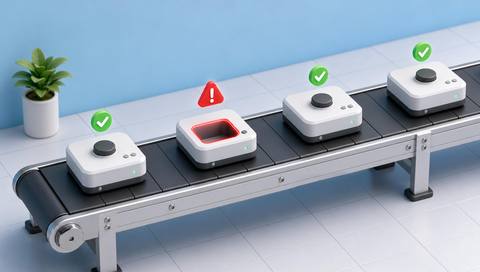 Production Monitoring
Check required visible part presence.
Read More
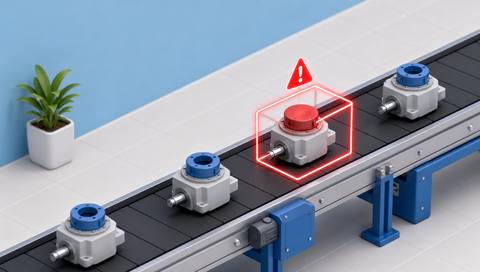 Production Monitoring
Verify that the visible component type matches the build.
Read More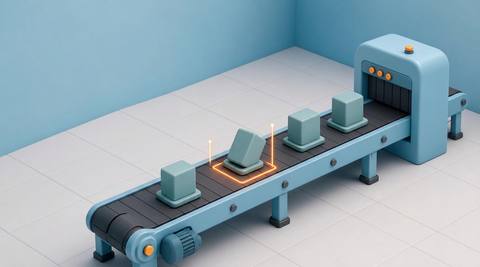 Production Monitoring
Inspect a specific placement condition.
Read MoreEXPLORE WHAT’S POSSIBLE
01 / 04 · ASSEMBLY-ERROR DETECTION
A cable route can be visibly incorrect.
Example event: The route differs from the validated assembly example.
Operator response: Inspect against the work instruction before closing.
Practical value: Focus review while the route remains visible.
Discuss this capability02 / 04 · ASSEMBLY-ERROR DETECTION
Correct parts can be assembled in the wrong arrangement.
Example event: A candidate configuration mismatch is flagged.
Operator response: Verify the build step and positioning.
Practical value: Support in-process correction.
Discuss this capability03 / 04 · ASSEMBLY-ERROR DETECTION
The expected visible state varies by model.
Example event: The assembly differs from the selected model reference.
Operator response: Check the variant before deciding on rework.
Practical value: Make model context explicit.
Discuss this capability04 / 04 · ASSEMBLY-ERROR DETECTION
Show all features needed to distinguish the expected assembly state.
Visibility: Hands, tools and incomplete work can create apparent errors.
Configuration: Validate inspection timing and supported configuration comparisons.
Privacy: Focus records on product quality rather than worker evaluation.
Human review: Operators verify hidden and functional requirements separately.
Discuss this capabilityFrequently asked questions
Compare a visible assembled state with the expected configuration at a defined step.
No. Torque requires an appropriate tool or measurement record.
Yes. The inspection point must be defined and validated.
No. Functional testing remains necessary.
Only if validated; controlled revision differences must be represented.
Find your fit
Help teams investigate visible assembly mismatches before they become concealed. For Assembly engineers, In-process inspectors.
Workflow to discuss
Assembly-error detection + Inspect the assembled configuration rather than presence alone.
Discuss a camera view, a monitoring question and the review process your team needs.





