Download IVISION Catalog
 01
01Prepare the view
Cover the task area without private-space surveillance.


Some tasks require little visible movement. Evaluate inactivity only within a defined operational context, with appropriate duration and task exceptions; camera posture cannot establish sleep, effort or wellbeing.
Catalog workflow. Confirm detector availability, permitted use and event delivery for the proposed deployment. Website examples are illustrative.
Discuss inactivity review

 Without IVISIONStandard CCTV feed
 With IVISIONIllustrative event overlay
The Process
Stationary does not mean asleep Identify stationary periods that need clarification.
01Cover the task area without private-space surveillance.
 02
02Validate movement/posture criteria against legitimate stationary work.
 03
03Review duration with roster and task context.
 04
04Check in with the person or responsible team before drawing conclusions.
Explore Your Options
| Dimension |  Sleeping / Inactivity Detection Sleeping / Inactivity Detection |  Person Down / Collapse Detection Person Down / Collapse Detection |
|---|---|---|
| Observation |  Low visible motion or a sustained posture. Low visible motion or a sustained posture. | A person appears prone, seated unusually low or motionless near the floor. |
| Event criteria | A supported analysis observes inactivity beyond the agreed task-specific period. | A supported detector observes the agreed posture for a validated period. |
| Monitoring setup | Validate duration, scheduled breaks and stationary-task exceptions. | Confirm allowed tasks, observation duration and routing. |
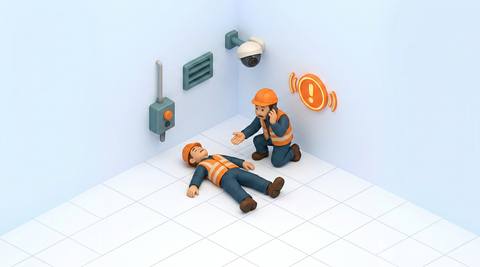
| What it cannot establish | Cannot prove sleep, fatigue, neglect or medical condition. | Cannot establish consciousness, injury or cause. |
| Practical outcome | Help supervisors distinguish an unexpected stationary period from normal work. | Help responders locate a situation requiring a welfare check. |
Illustrative demonstration
Example footage and simulated events explain the review workflow. They do not measure detector performance.
 Sites overview
No matching events.
EXPLORE WHAT’S POSSIBLE
01 / 04 · SLEEPING / INACTIVITY DETECTION
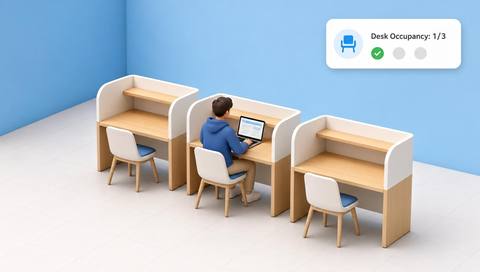
A desk may be temporarily unattended or quiet.
Example event: Movement remains low.
Operator response: Check staffing and assigned tasks.
Practical value: Clarifies post coverage.
Discuss this capability02 / 04 · SLEEPING / INACTIVITY DETECTION
Detailed inspection involves stillness.
Example event: A stationary period is flagged.
Operator response: Confirm the inspection activity.
Practical value: Avoids misreading concentration.
Discuss this capability03 / 04 · SLEEPING / INACTIVITY DETECTION
An unusual posture may need assistance.
Example event: Low motion persists unexpectedly.
Operator response: Arrange a respectful welfare check.
Practical value: Supports contextual awareness.
Discuss this capability04 / 04 · SLEEPING / INACTIVITY DETECTION
View the agreed post rather than personal close-ups.
Visibility: Small movements may be invisible.
Configuration: Verify duration model and permitted use.
Privacy: Do not score productivity or infer health from inactivity.
Human review: Ask about task and welfare directly.
Discuss this capabilityFrequently asked questions
Observes sustained low movement or posture patterns that may warrant a contextual check.
No. Reading and inspection can involve little movement.
No. Visible motion is not a performance measure.
Exclude approved break times and locations.
A contextual check-in, not an automatic disciplinary conclusion.
Find your fit
Help supervisors distinguish an unexpected stationary period from normal work. For Control-room supervisors, Facility response teams.
Workflow to discuss
Sleeping / Inactivity Detection + Consider duration in task context.
Discuss a camera view, a monitoring question and the review process your team needs.