Download IVISION Catalog
 01
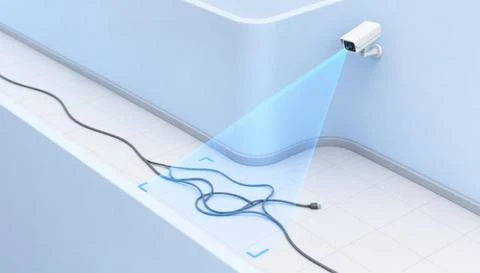
01Camera input
Capture the route and its visible edges.


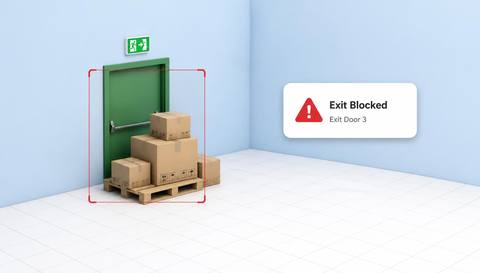
An object is not an obstacle everywhere. Define the passage or clearance space, distinguish ordinary transit from storage and verify whether the observed object actually restricts use.
Catalog workflow. Detector availability, scene suitability and event delivery must be verified for the proposed deployment. Camera observations supplement human review and established safety procedures.
Discuss this workflow
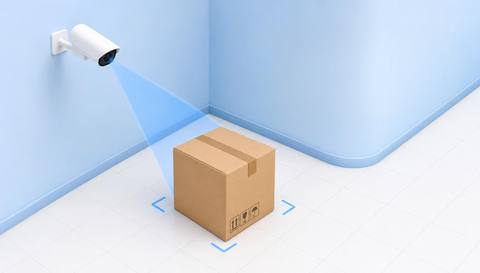
 Without IVISIONStandard CCTV feed
 With IVISIONIllustrative event overlay
The Process
A route boundary gives the finding meaning Turn a general object sighting into a useful route check.
01Capture the route and its visible edges.
 02
02Validate relevant objects against moving traffic and normal fixtures.
 03
03Review placement and whether the route remains usable.
 04
04Area owner checks and removes or relocates confirmed obstructions safely.
Explore Your Options
| Dimension |  Obstacle Detection Obstacle Detection |  Unsafe Walkway Detection Unsafe Walkway Detection |
|---|---|---|
| Observation |  An object occupies an assessed clearance region. An object occupies an assessed clearance region. | A selected visible condition appears within the walkway. |
| Event criteria | A validated object indication meets the route-specific criterion. | The validated condition meets its own review criterion. |
| Monitoring setup | Confirm region, permitted transit and temporary staging exceptions. | Confirm route boundaries and each selected condition separately. |
| What it cannot establish | Video alone cannot determine every required clearance or object hazard. | Structural strength, traction and full accessibility are not established visually. |
| Practical outcome | Help area owners locate objects that may obstruct intended movement. | Help facilities review the particular condition affecting pedestrian passage. |
Illustrative demonstration
Example footage and simulated events explain the review workflow. They do not measure detector performance.
 Sites overview
No matching events.
EXPLORE WHAT’S POSSIBLE
01 / 04 · OBSTACLE DETECTION
Empty pallets are left in circulation space.
Example event: A pallet occupies the route.
Operator response: Lead verifies and arranges removal.
Practical value: More precise housekeeping follow-up.
Discuss this capability02 / 04 · OBSTACLE DETECTION
Deliveries accumulate outside storage.
Example event: Boxes remain in the passage.
Operator response: Facilities checks access needs.
Practical value: Targeted clearance management.
Discuss this capability03 / 04 · OBSTACLE DETECTION
Tools are staged near service access.
Example event: An object enters the defined clearance.
Operator response: Supervisor checks the task and route.
Practical value: Context-aware staging review.
Discuss this capability04 / 04 · OBSTACLE DETECTION
Show floor edges and the relevant clearance.
Visibility: Low objects and occlusion are easy to miss.
Configuration: Validate object classes and region geometry.
Privacy: Avoid unrelated occupant tracking.
Human review: Confirm real clearance and safe handling requirements.
Discuss this capabilityFrequently asked questions
Reviews objects occupying a defined passage or work-area clearance region.
No. Its position relative to the intended route matters.
Only if image detail and detector support are sufficient; do not assume it.
Review permitted staging and duration context.
No. Required dimensions need a physical assessment.
Find your fit
Help area owners locate objects that may obstruct intended movement. For Facilities operators, Warehouse area leads.
Workflow to discuss
Obstacle Detection + Anchor findings to a defined route.
Discuss a camera view, a monitoring question and the review process your team needs.