
 Download IVISION Catalog
 01
01Document the physical limit
Confirm the measured access restriction and the intended target.


Height-restricted access needs reliable physical limits and clear procedures. A camera workflow may flag a candidate visual condition, but actual height or safe clearance requires a calibrated method or direct measurement appropriate to the access point.
Confirm detector support, camera suitability and the proposed event workflow before deployment.
Validate height-access requirements
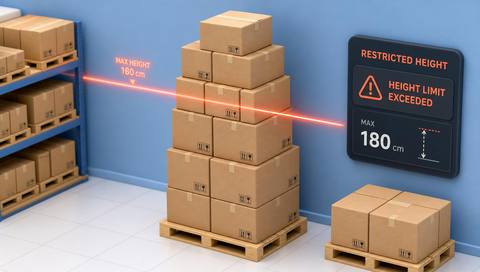
 Without IVISIONStandard CCTV feed
 With IVISIONIllustrative event overlay
The Process
Treat the camera view as a cue for clearance review Help operators identify access situations needing a physical height-clearance check.
01Confirm the measured access restriction and the intended target.
 02
02Test perspective, reference geometry and supported model behavior.
 03
03Check the image and obtain a reliable physical measurement.
 04
04Authorized staff decide whether and how passage is permitted.
Explore Your Options
| Dimension |  Restricted-height access detection Restricted-height access detection |  Restricted Zone Monitoring Restricted Zone Monitoring |
|---|---|---|
| Observation |  A visible object or person relative to a height-reference area. A visible object or person relative to a height-reference area. | Supported people or objects within a defined image area. |
| Event criteria | A separately validated visual criterion indicates a possible height-access exception. | A validated presence condition occurs inside the selected zone. |
| Monitoring setup | Define the physical restriction, target type and measurement method before specifying the rule. | Confirm zone geometry, relevant classes and operating context. |
| What it cannot establish | Uncalibrated image size does not establish physical height, clearance or safe passage. | Presence does not establish identity, access permission or malicious intent. |
| Practical outcome | Help operators identify access situations needing a physical height-clearance check. | Help operators check activity where access requires extra scrutiny. |
Illustrative demonstration
Example footage and simulated events explain the review workflow. They do not measure detector performance.
 Sites overview
No matching events.
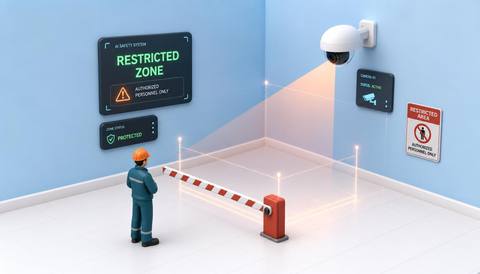 Area Monitoring
Define the access area associated with the physical restriction.
Read More
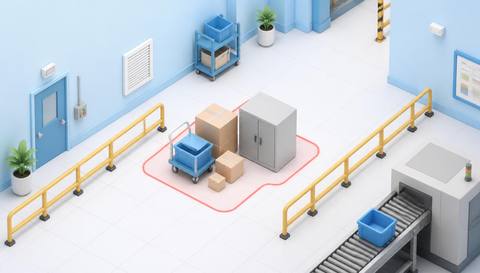 Area Monitoring
Check visible objects occupying the access route.
Read More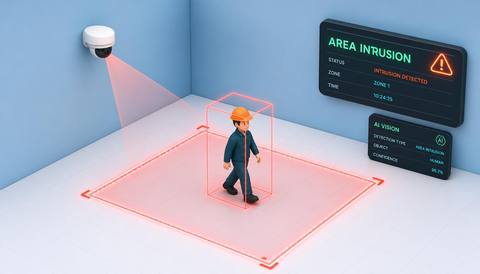 Area Monitoring
Review entry events separately from height-clearance assessment.
Read MoreEXPLORE WHAT’S POSSIBLE
01 / 04 · RESTRICTED-HEIGHT ACCESS DETECTION
Raised loads may need clearance verification.
Example event: A load appears near the validated visual reference.
Operator response: Measure or verify clearance before allowing movement.
Practical value: Focus attention on a potential access mismatch.
Discuss this capability02 / 04 · RESTRICTED-HEIGHT ACCESS DETECTION
Different service vehicles use the same approach.
Example event: A candidate visual height exception is observed.
Operator response: Apply the property’s measured-clearance procedure.
Practical value: Support a structured entry check.
Discuss this capability03 / 04 · RESTRICTED-HEIGHT ACCESS DETECTION
Tall material assemblies may approach a constrained route.
Example event: The visible assembly intersects the review reference.
Operator response: Verify dimensions and the approved handling route.
Practical value: Prompt a physical clearance assessment.
Discuss this capability04 / 04 · RESTRICTED-HEIGHT ACCESS DETECTION
Use a surveyed stable view with an appropriate reference plane.
Visibility: Perspective and object distance strongly affect apparent height.
Configuration: Confirm that a supported calibrated method exists; do not infer 3D measurement from pixels.
Privacy: Avoid retaining unrelated personal imagery at access points.
Human review: A competent person verifies actual dimensions and safe clearance.
Discuss this capabilityFrequently asked questions
Review a visible person or object against a defined height-restricted access condition.
Not reliably without a validated calibration and measurement method.
This workflow concerns height-restricted access; fall protection and work-at-height compliance are separate.
No automatic clearance approval is established.
Recheck calibration and the visual reference before relying on observations.
Find your fit
Help operators identify access situations needing a physical height-clearance check. For Facilities access teams, Loading-area supervisors.
Workflow to discuss
Restricted-height access detection + Connect access review with a known physical restriction.
Discuss a camera view, a monitoring question and the review process your team needs.





