Download IVISION Catalog
 01
01Camera input
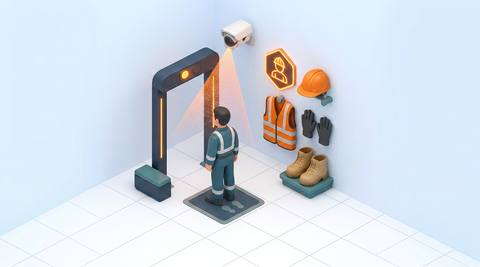
Capture people approaching the work area with equipment clearly visible.


Different work areas require different protection. Assess visible equipment against a task-specific checklist, then let a supervisor verify the finding and the applicable requirement.
Catalog workflow. Detector availability, scene suitability and event delivery must be verified for the proposed deployment. Camera observations supplement human review and established safety procedures.
Discuss this workflow
 Without IVISIONStandard CCTV feed
 With IVISIONIllustrative event overlay
The Process
A visible check before work proceeds Focus checks on the equipment relevant to each zone.
01Capture people approaching the work area with equipment clearly visible.
 02
02Validate supported equipment classes against representative clothing and postures.
 03
03Review the person, missing-item indication and available image together.
 04
04Check the task requirement and arrange a direct PPE check when needed.
Explore Your Options
| Dimension |  PPE Compliance PPE Compliance |  Helmet Compliance Helmet Compliance |
|---|---|---|
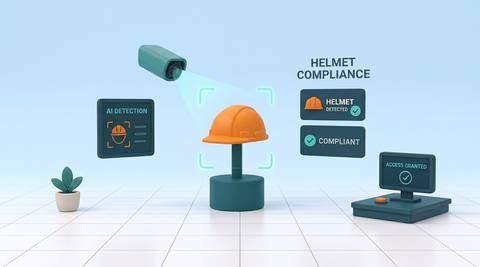
| Observation |  A required item is not visibly identifiable on a person. A required item is not visibly identifiable on a person. | A visible head lacks an identifiable protective helmet. |
| Event criteria | A person enters the assessed area without a clearly visible required item. | A person crosses the assessed boundary while helmet presence is uncertain or absent. |
| Monitoring setup | Validate the equipment checklist, zone and review thresholds. | Validate the helmet class, entry area and confidence review criteria. |
| What it cannot establish | A visible item does not establish fit, certification or correct use. | A camera cannot establish impact rating, fastening or internal damage. |
| Practical outcome | Give safety supervisors a focused queue of possible PPE omissions. | Help supervisors find possible head-protection omissions at hazardous-area entry points. |
Illustrative demonstration
Example footage and simulated events explain the review workflow. They do not measure detector performance.
 Sites overview
No matching events.
EXPLORE WHAT’S POSSIBLE
01 / 04 · PPE COMPLIANCE
Mixed tasks require different protection.
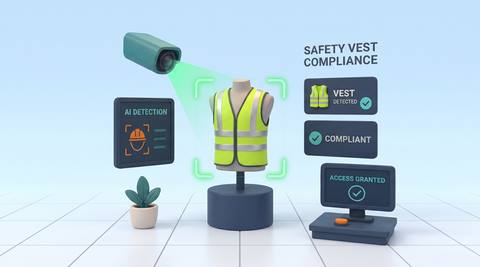
Example event: Helmet or vest is not visible.
Operator response: Supervisor checks assigned work and equipment.
Practical value: More targeted entry checks.
Discuss this capability02 / 04 · PPE COMPLIANCE
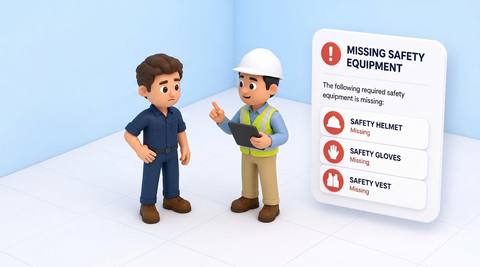
Several PPE items apply to one task.
Example event: A required item appears absent.
Operator response: Lead verifies protection before work resumes.
Practical value: Clearer task-specific follow-up.
Discuss this capability03 / 04 · PPE COMPLIANCE
Visitors may miss local PPE rules.
Example event: A visitor enters without visible required gear.
Operator response: Host explains the dock requirements.
Practical value: Consistent visitor guidance.
Discuss this capability04 / 04 · PPE COMPLIANCE
Use an entrance angle showing the required equipment.
Visibility: Crowding, coats and carried objects can hide PPE.
Configuration: Confirm each equipment detector and site-specific checklist.
Privacy: Restrict access to worker images and avoid public scoreboards.
Human review: Verify actual PPE use; do not treat a finding as a compliance verdict.
Discuss this capabilityFrequently asked questions
Reviews visible protective equipment against the requirements of a defined work area.
No. It flags visual indications for a qualified check.
Define the required equipment with the site team and validate supported configuration.
Treat unclear views as uncertain rather than assuming an omission.
No. Fit, condition and suitability require inspection.
Find your fit
Give safety supervisors a focused queue of possible PPE omissions. For Safety supervisors, Site managers.
Workflow to discuss
PPE Compliance + Review multiple visible PPE requirements together.
Discuss a camera view, a monitoring question and the review process your team needs.