
 Download IVISION Catalog
 01
01Frame the boundary
Show both the access point and enough surrounding ground to interpret entry.


An animal elsewhere on site may not need the same response as one inside a controlled enclosure. A validated zone workflow can bring attention to visible animal entry at the boundary selected for review.
Confirm detector support, camera suitability and the proposed event workflow before deployment.
Review restricted-area coverage

 Without IVISIONStandard CCTV feed
 With IVISIONIllustrative event overlay
The Process
Connect a sighting to the boundary that matters Prioritize checks when an animal appears inside a controlled part of the site.
01Show both the access point and enough surrounding ground to interpret entry.
 02
02Validate animal detections against the chosen crossing or presence condition.
 03
03Check the location and timing in any connected event record.
 04
04Arrange a safe check of the animal and the physical access point.
Explore Your Options
| Dimension |  animals entering restricted areas animals entering restricted areas |  Animal detection Animal detection |
|---|---|---|
| Observation |  An animal visible across or inside a designated image boundary. An animal visible across or inside a designated image boundary. | An animal-like object visible in the image. |
| Event criteria | A supported animal observation meets the validated crossing or presence criteria. | A supported animal class appears within the monitored view. |
| Monitoring setup | Agree boundary geometry, entry direction and when the area is restricted. | Validate supported classes, observation area and event criteria. |
| What it cannot establish | An image boundary does not physically prevent entry or establish why the animal entered. | Appearance cannot establish ownership, health, aggression or an animal hidden from view. |
| Practical outcome | Prioritize checks when an animal appears inside a controlled part of the site. | Give staff a visible starting point for checking unexpected animal access. |
Illustrative demonstration
Example footage and simulated events explain the review workflow. They do not measure detector performance.
 Sites overview
No matching events.
 Animal Detection
Identify animals before evaluating their position relative to a zone.
Read More
 Animal Detection
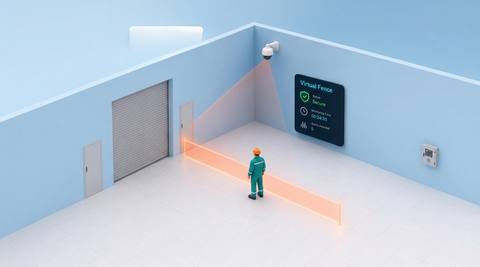
Review the broader concept of image-based crossing boundaries.
Read More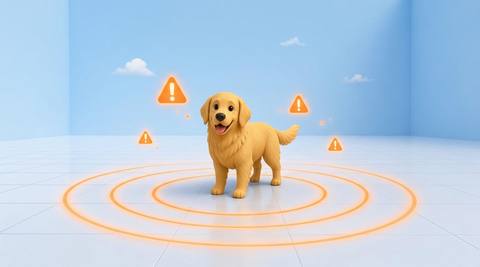 Animal Detection
Consider event delivery after the intrusion condition has been validated.
Read MoreEXPLORE WHAT’S POSSIBLE
01 / 04 · ANIMALS ENTERING RESTRICTED AREAS
Animals can enter through a gap in a perimeter gate.
Example event: An animal appears within the monitored enclosure.
Operator response: Verify the view and arrange a qualified site check.
Practical value: Focus attention on a controlled space.
Discuss this capability02 / 04 · ANIMALS ENTERING RESTRICTED AREAS
Open service gates create unintended access.
Example event: An animal crosses the defined entrance boundary.
Operator response: Check the entrance and waste containment.
Practical value: Connect a sighting to a likely access point.
Discuss this capability03 / 04 · ANIMALS ENTERING RESTRICTED AREAS
Animals should remain outside stored-feed access.
Example event: An animal is visible inside the designated approach zone.
Operator response: Inspect the store entrance and secure access.
Practical value: Support feed-store access management.
Discuss this capability04 / 04 · ANIMALS ENTERING RESTRICTED AREAS
Keep the entry line and its near surroundings visible.
Visibility: Fences, tall grass and perspective can obscure a crossing.
Configuration: Validate animal support and the specific zone-event integration.
Privacy: Avoid monitoring adjoining private areas beyond the boundary.
Human review: Confirm the animal is inside the intended zone rather than merely behind it in perspective.
Discuss this capabilityFrequently asked questions
Flag candidate animal presence or crossing at a defined restricted image area.
No. It is an image-based observation area and cannot prevent entry.
Yes. Mesh, posts and vegetation may reduce detection and make crossing direction ambiguous.
Define an operationally appropriate review and notification policy; delivery behavior must be tested separately.
The visible sequence may suggest an access point, but staff must inspect it before concluding the cause.
Find your fit
Prioritize checks when an animal appears inside a controlled part of the site. For Site security managers, Facilities teams.
Workflow to discuss
animals entering restricted areas + Separate boundary-related sightings from general animal activity.
Discuss a camera view, a monitoring question and the review process your team needs.





