Download IVISION Catalog
 01
01Prepare the view
Define the space and approved capacity source.


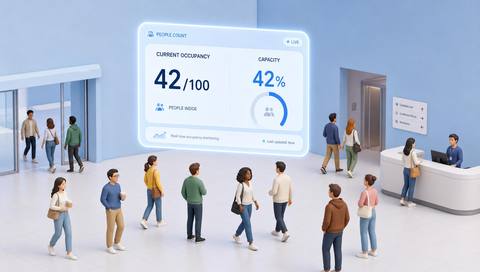
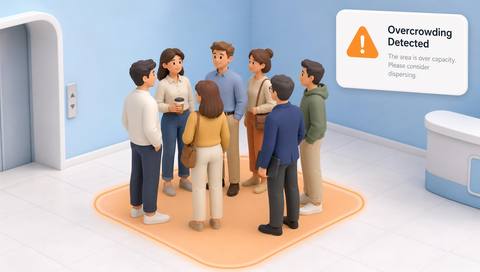
Capacity monitoring needs a reliable count and an externally established threshold. Validate both inputs, then use a candidate exceedance to support staff checks rather than claiming the camera certifies legal capacity.
Catalog workflow. Confirm detector availability, permitted use and event delivery for the proposed deployment. Website examples are illustrative.
Assess capacity thresholds
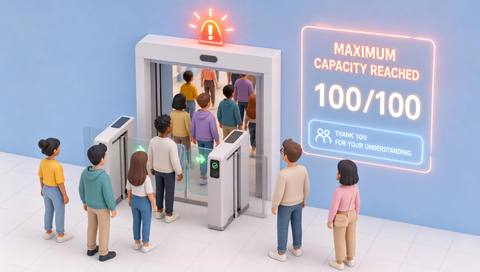
 Without IVISIONStandard CCTV feed
 With IVISIONIllustrative event overlay
The Process
The approved limit must come from the responsible authority Keep capacity decisions linked to an agreed limit.
01Define the space and approved capacity source.
 02
02Validate occupancy measurement under busy conditions.
 03
03Review the estimate and threshold together.
 04
04Have staff check conditions and apply the established admission procedure.
Explore Your Options
| Dimension |  Maximum-capacity monitoring Maximum-capacity monitoring |  Occupancy Metrics (Real-Time) Occupancy Metrics (Real-Time) |
|---|---|---|
| Observation |  Estimated occupancy at or above the configured limit. Estimated occupancy at or above the configured limit. | People visible or accounted for within a defined space. |
| Event criteria | A supported comparison reaches the agreed capacity criterion. | A supported occupancy method produces an updated estimate. |
| Monitoring setup | Confirm threshold owner, area, counting method and review procedure. | Confirm area boundaries, count method and reset/reconciliation rules. |
| What it cannot establish | Cannot determine legal capacity or guarantee safe evacuation. | Cannot guarantee a complete headcount or locate everyone in an emergency. |
| Practical outcome | Help staff review when a space approaches its approved limit. | Give operators a qualified view of current space use. |
Illustrative demonstration
Example footage and simulated events explain the review workflow. They do not measure detector performance.
 Sites overview
No matching events.
EXPLORE WHAT’S POSSIBLE
01 / 04 · MAXIMUM-CAPACITY MONITORING
Layout changes reduce usable space.
Example event: The old threshold is reached.
Operator response: Confirm capacity for the new layout.
Practical value: Keeps limits current.
Discuss this capability02 / 04 · MAXIMUM-CAPACITY MONITORING
Admission needs a consistent check.
Example event: Estimated occupancy reaches the set limit.
Operator response: Verify conditions before adjusting entry.
Practical value: Supports admission coordination.
Discuss this capability03 / 04 · MAXIMUM-CAPACITY MONITORING
Visitor demand exceeds bookings.
Example event: The estimate approaches the approved number.
Operator response: Check seating and room arrangements.
Practical value: Supports room management.
Discuss this capability04 / 04 · MAXIMUM-CAPACITY MONITORING
Cover all relevant occupancy inputs.
Visibility: Crowding can reduce count reliability at the critical moment.
Configuration: Verify threshold comparison and source of capacity.
Privacy: Use aggregate monitoring where sufficient.
Human review: Confirm the physical situation before action.
Discuss this capabilityFrequently asked questions
Compares a validated occupancy estimate with a defined operational capacity threshold.
No. Obtain the limit from the responsible approved process.
Yes. Reassess capacity after changes.
No. Check count quality and current conditions.
No. Capacity analytics do not replace safety planning.
Find your fit
Help staff review when a space approaches its approved limit. For Venue operators, Facility supervisors.
Workflow to discuss
Maximum-capacity monitoring + Make threshold ownership explicit.
Discuss a camera view, a monitoring question and the review process your team needs.