
 Download IVISION Catalog
 01
01Validate the intrusion event
Confirm animal detection and zone criteria on representative footage.


A useful alert needs more than a model output. Confirm the intrusion rule, event connection, delivery channel and recipient so an animal access observation can reach the people responsible for checking it.
Confirm detector support, camera suitability and the proposed event workflow before deployment.
Validate an animal alert workflow
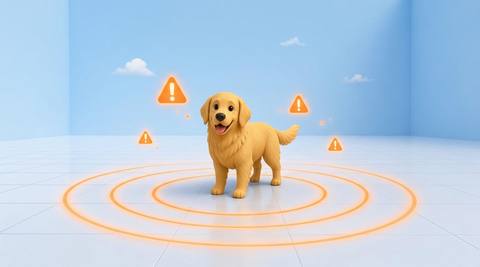
 Without IVISIONStandard CCTV feed
 With IVISIONIllustrative event overlay
The Process
Validate detection, delivery and responsibility together Bring a reviewed intrusion condition to the team responsible for checking the site.
01Confirm animal detection and zone criteria on representative footage.
 02
02Verify the supported dashboard or notification integration and its credentials.
 03
03Check that the correct team receives sufficient camera and time context.
 04
04Have the recipient review the sighting and follow the site response procedure.
Explore Your Options
| Dimension |  Real-time animal-intrusion alerts Real-time animal-intrusion alerts |  animals entering restricted areas animals entering restricted areas |
|---|---|---|
| Observation |  A supported animal intrusion event generated from a monitored zone. A supported animal intrusion event generated from a monitored zone. | An animal visible across or inside a designated image boundary. |
| Event criteria | The validated intrusion condition is passed to a configured event or notification integration. | A supported animal observation meets the validated crossing or presence criteria. |
| Monitoring setup | Agree recipients, operating hours and the response to missed delivery. | Agree boundary geometry, entry direction and when the area is restricted. |
| What it cannot establish | No channel, delivery latency, acknowledgement or automatic dispatch should be assumed without testing. | An image boundary does not physically prevent entry or establish why the animal entered. |
| Practical outcome | Bring a reviewed intrusion condition to the team responsible for checking the site. | Prioritize checks when an animal appears inside a controlled part of the site. |
Illustrative demonstration
Example footage and simulated events explain the review workflow. They do not measure detector performance.
 Sites overview
No matching events.
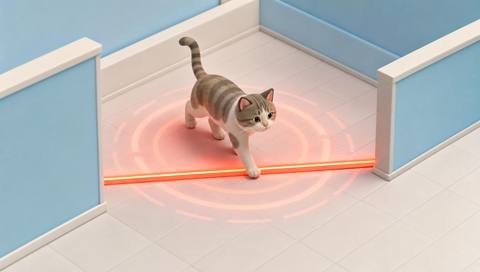 Animal Detection
Define the animal intrusion condition before routing an alert.
Read More
 Animal Detection
Provide a supported category as additional review context.
Read More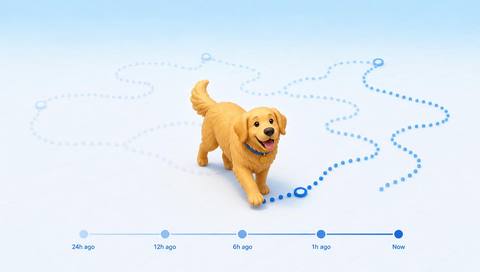 Animal Detection
Review retained events to understand recurring access concerns.
Read MoreEXPLORE WHAT’S POSSIBLE
01 / 04 · REAL-TIME ANIMAL-INTRUSION ALERTS
A sighting may occur when no one is watching the camera.
Example event: A validated animal entry event reaches the agreed recipient.
Operator response: Review the image and arrange an appropriate site check.
Practical value: Give the on-call team actionable location context.
Discuss this capability02 / 04 · REAL-TIME ANIMAL-INTRUSION ALERTS
The responsible team is not continuously on site.
Example event: An animal intrusion condition is generated at the entrance.
Operator response: Verify delivery and request a qualified local inspection.
Practical value: Connect remote observation with an assigned responsibility.
Discuss this capability03 / 04 · REAL-TIME ANIMAL-INTRUSION ALERTS
Staff need a clear handoff for animal access concerns.
Example event: A candidate intrusion is sent through the tested channel.
Operator response: The duty team confirms the sighting and follows the handling procedure.
Practical value: Reduce uncertainty about who should review the event.
Discuss this capability04 / 04 · REAL-TIME ANIMAL-INTRUSION ALERTS
Use an entrance view that can reliably support the underlying intrusion rule.
Visibility: Poor visibility can generate missed or incorrect candidate events.
Configuration: Validate detector, event integration, network and notification channel end to end.
Privacy: Share event imagery only with authorized recipients.
Human review: A recipient must verify the sighting and delivery health must be checked separately.
Discuss this capabilityFrequently asked questions
Route a supported animal intrusion event to a separately validated notification workflow.
No. Camera processing, connectivity and delivery services affect delay; measure the proposed setup.
Confirm the channels supported by the actual deployment. This page does not establish email, SMS or messaging availability.
Test the system’s actual failure behavior and define a backup operational procedure.
No automatic dispatch is established here. The assigned team must follow its approved response process.
Find your fit
Bring a reviewed intrusion condition to the team responsible for checking the site. For Security control rooms, On-call facilities teams.
Workflow to discuss
Real-time animal-intrusion alerts + Make the response owner explicit.
Discuss a camera view, a monitoring question and the review process your team needs.





