Download IVISION Catalog
 01
01Prepare the view
Frame hands and upper body at useful detail.


A visible phone and hand gesture can suggest device interaction. Validate the distinction from radios, scanners and authorized work devices before treating a candidate as a policy exception.
Catalog workflow. Confirm detector availability, permitted use and event delivery for the proposed deployment. Website examples are illustrative.
Assess phone-use monitoring

 Without IVISIONStandard CCTV feed
 With IVISIONIllustrative event overlay
The Process
Apply the rule to the task and zone Focus attention on context-specific device use.
01Frame hands and upper body at useful detail.
 02
02Test supported detection against phones and permitted devices.
 03
03Review the candidate alongside task and zone context.
 04
04Check whether the use is authorized and respond under site policy.
Explore Your Options
| Dimension |  Phone Usage Detection Phone Usage Detection |  Earphone and headset usage Earphone and headset usage |
|---|---|---|
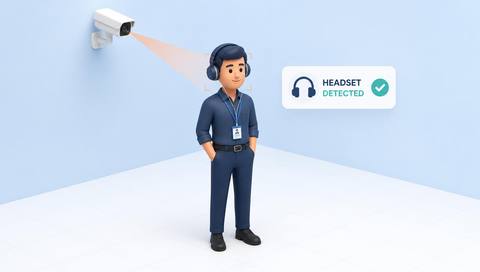
| Observation |  A visible phone held or used near a person. A visible phone held or used near a person. | A visible earphone or headset-like item. |
| Event criteria | A supported detector observes the agreed phone-use pattern in scope. | A supported detector identifies the agreed device class in scope. |
| Monitoring setup | Validate device exceptions, area and active period. | Confirm approved hearing protection, radios and restricted activities. |
| What it cannot establish | Cannot determine what someone is viewing or whether they are distracted. | Cannot establish audio playback, volume or whether warnings were heard. |
| Practical outcome | Help supervisors review a specific device-use rule. | Help teams review device exceptions without confusing protective equipment. |
Illustrative demonstration
Example footage and simulated events explain the review workflow. They do not measure detector performance.
 Sites overview
No matching events.
EXPLORE WHAT’S POSSIBLE
01 / 04 · PHONE USAGE DETECTION
Scanners resemble phones.
Example event: A worker holds a small device.
Operator response: Confirm scanner versus personal phone.
Practical value: Avoids misclassified work activity.
Discuss this capability02 / 04 · PHONE USAGE DETECTION
Device use is restricted during a task.
Example event: A phone-use candidate appears.
Operator response: Verify machine/task context with the supervisor.
Practical value: Supports targeted coaching.
Discuss this capability03 / 04 · PHONE USAGE DETECTION
Workers may consult digital instructions.
Example event: Device interaction occurs near crossing traffic.
Operator response: Check the situation and direct safe movement.
Practical value: Adds context to crossing review.
Discuss this capability04 / 04 · PHONE USAGE DETECTION
See hands without intrusive close surveillance.
Visibility: Small devices and occlusion limit recognition.
Configuration: Validate device classes and supported model.
Privacy: Do not capture screen content or infer private communications.
Human review: Confirm object and authorization before action.
Discuss this capabilityFrequently asked questions
Flags visible handheld-phone interaction in a defined area when the object and gesture are discernible.
Screen-content analysis is not this task.
They can; validate permitted equipment and review candidates.
No. Consider the task and observed activity.
Define and verify an appropriate exception process.
Find your fit
Help supervisors review a specific device-use rule. For Safety supervisors, Operations leads.
Workflow to discuss
Phone Usage Detection + Distinguish permitted devices.
Discuss a camera view, a monitoring question and the review process your team needs.