Download IVISION Catalog
 01
01Prepare the view
Define the work zone and staffing requirement.


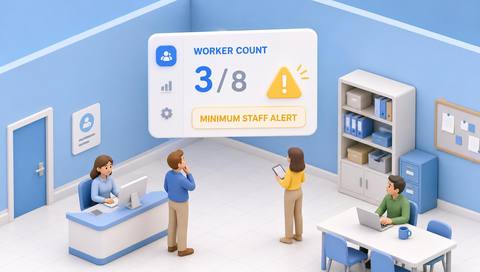
A low visible worker count may reflect breaks, off-camera duties or incomplete classification. Compare it with the current staffing plan and required competencies before deciding whether coverage is insufficient.
Catalog workflow. Confirm detector availability, permitted use and event delivery for the proposed deployment. Website examples are illustrative.
Assess staffing-shortfall review

 Without IVISIONStandard CCTV feed
 With IVISIONIllustrative event overlay
The Process
Headcount must be interpreted with the task plan Bring staffing questions to the responsible supervisor.
01Define the work zone and staffing requirement.
 02
02Validate worker presence measurement and exclusions.
 03
03Review the shortfall with roster and task context.
 04
04Ask the supervisor to confirm coverage and arrange an appropriate response.
Explore Your Options
| Dimension |  Understaffing detection Understaffing detection |  Min and max worker-count alerts Min and max worker-count alerts |
|---|---|---|
| Observation |  Estimated workers below the defined requirement. Estimated workers below the defined requirement. | Estimated workers present within a defined work zone. |
| Event criteria | Supported analysis meets a validated lower-bound and duration criterion. | A supported count falls outside the agreed task range. |
| Monitoring setup | Confirm task, roster, breaks, worker classification and minimum. | Confirm worker classification, schedule, breaks and thresholds. |
| What it cannot establish | Cannot determine competence, workload or safe staffing solely from video. | Cannot establish qualifications, productivity or safe staffing from count alone. |
| Practical outcome | Help supervisors investigate a potential coverage shortfall. | Help supervisors check whether visible presence matches the operational plan. |
Illustrative demonstration
Example footage and simulated events explain the review workflow. They do not measure detector performance.
 Sites overview
No matching events.
EXPLORE WHAT’S POSSIBLE
01 / 04 · UNDERSTAFFING DETECTION
A task requires specific coverage.
Example event: Visible presence falls below the plan.
Operator response: Confirm whether the task is active.
Practical value: Keeps checks task-specific.
Discuss this capability02 / 04 · UNDERSTAFFING DETECTION
Staff handle duties in a back room.
Example event: The visible area has few workers.
Operator response: Check assignments before moving resources.
Practical value: Avoids false shortage conclusions.
Discuss this capability03 / 04 · UNDERSTAFFING DETECTION
Breaks overlap with a demand peak.
Example event: Worker estimate stays below the expected level.
Operator response: Review the break and service plan.
Practical value: Supports coverage coordination.
Discuss this capability04 / 04 · UNDERSTAFFING DETECTION
Cover the defined staffed position.
Visibility: Equipment and partitions hide workers.
Configuration: Verify worker classification and task-range logic.
Privacy: Do not use presence to score individual effort.
Human review: Confirm competencies and demand separately.
Discuss this capabilityFrequently asked questions
Flags estimated worker presence below an agreed task-specific requirement.
No. The task may be paused or work may be elsewhere.
No. Competency records are a separate input.
Include them in the agreed staffing context.
No workforce-allocation integration is established.
Find your fit
Help supervisors investigate a potential coverage shortfall. For Shift managers, Operations coordinators.
Workflow to discuss
Understaffing detection + Compare presence with active tasks.
Discuss a camera view, a monitoring question and the review process your team needs.