Download IVISION Catalog
 01
01Camera input
Show the surface and surrounding reference features.


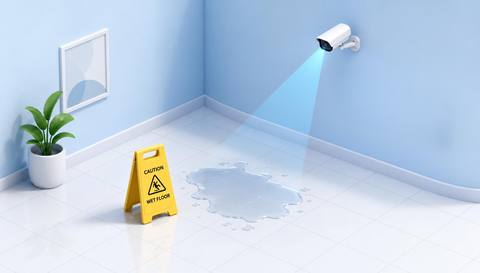
Pooling or changing reflections can indicate a liquid spill, but polished floors and shadows can look similar. Validate the surface and use a direct check to establish the material and appropriate cleanup.
Catalog workflow. Detector availability, scene suitability and event delivery must be verified for the proposed deployment. Camera observations supplement human review and established safety procedures.
Discuss this workflow
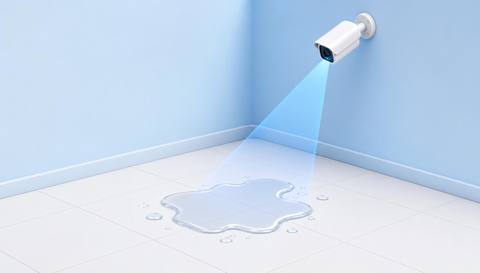
 Without IVISIONStandard CCTV feed
 With IVISIONIllustrative event overlay
The Process
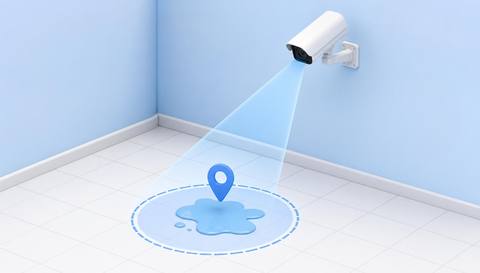
Surface appearance needs local context Give the response team a specific surface area to inspect.
01Show the surface and surrounding reference features.
 02
02Validate spills against dry reflections and routine cleaning.
 03
03Review the region and available change sequence.
 04
04Staff identifies the material and follows safe cleanup procedures.
Explore Your Options
| Dimension |  Liquid-Spill Detection Liquid-Spill Detection |  Wet-Floor Detection Wet-Floor Detection |
|---|---|---|
| Observation |  A visible pool or spill-like surface change. A visible pool or spill-like surface change. | A wet-looking change in the assessed floor surface. |
| Event criteria | A validated liquid-region criterion appears in the assessed area. | A validated surface criterion differs from the dry reference. |
| Monitoring setup | Confirm floor region, cleaning periods and normal reflections. | Confirm surface type, lighting and cleaning context. |
| What it cannot establish | Video does not establish liquid type, depth or slip resistance. | A camera cannot measure friction or determine that a floor is safe to walk on. |
| Practical outcome | Help facilities locate a possible spill and assign a physical check. | Help facilities prioritize a floor-condition check without claiming to measure slip risk. |
Illustrative demonstration
Example footage and simulated events explain the review workflow. They do not measure detector performance.
 Sites overview
No matching events.
EXPLORE WHAT’S POSSIBLE
01 / 04 · LIQUID-SPILL DETECTION
Spills may be unnoticed between staff rounds.
Example event: A pool-like change appears.
Operator response: Staff checks and manages the area.
Practical value: Specific cleanup dispatch.
Discuss this capability02 / 04 · LIQUID-SPILL DETECTION
Leaking packages affect circulation.
Example event: Liquid appears beside a package.
Operator response: Supervisor identifies the source and response.
Practical value: Useful package context.
Discuss this capability03 / 04 · LIQUID-SPILL DETECTION
Cleaning and accidental spills look similar.
Example event: A wet-looking region appears outside cleaning context.
Operator response: Facilities verifies the condition.
Practical value: Fewer assumptions about cause.
Discuss this capability04 / 04 · LIQUID-SPILL DETECTION
Use an oblique view that still shows the floor region.
Visibility: Clear liquids, patterned floors and glare limit detection.
Configuration: Validate each surface and lighting condition.
Privacy: Minimize incidental occupant imagery.
Human review: Confirm the substance and safe cleanup method physically.
Discuss this capabilityFrequently asked questions
Reviews visible liquid accumulation on a monitored surface.
Not reliably from general imagery; inspect using appropriate procedures.
No. Dry polished surfaces can produce similar patterns.
No. Surface friction is not established by appearance.
Include them as expected context during validation and review.
Find your fit
Help facilities locate a possible spill and assign a physical check. For Facilities response teams, Warehouse supervisors.
Workflow to discuss
Liquid-Spill Detection + Locate the visible pool.
Discuss a camera view, a monitoring question and the review process your team needs.