Download IVISION Catalog
 01
01Camera input
Frame the door leaf and reference edge.


Define the door, relevant period and expected visible position. Review deviations with the door’s purpose; a camera cannot establish lock engagement, latch function or fire resistance.
Catalog workflow. Detector availability, scene suitability and event delivery must be verified for the proposed deployment. Camera observations supplement human review and established safety procedures.
Discuss this workflow
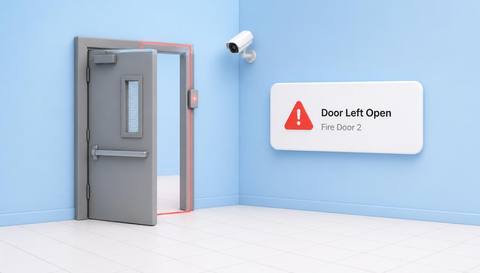
 Without IVISIONStandard CCTV feed
 With IVISIONIllustrative event overlay
The Process
Open and closed need operational context Give door findings the context needed for a check.
01Frame the door leaf and reference edge.
 02
02Validate states under ordinary traffic and lighting.
 03
03Review the deviation against the applicable rule.
 04
04Staff checks operation and restores the required arrangement.
Explore Your Options
| Dimension |  Unsafe Door Status Detection Unsafe Door Status Detection |  Emergency Exit Accessibility Emergency Exit Accessibility |
|---|---|---|
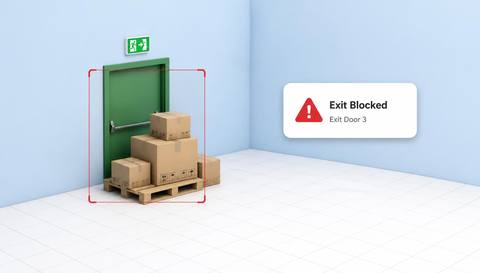
| Observation |  Visible position differs from the agreed expected state. Visible position differs from the agreed expected state. | A visible change affects the assessed approach or doorway. |
| Event criteria | A validated open/closed indication meets the review condition. | A selected obstruction or door-state criterion is met. |
| Monitoring setup | Confirm door type, schedule and exceptions. | Validate regions and expected door conditions. |
| What it cannot establish | Position does not establish lock, latch or fire performance. | The view cannot establish full accessibility or evacuation capacity. |
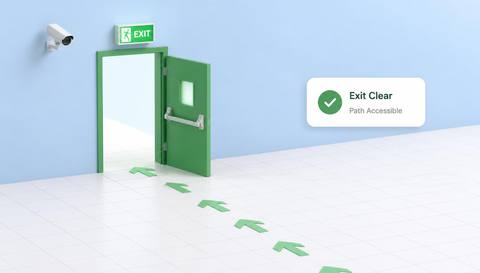
| Practical outcome | Help teams investigate a door apparently open or closed contrary to the applicable rule. | Help teams investigate changes that may affect a designated escape route. |
Illustrative demonstration
Example footage and simulated events explain the review workflow. They do not measure detector performance.
 Sites overview
No matching events.
EXPLORE WHAT’S POSSIBLE
01 / 04 · UNSAFE DOOR STATUS DETECTION
Deliveries may hold a door open.
Example event: The door remains open in the assessed context.
Operator response: Facilities checks the approved arrangement.
Practical value: Specific door follow-up.
Discuss this capability02 / 04 · UNSAFE DOOR STATUS DETECTION
Maintenance changes access conditions.
Example event: Position differs from the work-period rule.
Operator response: Owner checks the permit.
Practical value: Contextual access review.
Discuss this capability03 / 04 · UNSAFE DOOR STATUS DETECTION
Stored items affect closure.
Example event: Door cannot reach its expected position.
Operator response: Maintenance checks the cause.
Practical value: Targeted inspection.
Discuss this capability04 / 04 · UNSAFE DOOR STATUS DETECTION
Show leaf and frame from a stable angle.
Visibility: Glass, shadows and people obscure state.
Configuration: Validate each door and schedule criterion.
Privacy: Avoid private interiors beyond the doorway.
Human review: Physically verify required hardware and safety function.
Discuss this capabilityFrequently asked questions
Reviews a door’s visible position against an explicitly defined expected condition.
Not from position alone.
Approved hold-open arrangements and context require review.
Only when visible features support validated recognition.
No. Certification and maintenance inspections are separate.
Find your fit
Help teams investigate a door apparently open or closed contrary to the applicable rule. For Facilities supervisors, Access safety coordinators.
Workflow to discuss
Unsafe Door Status Detection + Avoid calling every open door a violation.
Discuss a camera view, a monitoring question and the review process your team needs.