Download IVISION Catalog
 01
01Prepare the view
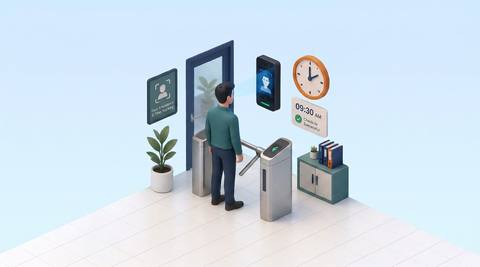
Cover the designated workforce entry point.


The portal implements attendance records, employee association and export. Recognition input depends on the connected detection service. Check missed captures, duplicates and shift rules before using records for work-time decisions.
Catalog workflow. Confirm detector availability, permitted use and event delivery for the proposed deployment. Website examples are illustrative.
Discuss attendance review
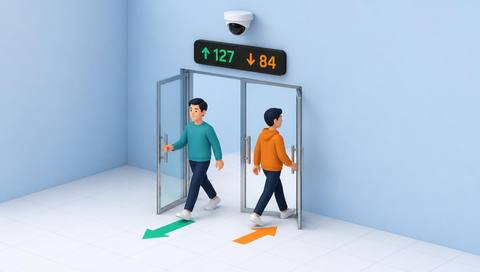
 Without IVISIONStandard CCTV feed
 With IVISIONIllustrative event overlay
The Process
Review who was recorded, where and when Resolve attendance exceptions with supporting evidence.
01Cover the designated workforce entry point.
 02
02Validate recognition input and capture-direction information.
 03
03Review employee association, capture time and approval state.
 04
04Resolve exceptions before exporting to the approved HR process.
Explore Your Options
| Dimension |  Smart Attendance Smart Attendance |  Face Detection & Recognition Face Detection & Recognition |
|---|---|---|
| Observation |  A timestamped capture linked or proposed to an employee. A timestamped capture linked or proposed to an employee. | A visible face and possible enrolled match. |
| Event criteria | An arrival or departure observation enters the record flow. | A validated matcher returns a candidate for review. |
| Monitoring setup | Validate direction, shift boundaries and duplicate handling. | Confirm enrollment scope, confidence threshold and unmatched handling. |
| What it cannot establish | Camera presence does not establish hours worked or productivity. | A match cannot prove identity, intent or permission. |
| Practical outcome | Reconcile questionable attendance entries before approval. | Give an authorized operator a candidate identity to verify. |
Illustrative demonstration
Example footage and simulated events explain the review workflow. They do not measure detector performance.
 Sites overview
No matching events.
EXPLORE WHAT’S POSSIBLE
01 / 04 · SMART ATTENDANCE
Shift changes overlap.
Example event: A capture occurs near a roster boundary.
Operator response: Check roster and local time.
Practical value: Improves shift reconciliation.
Discuss this capability02 / 04 · SMART ATTENDANCE
Guests can be confused with staff.
Example event: An association is disputed.
Operator response: Correct it through authorized review.
Practical value: Protects record quality.
Discuss this capability03 / 04 · SMART ATTENDANCE
Repeated passages create duplicates.
Example event: Several captures occur close together.
Operator response: Apply agreed attendance rules.
Practical value: Avoids counting every passage as work.
Discuss this capability04 / 04 · SMART ATTENDANCE
Cover the agreed attendance point.
Visibility: Crowded arrivals obscure faces.
Configuration: Confirm recognition and attendance business rules.
Privacy: Restrict employee data to approved HR purposes.
Human review: Resolve disputes with staff and other evidence.
Discuss this capabilityFrequently asked questions
Associates incoming attendance captures with employee records for time and presence review.
Source code supports records, review, association and export; production configuration still needs checking.
No. Re-entry and breaks need attendance rules.
Authorized employee-assignment and review workflows exist.
Payroll integration and validated work-time rules are separate requirements.
Find your fit
Reconcile questionable attendance entries before approval. For HR administrators, Workforce coordinators.
Workflow to discuss
Smart Attendance + Review disputed captures.
Discuss a camera view, a monitoring question and the review process your team needs.