
 Download IVISION Catalog
 01
01Choose observable symptoms
Identify conditions the camera can clearly distinguish.


A jammed transfer or displaced item may be visible before its cause is understood. A validated camera observation can help locate the symptom, while machine diagnostics and approved maintenance procedures establish the fault and safe response.
Confirm detector support, camera suitability and the proposed event workflow before deployment.
Define visible fault symptoms
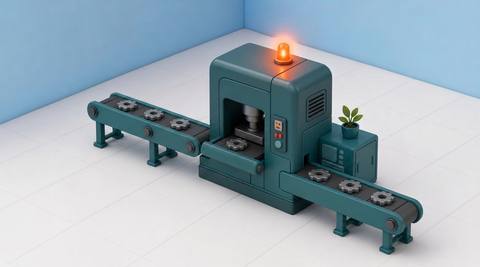
 Without IVISIONStandard CCTV feed
 With IVISIONIllustrative event overlay
The Process
Use the camera symptom to guide a qualified check Help maintenance and operations teams locate a condition needing verification.
01Identify conditions the camera can clearly distinguish.
 02
02Test changeovers, cleaning and planned pauses alongside fault examples.
 03
03Compare footage with machine alarms and operating context.
 04
04Qualified maintenance staff follow isolation and diagnostic procedures.
Explore Your Options
| Dimension |  Production-Line Fault Detection Production-Line Fault Detection |  Production-line monitoring Production-line monitoring |
|---|---|---|
| Observation |  Specified visible abnormalities at a production stage. Specified visible abnormalities at a production stage. | Visible movement, items and activity at a monitored line stage. |
| Event criteria | A supported condition matches a validated abnormal-state example. | A supported state or event meets the agreed review criteria. |
| Monitoring setup | Define observable symptoms and distinguish them from planned stops. | Define the stage, observable conditions and normal operating variations. |
| What it cannot establish | Images do not diagnose electrical, software or hidden mechanical faults. | Video alone does not establish internal machine state, root cause or production output. |
| Practical outcome | Help maintenance and operations teams locate a condition needing verification. | Give supervisors camera context for investigating line conditions. |
Illustrative demonstration
Example footage and simulated events explain the review workflow. They do not measure detector performance.
 Sites overview
No matching events.
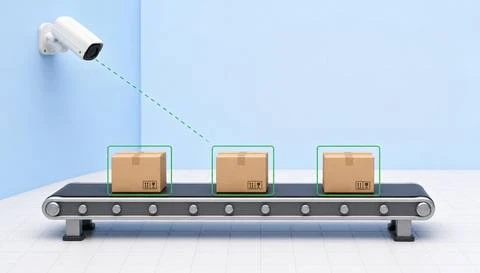 Production Monitoring
Provide broader visible line-state context.
Read More
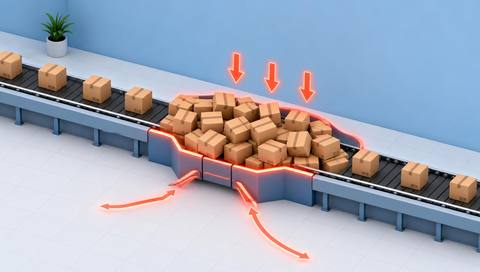 Production Monitoring
Investigate accumulation that may accompany an abnormality.
Read More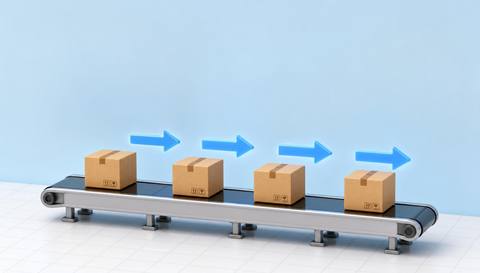 Production Monitoring
Review transfer behavior around the affected point.
Read MoreEXPLORE WHAT’S POSSIBLE
01 / 04 · PRODUCTION-LINE FAULT DETECTION
A visible jam needs a precise location.
Example event: A carton remains displaced at the transfer.
Operator response: Follow the approved stop and isolation procedure before inspection.
Practical value: Locate the symptom for maintenance.
Discuss this capability02 / 04 · PRODUCTION-LINE FAULT DETECTION
Abnormal presentation interrupts transfer.
Example event: A supported observation flags a displaced part.
Operator response: Check machine records and the feed mechanism safely.
Practical value: Support a focused diagnostic check.
Discuss this capability03 / 04 · PRODUCTION-LINE FAULT DETECTION
Visible motion changes unexpectedly.
Example event: A validated abnormal condition is observed.
Operator response: Verify whether the stop was planned before escalating.
Practical value: Separate operational context from a fault assumption.
Discuss this capability04 / 04 · PRODUCTION-LINE FAULT DETECTION
Keep the relevant mechanism visible without compromising guarding.
Visibility: Enclosures, blur and process material may hide the symptom.
Configuration: Validate each fault-symptom class and event integration.
Privacy: Restrict process footage to authorized operational users.
Human review: Qualified staff establish the cause and safe response.
Discuss this capabilityFrequently asked questions
Surface visible symptoms of an abnormal production-line condition for investigation.
Not from a visible symptom alone; proper diagnostics are required.
No. Machine and safety systems remain necessary.
No automatic control is established by this workflow.
Yes. Validate planned states and review operating context.
Find your fit
Help maintenance and operations teams locate a condition needing verification. For Maintenance engineers, Line supervisors.
Workflow to discuss
Production-Line Fault Detection + Locate a visible abnormality symptom.
Discuss a camera view, a monitoring question and the review process your team needs.





