
 Download IVISION Catalog
 01
01Define the boundaries
Choose unambiguous visible start and finish conditions.


A cycle interval is meaningful only when its boundaries are clear. Validate the visible start and end events, timestamp behavior and interruptions before using camera observations to compare cycles or investigate variation.
Confirm detector support, camera suitability and the proposed event workflow before deployment.
Define a visible cycle

 Without IVISIONStandard CCTV feed
 With IVISIONIllustrative event overlay
The Process
Define the start and finish before comparing time Help teams compare observed cycle intervals under defined conditions.
01Choose unambiguous visible start and finish conditions.
 02
02Compare detected times with representative manual or machine references.
 03
03Check missing events, pauses and product changes.
 04
04Use the verified intervals with engineering and production records.
Explore Your Options
| Dimension |  Production-cycle monitoring Production-cycle monitoring |  Production-speed analysis Production-speed analysis |
|---|---|---|
| Observation |  A pair of supported visible events marking a cycle boundary. A pair of supported visible events marking a cycle boundary. | Timed unit crossings or supported visible movement at a checkpoint. |
| Event criteria | The validated end event follows the corresponding start event. | Validated observations support a rate over a defined interval. |
| Monitoring setup | Agree cycle definition, interrupted cycles and timestamp handling. | Specify whether the metric is units per period or physical movement speed. |
| What it cannot establish | A visual interval may differ from machine cycle time and does not establish worker productivity. | Uncalibrated video does not establish exact distance, conveyor speed or maximum machine capacity. |
| Practical outcome | Help teams compare observed cycle intervals under defined conditions. | Help teams compare visible output pace at a defined checkpoint. |
Illustrative demonstration
Example footage and simulated events explain the review workflow. They do not measure detector performance.
 Sites overview
No matching events.
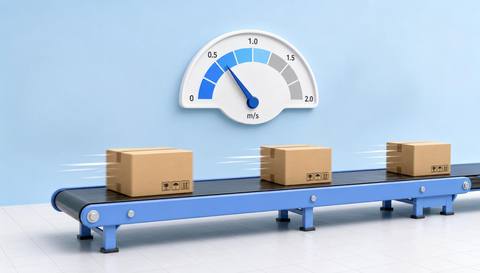 Production Monitoring
Review output cadence as a distinct time-based measure.
Read More
 Production Monitoring
Place cycle intervals within movement between stages.
Read More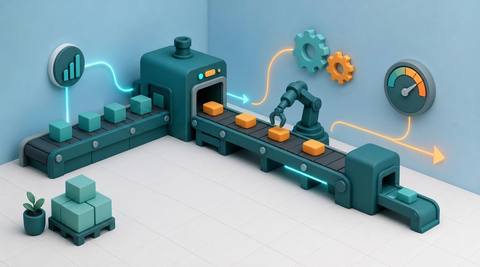 Production Monitoring
Interpret validated timing alongside other operational inputs.
Read MoreEXPLORE WHAT’S POSSIBLE
01 / 04 · PRODUCTION-CYCLE MONITORING
Cycle comparisons use inconsistent definitions.
Example event: Visible start and release events form an interval.
Operator response: Confirm the cycle definition with the process engineer.
Practical value: Make the comparison reproducible.
Discuss this capability02 / 04 · PRODUCTION-CYCLE MONITORING
Some observed cycles include interruptions.
Example event: A supported interval is longer than the comparison sample.
Operator response: Review footage for pauses before interpreting it.
Practical value: Provide context for timing variation.
Discuss this capability03 / 04 · PRODUCTION-CYCLE MONITORING
Machine and camera timing may differ.
Example event: A visible transfer interval is recorded.
Operator response: Compare it with the relevant machine signal.
Practical value: Clarify the meaning of each measure.
Discuss this capability04 / 04 · PRODUCTION-CYCLE MONITORING
Keep both cycle boundary events visible.
Visibility: Occlusion and frame timing limit event precision.
Configuration: Validate event matching, timestamps and interruption handling.
Privacy: Do not use isolated cycle footage to rank individual workers.
Human review: Confirm the interval definition before reporting comparisons.
Discuss this capabilityFrequently asked questions
Measure intervals between validated visible start and end events for a production cycle.
Not necessarily. The visible boundaries may differ from controller events.
The interval should be treated as incomplete rather than silently assumed.
Account for product and process differences before comparison.
No. Interruptions, task complexity and operating conditions require context.
Find your fit
Help teams compare observed cycle intervals under defined conditions. For Process engineers, Line supervisors.
Workflow to discuss
Production-cycle monitoring + Define timing through observable boundaries.
Discuss a camera view, a monitoring question and the review process your team needs.





