
 Download IVISION Catalog
 01
01Cover production access
Frame doors and floor-level entry paths without obstructing operations.


Animal access to a process area can require a documented inspection. A supported detection workflow can provide the camera and time of a candidate entry so production and quality staff can assess the actual conditions.
Confirm detector support, camera suitability and the proposed event workflow before deployment.
Discuss production-area protection
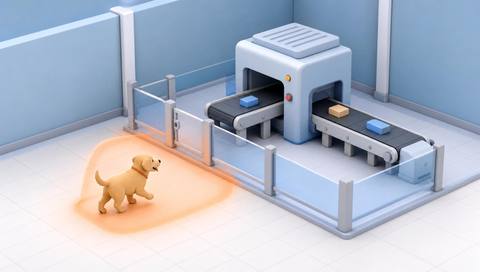
 Without IVISIONStandard CCTV feed
 With IVISIONIllustrative event overlay
The Process
Bring visible entry to the attention of the responsible team Prompt a focused operational and hygiene check when animal access is observed.
01Frame doors and floor-level entry paths without obstructing operations.
 02
02Test supported animal detection using realistic lighting and equipment movement.
 03
03Where supported, retain the candidate event time and camera for investigation.
 04
04Production and quality teams inspect the area and decide on any process action.
Explore Your Options
| Dimension |  animals entering production areas animals entering production areas |  animals entering restricted areas animals entering restricted areas |
|---|---|---|
| Observation |  An animal visible at a production-room entrance or inside a defined process area. An animal visible at a production-room entrance or inside a defined process area. | An animal visible across or inside a designated image boundary. |
| Event criteria | A validated animal observation occurs within the production access boundary. | A supported animal observation meets the validated crossing or presence criteria. |
| Monitoring setup | Define monitored access points and the team responsible for reviewing each one. | Agree boundary geometry, entry direction and when the area is restricted. |
| What it cannot establish | Video alone cannot establish contamination, product safety or the need to release or reject a batch. | An image boundary does not physically prevent entry or establish why the animal entered. |
| Practical outcome | Prompt a focused operational and hygiene check when animal access is observed. | Prioritize checks when an animal appears inside a controlled part of the site. |
Illustrative demonstration
Example footage and simulated events explain the review workflow. They do not measure detector performance.
 Sites overview
No matching events.
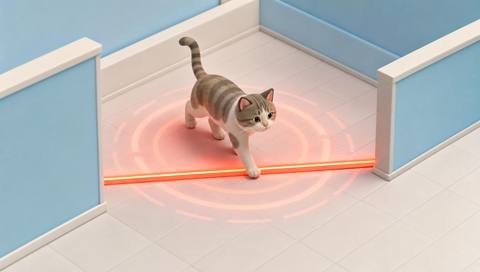 Animal Detection
Apply animal observations to a controlled access boundary.
Read More
 Animal Detection
Review visible housekeeping conditions separately from contamination.
Read More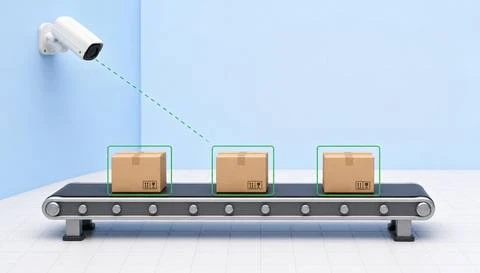 Animal Detection
Place an access event alongside visible production activity.
Read MoreEXPLORE WHAT’S POSSIBLE
01 / 04 · ANIMALS ENTERING PRODUCTION AREAS
An open service door can permit animal access.
Example event: An animal appears across the room entrance.
Operator response: Inspect the area under the hygiene procedure and assess affected operations.
Practical value: Provide a clear starting point for inspection.
Discuss this capability02 / 04 · ANIMALS ENTERING PRODUCTION AREAS
Animals may enter during material deliveries.
Example event: A candidate animal appears beside incoming materials.
Operator response: Check the access route before continuing nearby movement.
Practical value: Support a timely floor-level check.
Discuss this capability03 / 04 · ANIMALS ENTERING PRODUCTION AREAS
Unexpected access requires a controlled review.
Example event: An animal is visible near the room threshold.
Operator response: Notify the responsible quality team and follow the site investigation process.
Practical value: Connect the review to a place and observation time.
Discuss this capability04 / 04 · ANIMALS ENTERING PRODUCTION AREAS
Include floor-level entrances that equipment may otherwise hide.
Visibility: Pallets, moving trolleys and low lighting can conceal small animals.
Configuration: Confirm supported animal sizes and classes in the actual production scene.
Privacy: Limit worker footage to the legitimate operational purpose.
Human review: Quality staff must determine any product or process impact.
Discuss this capabilityFrequently asked questions
Identify candidate animal entry into a visible production or packing area.
No. It is a reason to inspect; contamination and product disposition require the site’s quality procedures.
Automatic machine control is not established by this workflow and must not be assumed.
Only if the deployed model and camera setup have been validated for that target size; this is not a general pest-detection guarantee.
No. Camera observations supplement physical inspections and approved hygiene controls.
Find your fit
Prompt a focused operational and hygiene check when animal access is observed. For Production supervisors, Quality and hygiene teams.
Workflow to discuss
animals entering production areas + Associate possible access with a production location.
Discuss a camera view, a monitoring question and the review process your team needs.





