
 Download IVISION Catalog
 01
01Survey the door view
Keep the relevant leaf, frame or shutter edge visible.


Door position can explain an access concern or a delayed handoff. A supported visual workflow can record candidate state changes or prolonged opening, while lock status and access permission remain separate questions.
Confirm detector support, camera suitability and the proposed event workflow before deployment.
Discuss door-state monitoring

 Without IVISIONStandard CCTV feed
 With IVISIONIllustrative event overlay
The Process
Review open and closed states in context Help teams review door position around access and operational events.
01Keep the relevant leaf, frame or shutter edge visible.
 02
02Test partial openings, normal movement and lighting changes.
 03
03Check supported event records against the visible door position.
 04
04Staff inspect security, operation or maintenance concerns as appropriate.
Explore Your Options
| Dimension |  Door-open and close monitoring Door-open and close monitoring |  animals entering sensitive facilities animals entering sensitive facilities |
|---|---|---|
| Observation |  The visible position of a door leaf or shutter. The visible position of a door leaf or shutter. | An animal visible at a monitored equipment-area access point. |
| Event criteria | A supported visual state changes or remains open under validated criteria. | A supported animal observation occurs inside the designated facility zone. |
| Monitoring setup | Define each door’s expected positions and any review duration. | Agree the sensitive boundary and the qualified response contact. |
| What it cannot establish | Visible closure does not establish that a door is locked, latched or secure. | A camera cannot reveal hidden pests, internal equipment damage or electrical safety. |
| Practical outcome | Help teams review door position around access and operational events. | Help qualified teams inspect sensitive locations after a visible animal sighting. |
Illustrative demonstration
Example footage and simulated events explain the review workflow. They do not measure detector performance.
 Sites overview
No matching events.
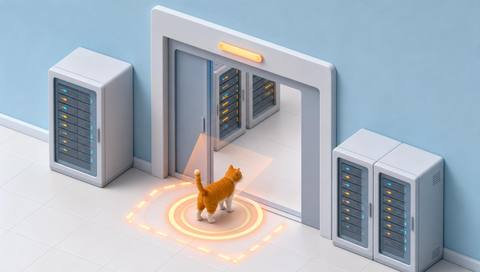 Facility Monitoring
Review visible entry conditions around animal access concerns.
Read More
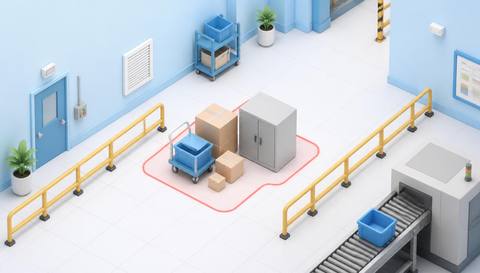 Facility Monitoring
Check whether objects interfere with the door approach.
Read More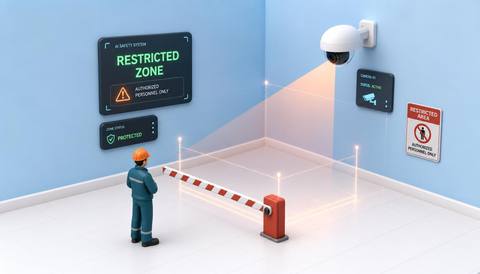 Facility Monitoring
Relate door position to activity in a controlled area.
Read MoreEXPLORE WHAT’S POSSIBLE
01 / 04 · DOOR-OPEN AND CLOSE MONITORING
A shutter remains open after a delivery.
Example event: The visible open position persists.
Operator response: Verify the loading task and close it under the site procedure.
Practical value: Support an end-of-task access check.
Discuss this capability02 / 04 · DOOR-OPEN AND CLOSE MONITORING
Staff need context for an access complaint.
Example event: A door-state change appears in available footage.
Operator response: Review the event and inspect the door if needed.
Practical value: Add position context to the investigation.
Discuss this capability03 / 04 · DOOR-OPEN AND CLOSE MONITORING
Door position may affect a controlled workflow.
Example event: The door remains visibly open.
Operator response: Check operations and use dedicated sensors for environmental conditions.
Practical value: Prompt a targeted operational check.
Discuss this capability04 / 04 · DOOR-OPEN AND CLOSE MONITORING
Choose a fixed angle that clearly distinguishes open and closed positions.
Visibility: People, reflections and partially open leaves can obscure the state.
Configuration: Validate per-door state support and event timing.
Privacy: Limit entrance footage to authorized access and operations staff.
Human review: Use physical checks or dedicated sensors to establish latching and security.
Discuss this capabilityFrequently asked questions
Observe the visible open or closed position of a camera-covered door.
No. Video cannot reliably establish lock or latch engagement.
Only after the specific door geometry and detector support are validated.
Door-state observation does not identify a credential or authorization.
No. Temperature requires appropriate environmental sensing and records.
Find your fit
Help teams review door position around access and operational events. For Building operations teams, Warehouse managers.
Workflow to discuss
Door-open and close monitoring + Review visible door-state changes.
Discuss a camera view, a monitoring question and the review process your team needs.





