
 Download IVISION Catalog
 01
01Cover the movement path
Keep the likely route visible for more than a brief crossing.


A sequence of positions can be more useful than one frame. Where tracking is supported, review an animal’s visible route through a scene and its last observed position, while keeping gaps and occlusions in mind.
Confirm detector support, camera suitability and the proposed event workflow before deployment.
Discuss animal movement tracking
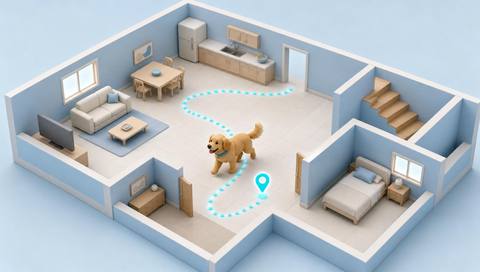
 Without IVISIONStandard CCTV feed
 With IVISIONIllustrative event overlay
The Process
See where an animal was observed moving Show reviewers the observed direction and last visible position of an animal.
01Keep the likely route visible for more than a brief crossing.
 02
02Validate the tracker where animals overlap, turn or pass obstacles.
 03
03Review the observed sequence and any point where continuity becomes uncertain.
 04
04Direct a safe location check using the last visible position and time.
Explore Your Options
| Dimension |  Animal tracking Animal tracking |  Animal detection Animal detection |
|---|---|---|
| Observation |  Successive positions of a visible animal in one camera view. Successive positions of a visible animal in one camera view. | An animal-like object visible in the image. |
| Event criteria | A supported tracker associates detections across nearby frames. | A supported animal class appears within the monitored view. |
| Monitoring setup | Test track continuity, scene boundaries and handling of lost tracks. | Validate supported classes, observation area and event criteria. |
| What it cannot establish | A track does not prove identity across cameras or locate an animal after it leaves view. | Appearance cannot establish ownership, health, aggression or an animal hidden from view. |
| Practical outcome | Show reviewers the observed direction and last visible position of an animal. | Give staff a visible starting point for checking unexpected animal access. |
Illustrative demonstration
Example footage and simulated events explain the review workflow. They do not measure detector performance.
 Sites overview
No matching events.
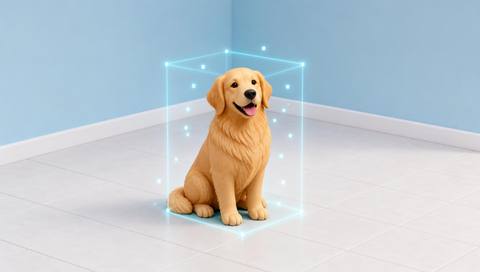 Animal Detection
Supply the visible observations that a tracker may associate.
Read More
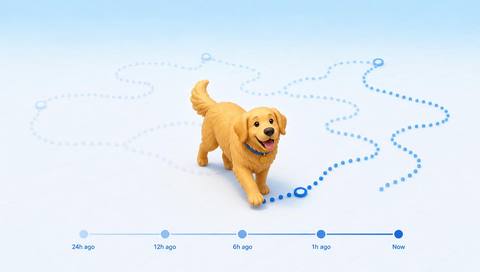 Animal Detection
Review retained movement observations across periods.
Read More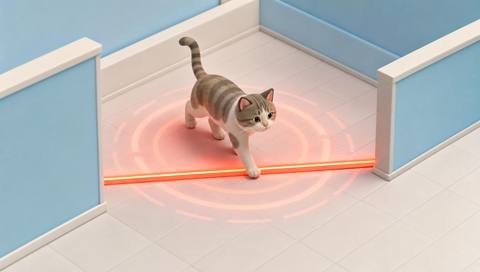 Animal Detection
Relate a visible path to a particular controlled zone.
Read MoreEXPLORE WHAT’S POSSIBLE
01 / 04 · ANIMAL TRACKING
A single sighting does not show which bay an animal approached.
Example event: A visible track moves toward a loading bay.
Operator response: Review the route and check the relevant access point.
Practical value: Narrow the location to inspect.
Discuss this capability02 / 04 · ANIMAL TRACKING
Staff need to understand which passage an animal used.
Example event: Successive positions follow the corridor.
Operator response: Compare the route with open gates and passages.
Practical value: Support an access-route investigation.
Discuss this capability03 / 04 · ANIMAL TRACKING
An animal leaves the first camera position quickly.
Example event: The observed path ends near a hedge.
Operator response: Treat the endpoint as the last sighting, not a confirmed current location.
Practical value: Communicate a more accurate search starting point.
Discuss this capability04 / 04 · ANIMAL TRACKING
Choose a stable camera with a continuous view of the expected route.
Visibility: Occlusion, rapid motion and similar animals can break or confuse tracks.
Configuration: Confirm tracking support separately from detection support.
Privacy: Retain movement records only for a defined site purpose.
Human review: Check whether a track changes animal or loses continuity.
Discuss this capabilityFrequently asked questions
Follow successive visible positions of an animal within a monitored camera scene.
No. A temporary track links observations; it is not a verified individual identity.
Cross-camera association is a separate capability and must not be assumed from within-view tracking.
The track may stop or resume incorrectly. Review the gap before interpreting the route.
No. It records where the animal was last visible at the stated time.
Find your fit
Show reviewers the observed direction and last visible position of an animal. For Security operators, Yard supervisors.
Workflow to discuss
Animal tracking + Provide direction context beyond a single image.
Discuss a camera view, a monitoring question and the review process your team needs.





