
 Download IVISION Catalog
 01
01Select the line stage
Frame the process point where the relevant condition is visible.


A line camera can show activity, accumulation or an apparent pause at a particular stage. Validate the observations supported by the deployment and combine them with machine records before deciding what the line is doing or why.
Confirm detector support, camera suitability and the proposed event workflow before deployment.
Discuss line observations
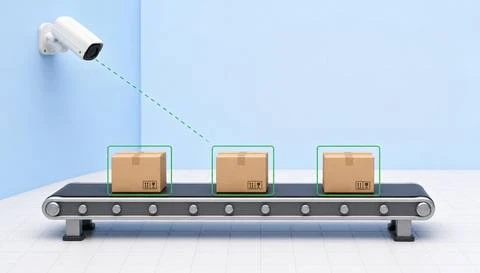
 Without IVISIONStandard CCTV feed
 With IVISIONIllustrative event overlay
The Process
Connect a camera observation with the operating context Give supervisors camera context for investigating line conditions.
01Frame the process point where the relevant condition is visible.
 02
02Test supported observations against running, changeover and planned pauses.
 03
03Compare the image and time with available production records.
 04
04The supervisor assigns a process or maintenance check.
Explore Your Options
| Dimension |  Production-line monitoring Production-line monitoring |  Production-flow analysis Production-flow analysis |
|---|---|---|
| Observation |  Visible movement, items and activity at a monitored line stage. Visible movement, items and activity at a monitored line stage. | Visible unit or material movement between defined process points. |
| Event criteria | A supported state or event meets the agreed review criteria. | Supported observations indicate a change in movement or accumulation. |
| Monitoring setup | Define the stage, observable conditions and normal operating variations. | Define stages, normal transfers and comparable operating periods. |
| What it cannot establish | Video alone does not establish internal machine state, root cause or production output. | Video does not establish material genealogy or hidden movement outside coverage. |
| Practical outcome | Give supervisors camera context for investigating line conditions. | Help teams locate where the observed flow changes or accumulates. |
Illustrative demonstration
Example footage and simulated events explain the review workflow. They do not measure detector performance.
 Sites overview
No matching events.
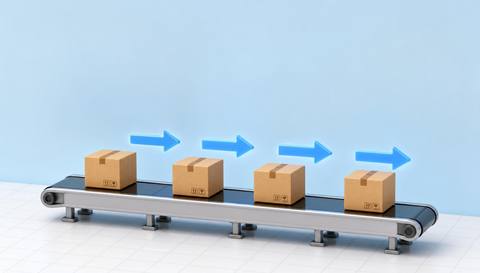 Production Monitoring
Review movement between visible stages.
Read More
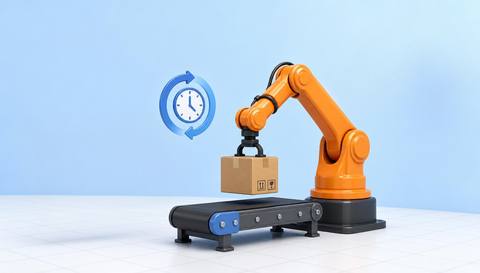 Production Monitoring
Measure validated visible cycle intervals.
Read More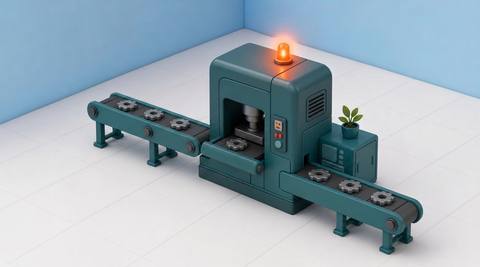 Production Monitoring
Investigate specific visible abnormality symptoms.
Read MoreEXPLORE WHAT’S POSSIBLE
01 / 04 · PRODUCTION-LINE MONITORING
A pause is difficult to explain from a report alone.
Example event: Items appear stationary at the transfer.
Operator response: Compare footage with the operating log.
Practical value: Provide context for a line check.
Discuss this capability02 / 04 · PRODUCTION-LINE MONITORING
Materials accumulate between tasks.
Example event: Visible accumulation changes near the station.
Operator response: Review the work sequence and material supply.
Practical value: Focus a process discussion.
Discuss this capability03 / 04 · PRODUCTION-LINE MONITORING
Operators need context for an irregular flow.
Example event: Visible movement differs from the reviewed normal examples.
Operator response: Check the process under the site’s operating procedure.
Practical value: Support investigation without inferring product condition.
Discuss this capability04 / 04 · PRODUCTION-LINE MONITORING
Use a fixed view that shows the relevant stage without obstructing work.
Visibility: Guards, steam and moving equipment may hide activity.
Configuration: Confirm each supported observation and event connection.
Privacy: Avoid inferring individual worker productivity from incidental footage.
Human review: Machine state and cause require operational evidence.
Discuss this capabilityFrequently asked questions
Review visible activity and selected observable states along a production line.
No. Telemetry requires a separately verified connection.
Visible context may help investigation but does not establish the cause.
No automatic process control is established here.
Coverage depends on the line geometry and the detail required at each point.
Find your fit
Give supervisors camera context for investigating line conditions. For Production supervisors, Operations engineers.
Workflow to discuss
Production-line monitoring + Locate visible changes at a specific stage.
Discuss a camera view, a monitoring question and the review process your team needs.





