Download IVISION Catalog
 01
01Prepare the view
Identify the authorized entity and evidence source.


A useful last-seen record includes timestamp, camera and association confidence. Check data freshness and blind spots before sending a team to a location or assuming an entity remains there.
Catalog workflow. Confirm detector availability, permitted use and event delivery for the proposed deployment. Website examples are illustrative.
Assess last-seen context
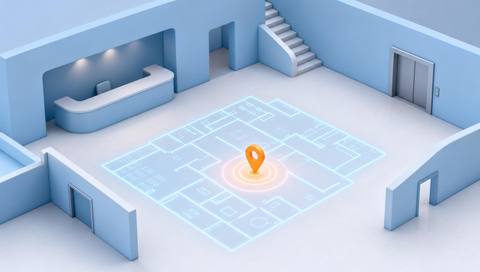
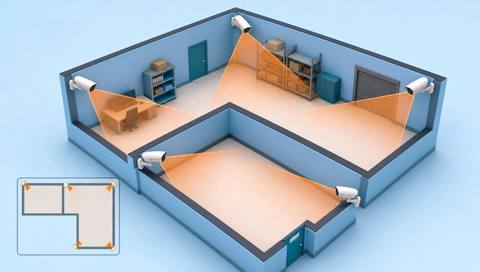
 Without IVISIONStandard CCTV feed
 With IVISIONIllustrative event overlay
The Process
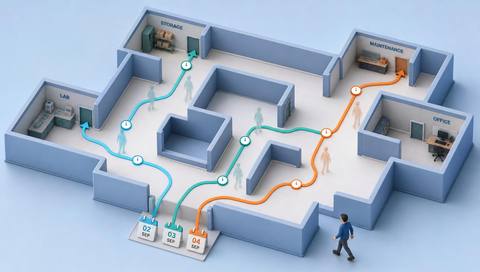
Last seen is not the same as here now Anchor a search to a reviewable observation.
01Identify the authorized entity and evidence source.
 02
02Validate association and timestamp ordering.
 03
03Display the last sighting with camera and age.
 04
04Review newer evidence or check the location through normal procedures.
Explore Your Options
| Dimension |  Last-seen location display Last-seen location display |  Camera-location maps Camera-location maps |
|---|---|---|
| Observation |  The most recent qualifying recorded sighting. The most recent qualifying recorded sighting. | A registered camera associated with a plan location. |
| Event criteria | A supported query selects the latest observation within scope. | A user selects a camera marker or map-linked event. |
| Monitoring setup | Confirm entity association, time ordering and freshness display. | Confirm camera ID, floor, position and orientation. |
| What it cannot establish | Cannot establish current position after the observation. | Cannot prove current coverage, stream availability or precise object location. |
| Practical outcome | Give reviewers a clear starting point without implying current location. | Help operators identify the source of a view or event. |
Illustrative demonstration
Example footage and simulated events explain the review workflow. They do not measure detector performance.
 Sites overview
No matching events.
EXPLORE WHAT’S POSSIBLE
01 / 04 · LAST-SEEN LOCATION DISPLAY
An asset is not at its assigned bay.
Example event: Its last sighting is at another camera.
Operator response: Verify the image and check that area.
Practical value: Narrows the initial search.
Discuss this capability02 / 04 · LAST-SEEN LOCATION DISPLAY
A route stops at a blind corridor.
Example event: The latest sighting predates the gap.
Operator response: Treat later movement as unknown.
Practical value: Prevents false current-location claims.
Discuss this capability03 / 04 · LAST-SEEN LOCATION DISPLAY
Data updates have stopped.
Example event: The last observation is stale.
Operator response: Check feed availability first.
Practical value: Avoids outdated dispatch assumptions.
Discuss this capability04 / 04 · LAST-SEEN LOCATION DISPLAY
Use accurately labeled source cameras.
Visibility: Blind areas prevent newer sightings.
Configuration: Verify timestamp ordering and data freshness.
Privacy: Limit access to authorized location questions.
Human review: Confirm the selected entity and observation.
Discuss this capabilityFrequently asked questions
Shows the location and time of the latest available observation for a selected tracked entity.
No. It only describes the latest recorded observation.
A stale sighting may be unsuitable for a current decision.
Yes. Validate the association.
Show that limitation rather than silently implying live location.
Find your fit
Give reviewers a clear starting point without implying current location. For Operations desks, Authorized investigators.
Workflow to discuss
Last-seen location display + Show observation age.
Discuss a camera view, a monitoring question and the review process your team needs.