
 Download IVISION Catalog
 01
01Survey the visible edge
Choose a boundary that corresponds clearly to the physical site.


A virtual fence is an observation boundary drawn in an image. Where supported, it can focus crossing review on a particular approach, but it does not create a physical barrier or remove the need to survey blind spots.
Confirm detector support, camera suitability and the proposed event workflow before deployment.
Plan a virtual boundary
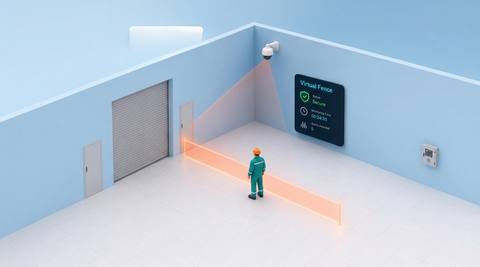
 Without IVISIONStandard CCTV feed
 With IVISIONIllustrative event overlay
The Process
Review crossings at the line that matters Focus monitoring on a chosen visible boundary without changing the physical site layout.
01Choose a boundary that corresponds clearly to the physical site.
 02
02Test crossings at different distances and angles.
 03
03Check whether the observed path truly crossed the intended edge.
 04
04Use findings to review access and camera coverage.
Explore Your Options
| Dimension |  Virtual fence monitoring Virtual fence monitoring |  Area Intrusion Area Intrusion |
|---|---|---|
| Observation |  A supported object crossing an image-defined line or perimeter. A supported object crossing an image-defined line or perimeter. | A supported object moving across a defined entry boundary. |
| Event criteria | A validated crossing condition is met at the selected boundary. | The validated direction or entry condition is met. |
| Monitoring setup | Confirm line geometry, direction and relevant object classes. | Confirm object classes, boundary position and relevant operating periods. |
| What it cannot establish | An image line is not a surveyed physical fence or guaranteed perimeter protection. | A crossing does not prove criminal intent or establish access permission. |
| Practical outcome | Focus monitoring on a chosen visible boundary without changing the physical site layout. | Help security teams review where and when a boundary was crossed. |
Illustrative demonstration
Example footage and simulated events explain the review workflow. They do not measure detector performance.
 Sites overview
No matching events.
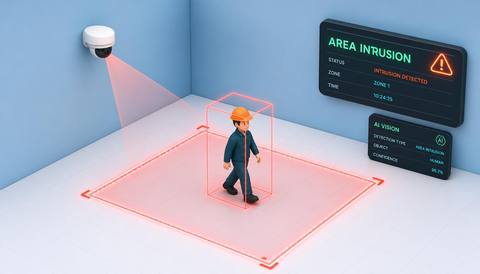 Area Monitoring
Use a validated crossing as a candidate entry event.
Read More
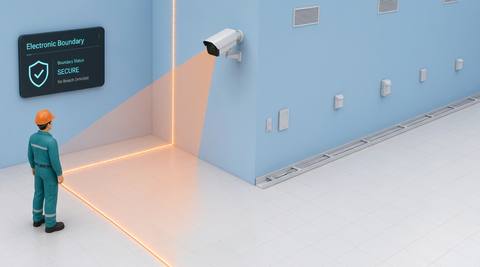 Area Monitoring
Review a broader set of monitored boundary segments.
Read More Area Monitoring
Apply a supported animal observation to a selected boundary.
Read MoreEXPLORE WHAT’S POSSIBLE
01 / 04 · VIRTUAL FENCE MONITORING
The monitored edge has no continuous wall.
Example event: A supported object crosses the selected image line.
Operator response: Check the visible crossing and relevant access arrangements.
Practical value: Focus review on a chosen approach.
Discuss this capability02 / 04 · VIRTUAL FENCE MONITORING
Operational areas share an open surface.
Example event: Movement crosses the virtual division.
Operator response: Verify whether the transfer was expected.
Practical value: Add context to activity between yard sections.
Discuss this capability03 / 04 · VIRTUAL FENCE MONITORING
A camera must observe the space before a gate.
Example event: A candidate crossing occurs at the approach line.
Operator response: Review the image and follow the site access procedure.
Practical value: Provide a consistent observation point.
Discuss this capability04 / 04 · VIRTUAL FENCE MONITORING
Use stable mounting and a clear view on both sides of the line.
Visibility: Camera movement can invalidate the boundary alignment.
Configuration: Verify available line-crossing controls and revalidate after camera changes.
Privacy: Avoid extending the observation boundary into unrelated private areas.
Human review: Confirm image crossings against the real physical boundary.
Discuss this capabilityFrequently asked questions
Use an image-defined line or boundary to review supported object crossings.
No. It observes a defined image boundary and provides no physical restraint.
A moved or zoomed camera requires boundary alignment to be checked again.
Not without a separately calibrated mapping method.
No. Additional coverage is needed for areas the camera cannot see.
Find your fit
Focus monitoring on a chosen visible boundary without changing the physical site layout. For Perimeter security teams, Facilities planners.
Workflow to discuss
Virtual fence monitoring + Target a specific visible crossing location.
Discuss a camera view, a monitoring question and the review process your team needs.





